Lead to handover in SurgePV, v2: every screen, and the journeys between them
One rooftop job followed from first call to handover, for Kiranpath Solar, a fictional installer in Indore, through the installer's app, phones, a homeowner portal and the other parties' views. 75 screens; 11 are tagged Needs backend work, only where an outside party or a new engine is involved. Each screen is marked moat or table stakes. The story is dated from Wed 28 Oct to Sat 5 Dec 2026. Nothing here is connected to a real account.
What this shows
- Version 2 is a redesign after a full review: a two-track project page (build, and grid and subsidy beside it) replaces tabs plus stepper; every carried-forward value shows its source; each project shows who it is waiting on.
- Each person signs in as themselves: the owner starts on Today (what waits on him), purchase and the owner approve on their phones, the crew lead gets a step-by-step job card.
- A lead is the early stage of a project. Marking it won keeps the same record (KP-1042). Enquiries from website, WhatsApp and missed calls land in one inbox that recognises known numbers.
- Engineering: in-house, or a Heaven Designs pack (proposal pack at the lead stage, permit-ready pack after the sale), priced before it is placed. A design that differs from what was sold goes back to the homeowner.
- Purchase as a platform: one-step reorder for routine jobs, quote requests with supplier reply links or PDF import, an Indore median from pooled quotes, and labelled sponsored offers that pay a published 2% commission on orders.
- Grid and subsidy paperwork has its own queue: the net-metering application prefilled from the project, the completion report from the crew's photos, the subsidy claim checked before filing.
- Journey 8 walks the linked record and the parties inside it (why this is hard to copy). Journey 9 shows five a/b options; the first of each pair is recommended.
- People move stages; nothing moves on its own. Subsidy always carries a status (estimated, claimed, credited). EPC and ground-mounted projects are left for a later variant.
11. Sales: Pooja's week
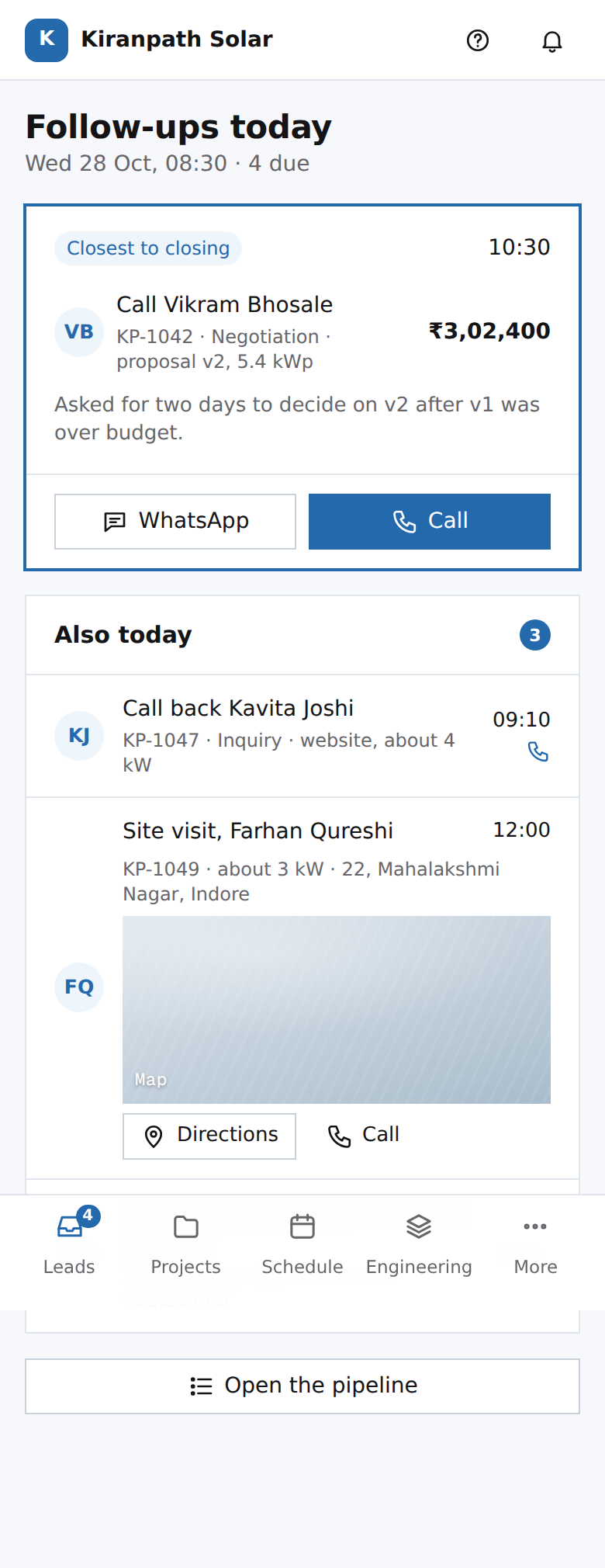 CR06Pooja's phone: follow-ups todaytable stakes: a follow-up list every CRM has
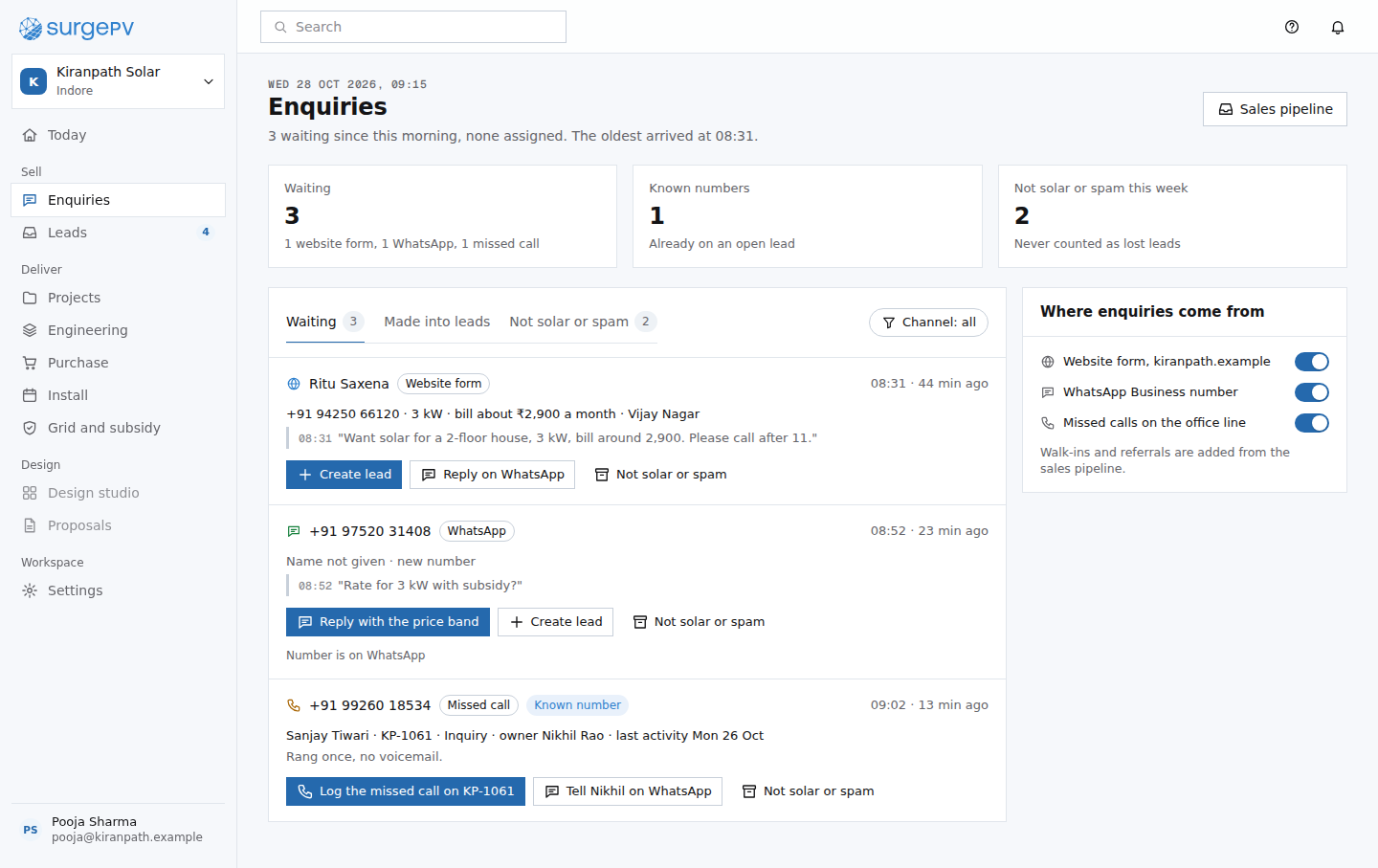 CR08Enquiriesmoat: the inbox knows your numbers, so a known caller is matched to their leadNeeds backend workWhatsApp Business inbox, website form intake and missed-call capture into one enquiry list, matched against known numbers
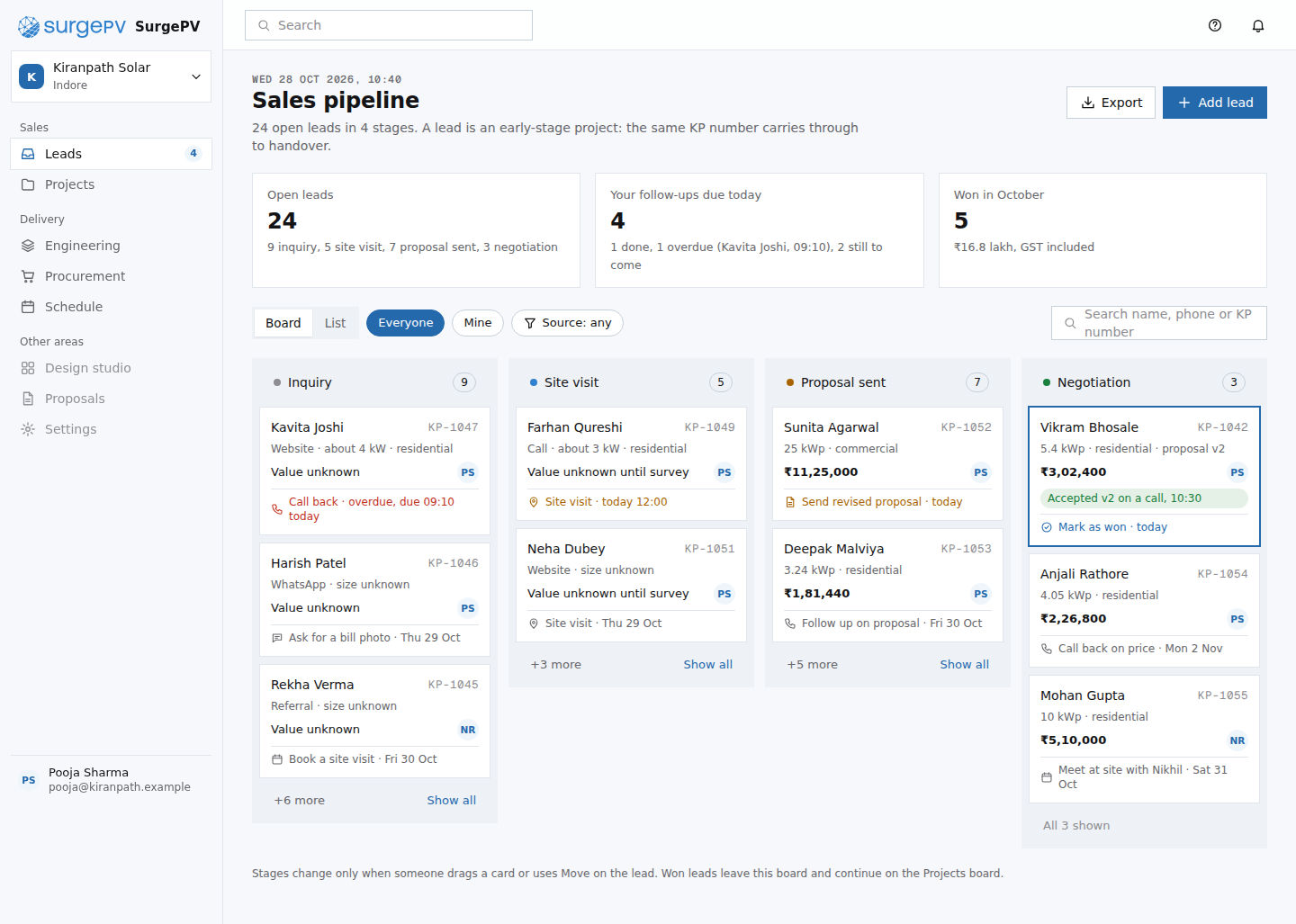 CR01Sales pipelinetable stakes: a stage board every CRM has
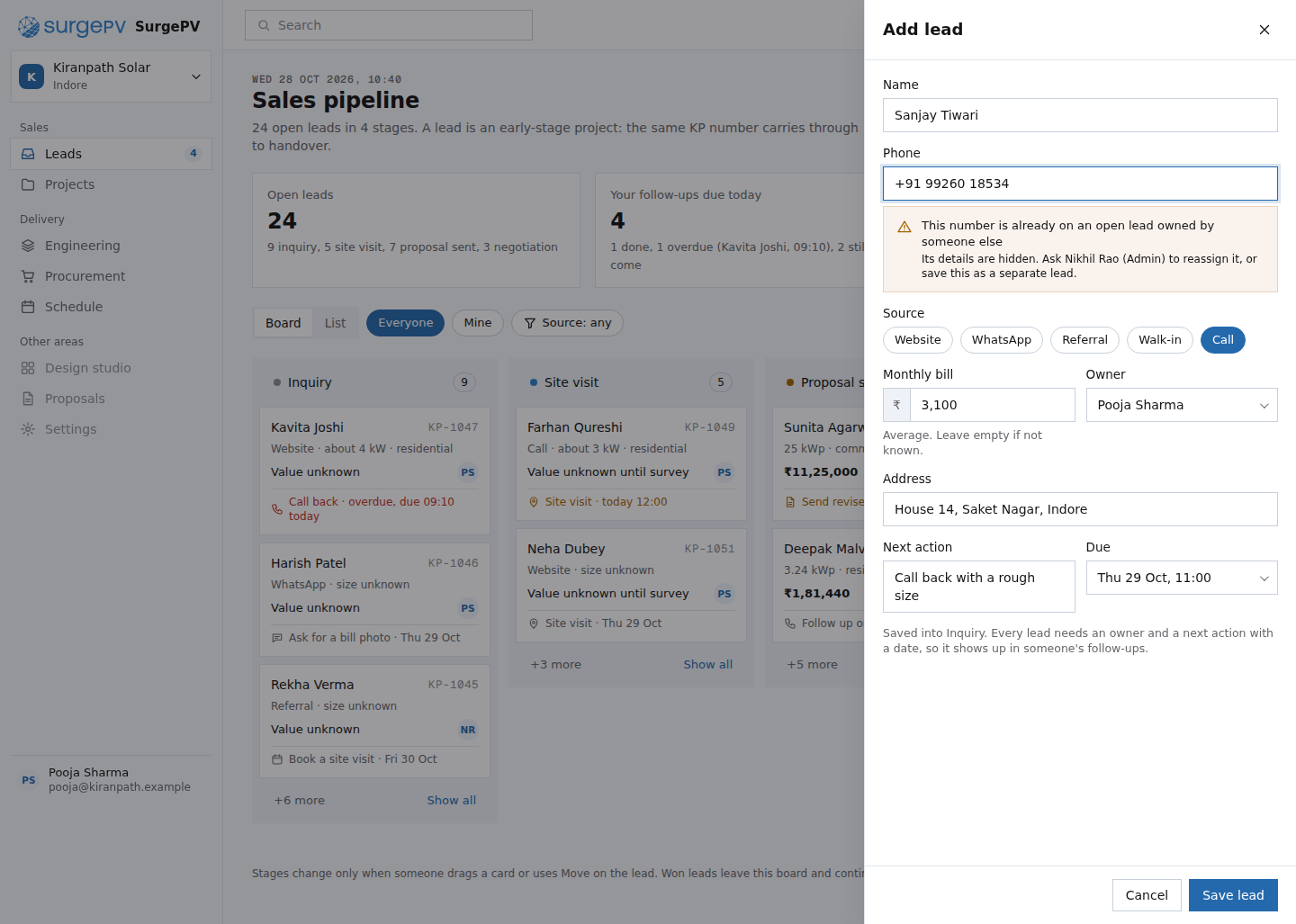 CR03New lead from the website formmoat: nothing retyped; the enquiry already holds the details
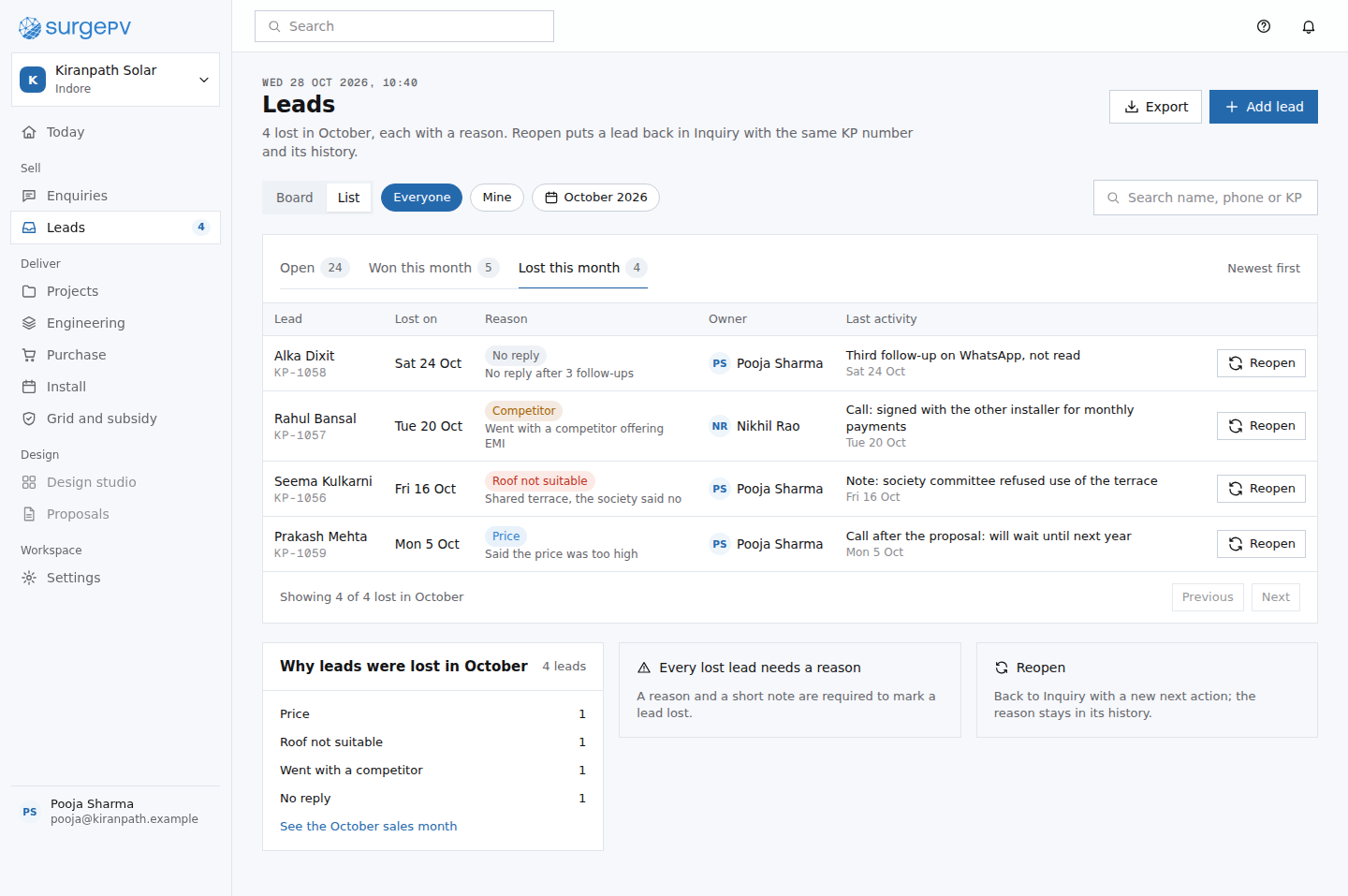 CR07Lead list, lost this monthtable stakes: a lead list with lost reasons, as every CRM has
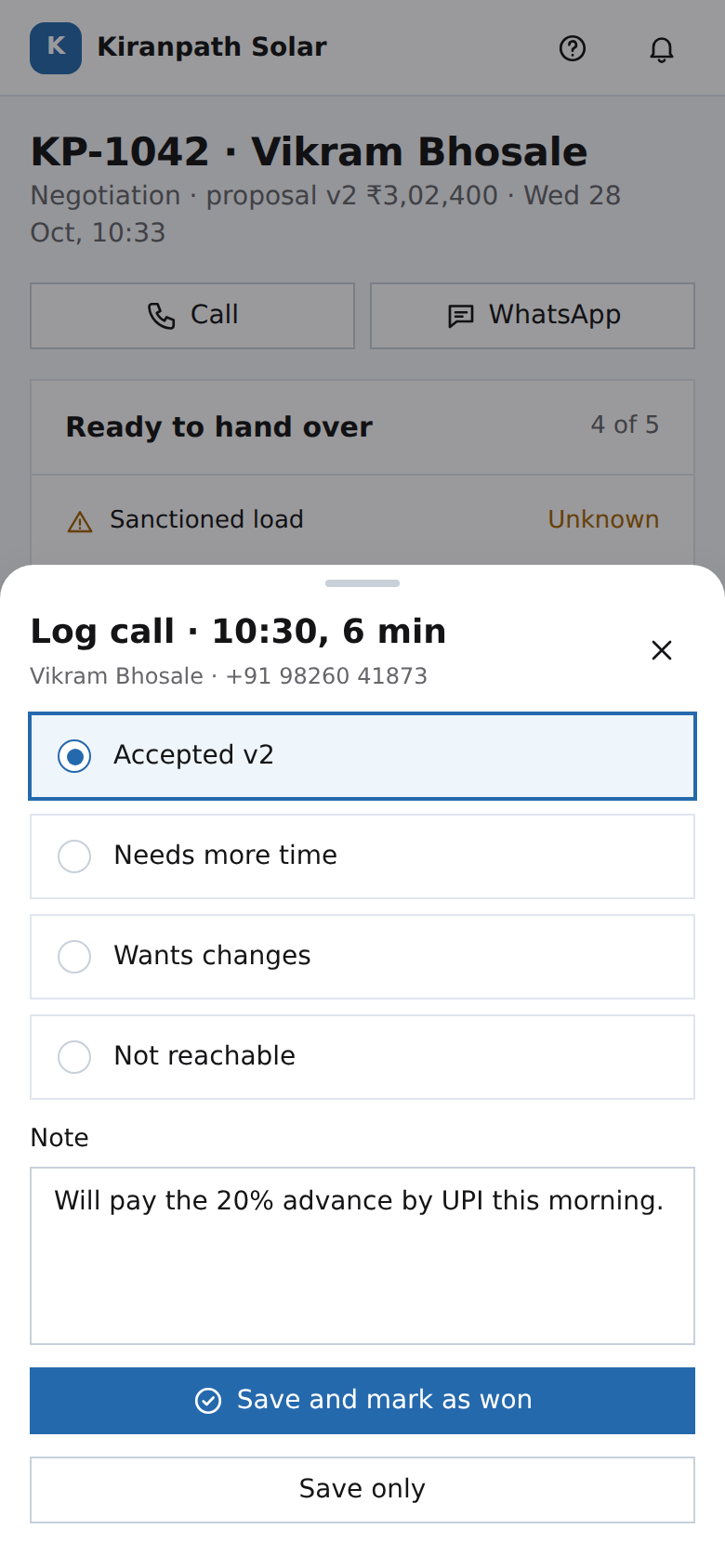 PH05Pooja's phone: log the calltable stakes: call logging every CRM has
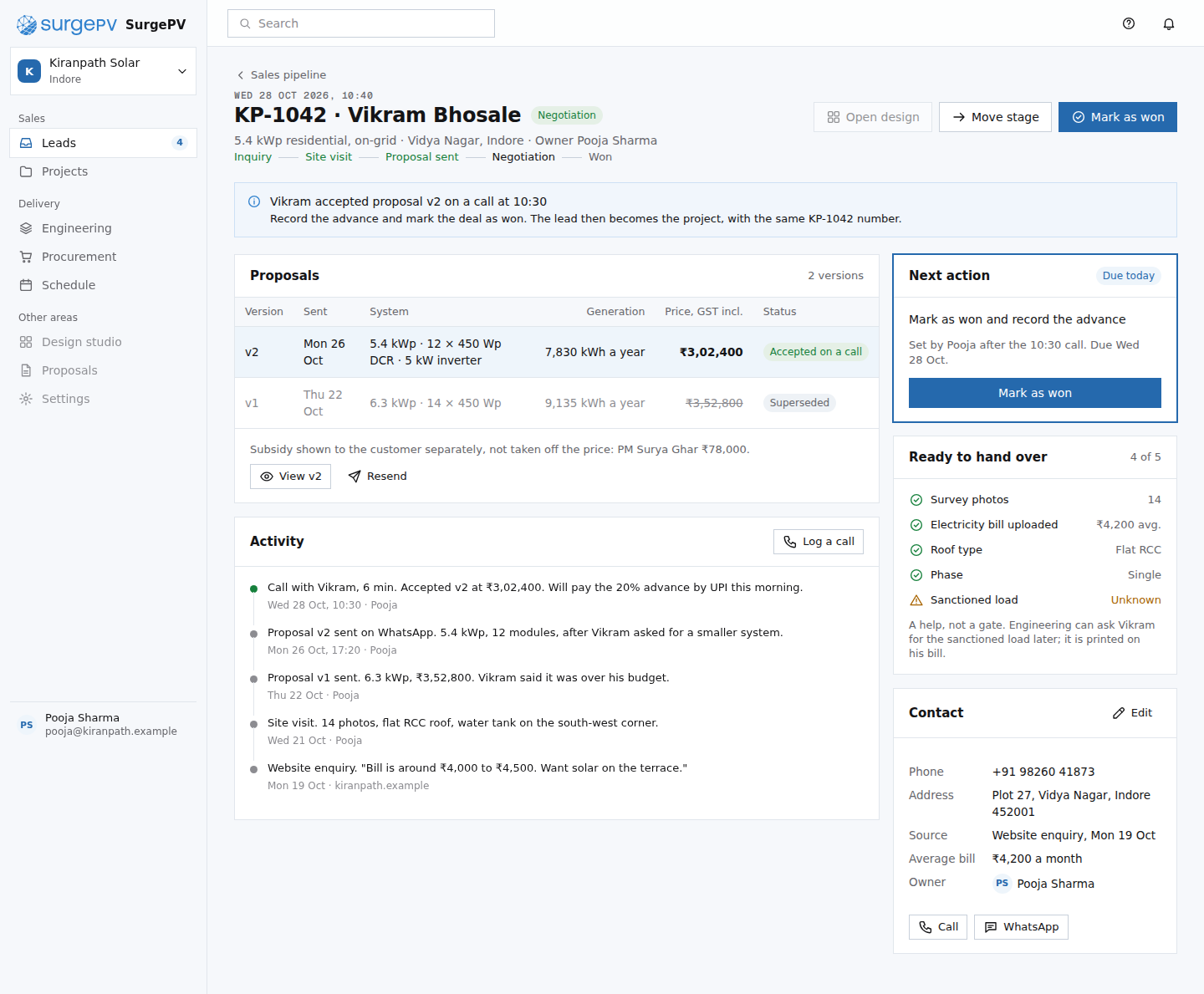 CR02Lead: Vikram Bhosaletable stakes: a lead page every CRM has; the source chips and readiness list are what carry into the project
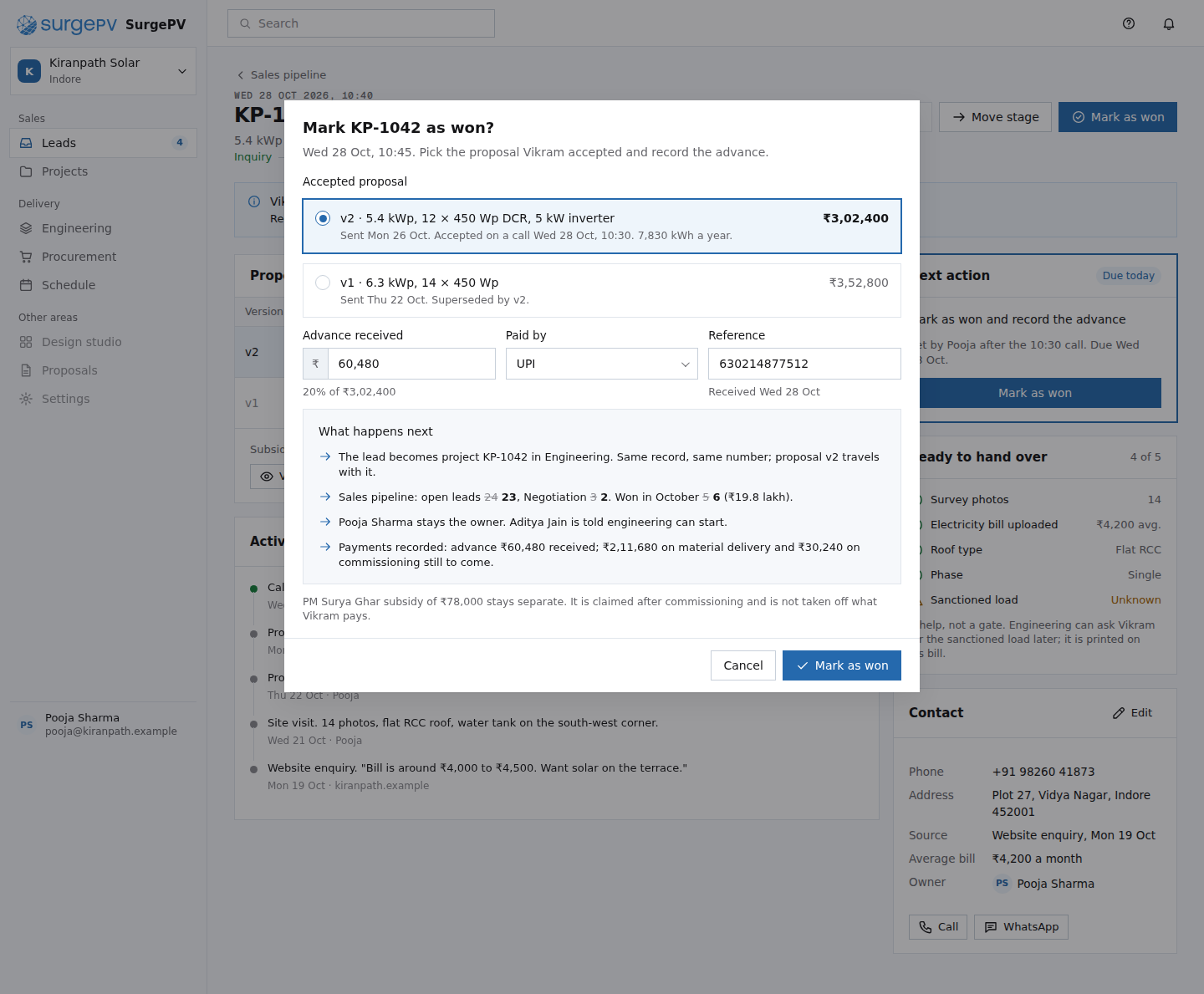 CR04Mark as wontable stakes: every CRM marks a deal won; here the accepted version and the advance become the project record
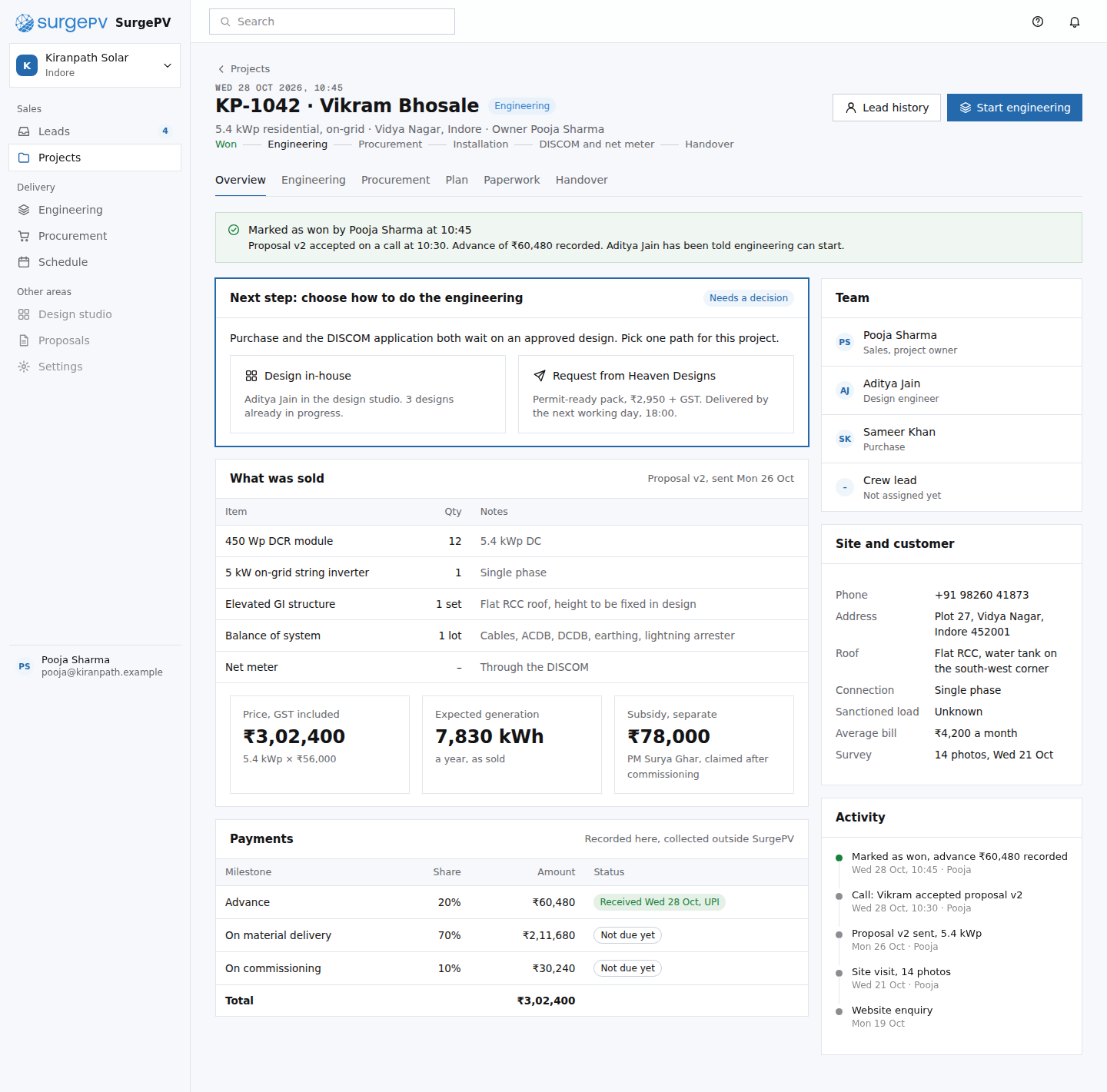 CR05Project overview, just wonmoat: the sold record is the project; nothing from the sale is typed again
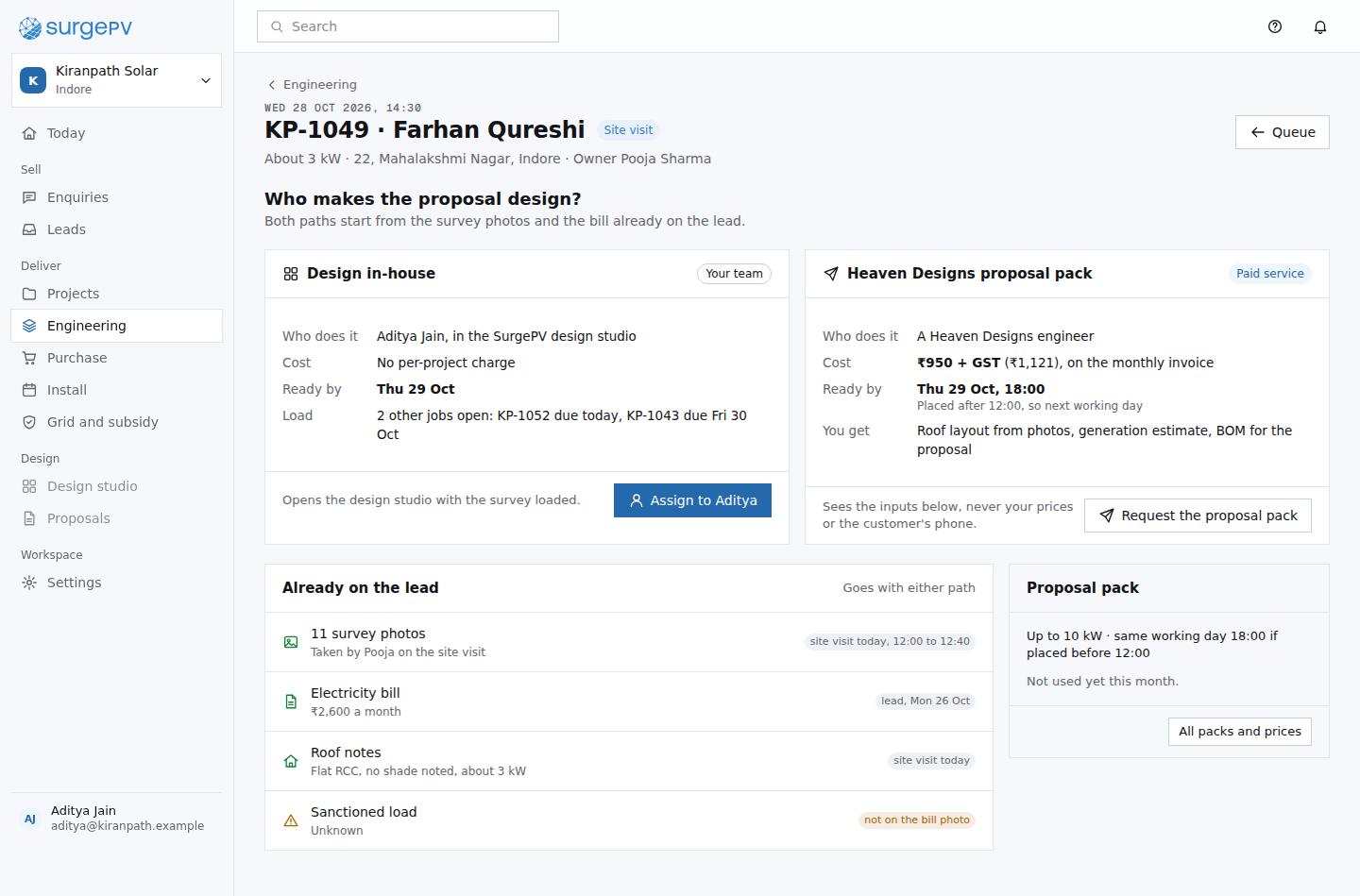 EN10A proposal design for KP-1049: in-house or Heaven Designsmoat: design services offered at the first touch, inside the lead
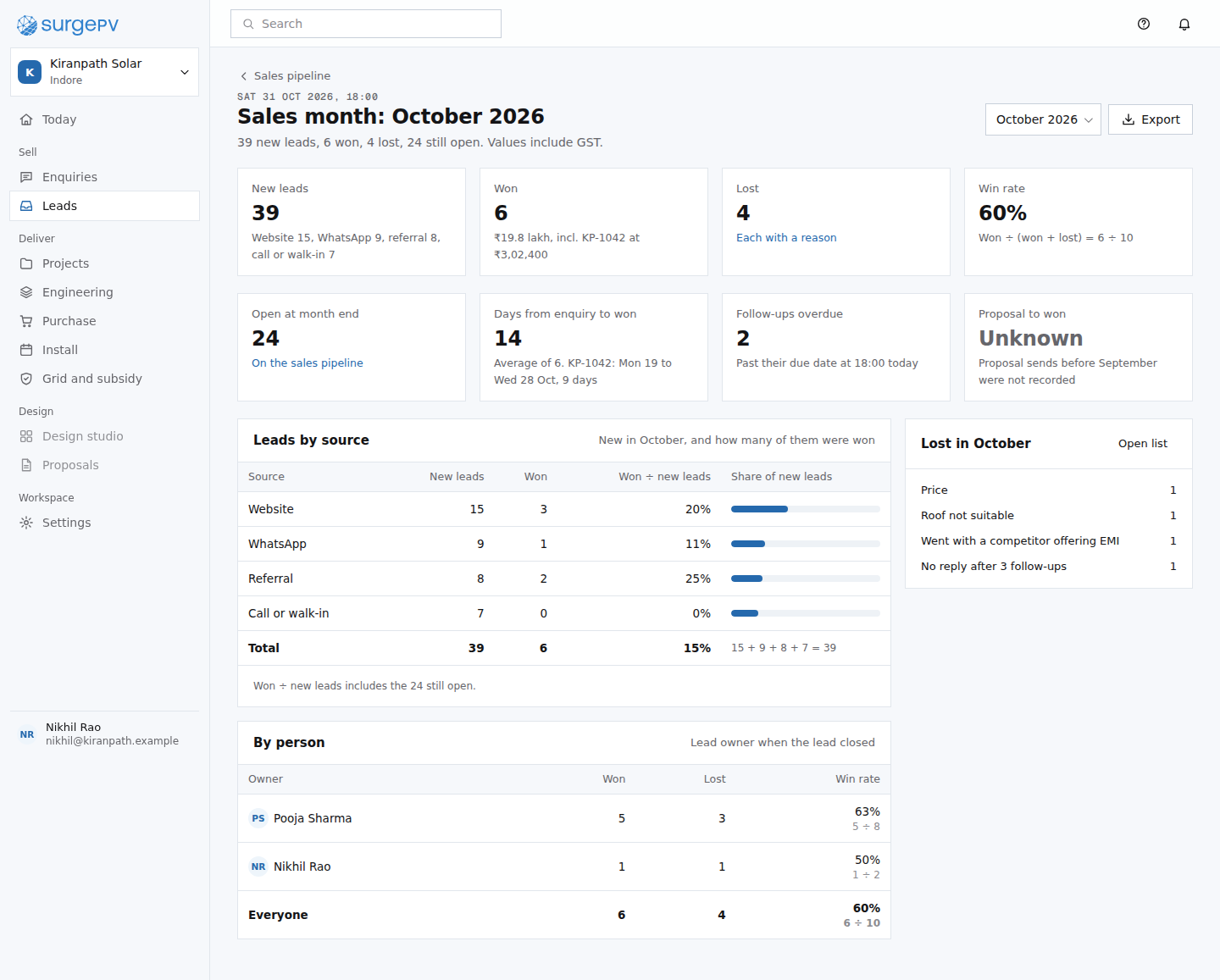 CR09Sales month: October 2026table stakes: a monthly sales report every CRM has
22. Engineering: in-house or Heaven Designs
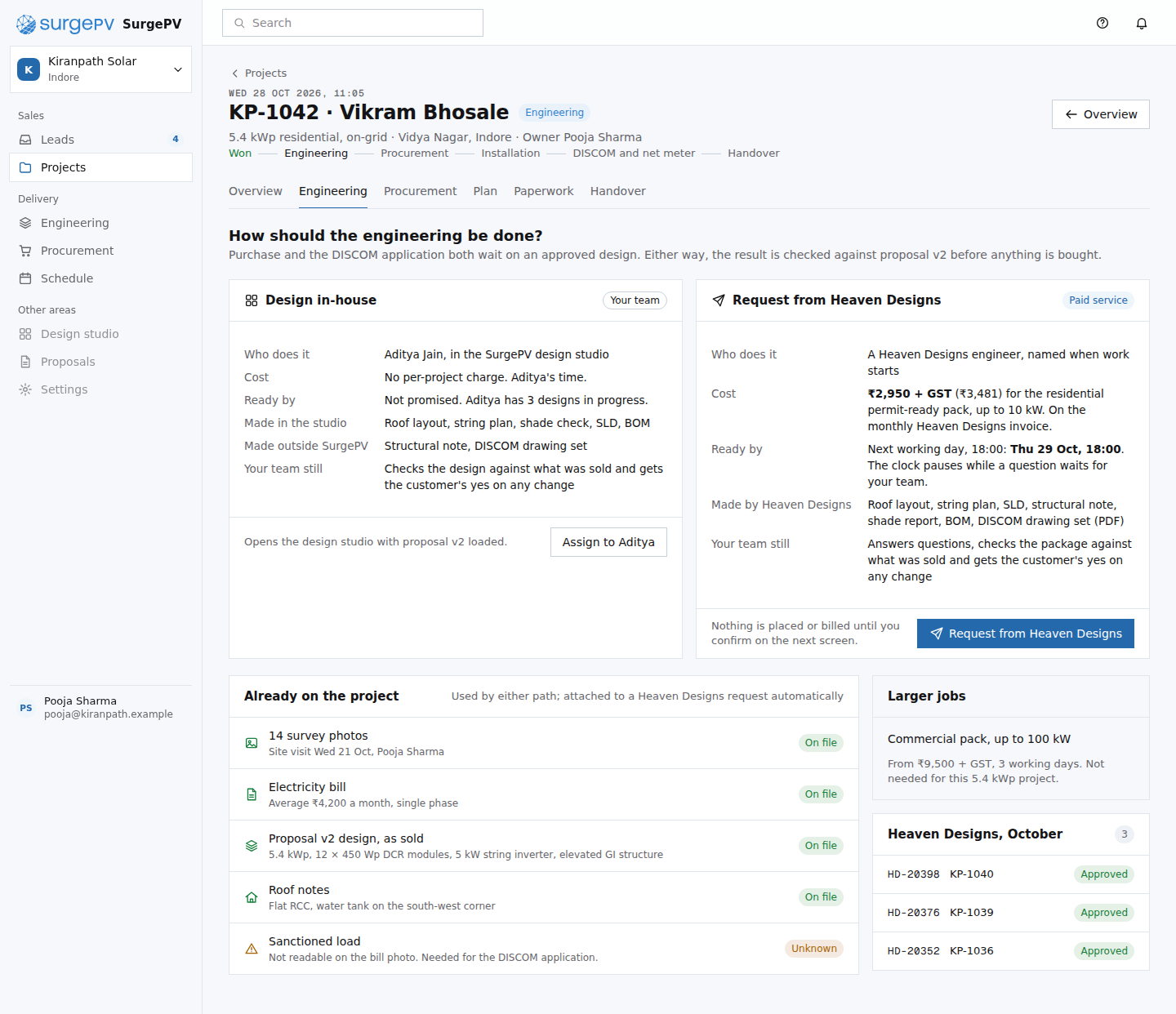 EN01Engineering: choose a pathmoat: the design service is ordered from inside the project record, with its inputs already attached
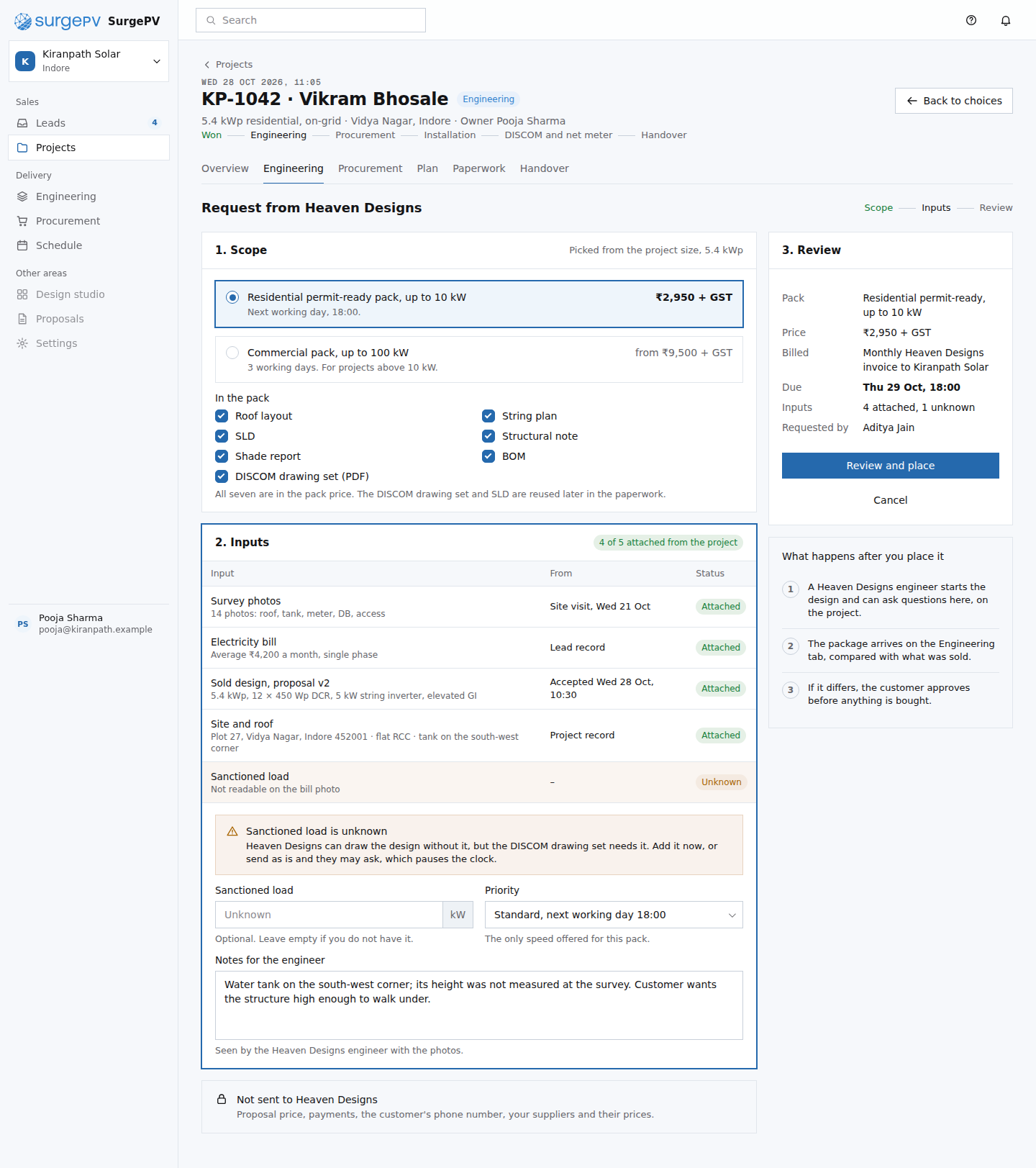 EN02Heaven Designs request formmoat: the request fills itself from the record, each input with its source
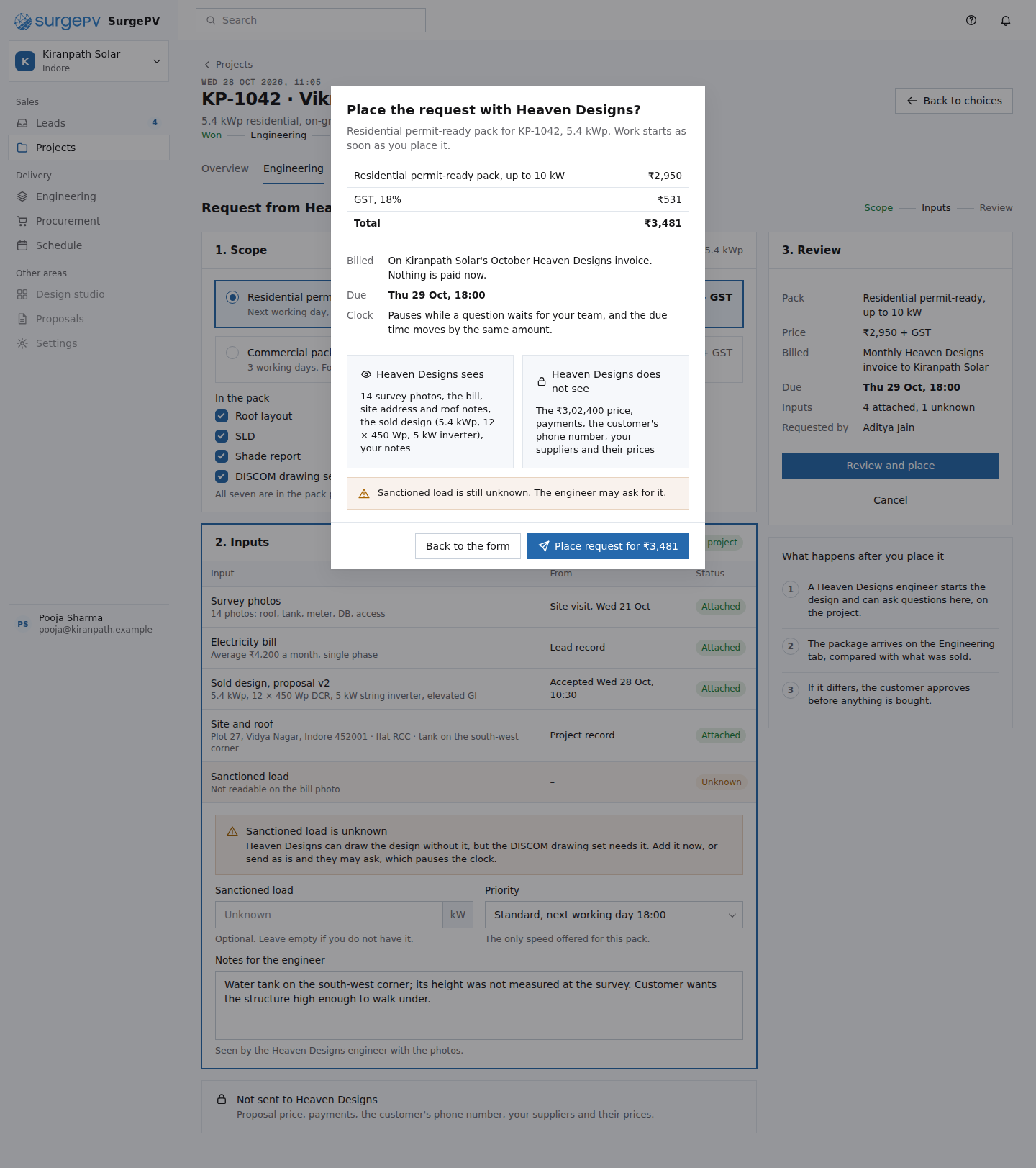 EN03Confirm the Heaven Designs requesttable stakes: a confirm before money is committed; the data boundary is the part that matters
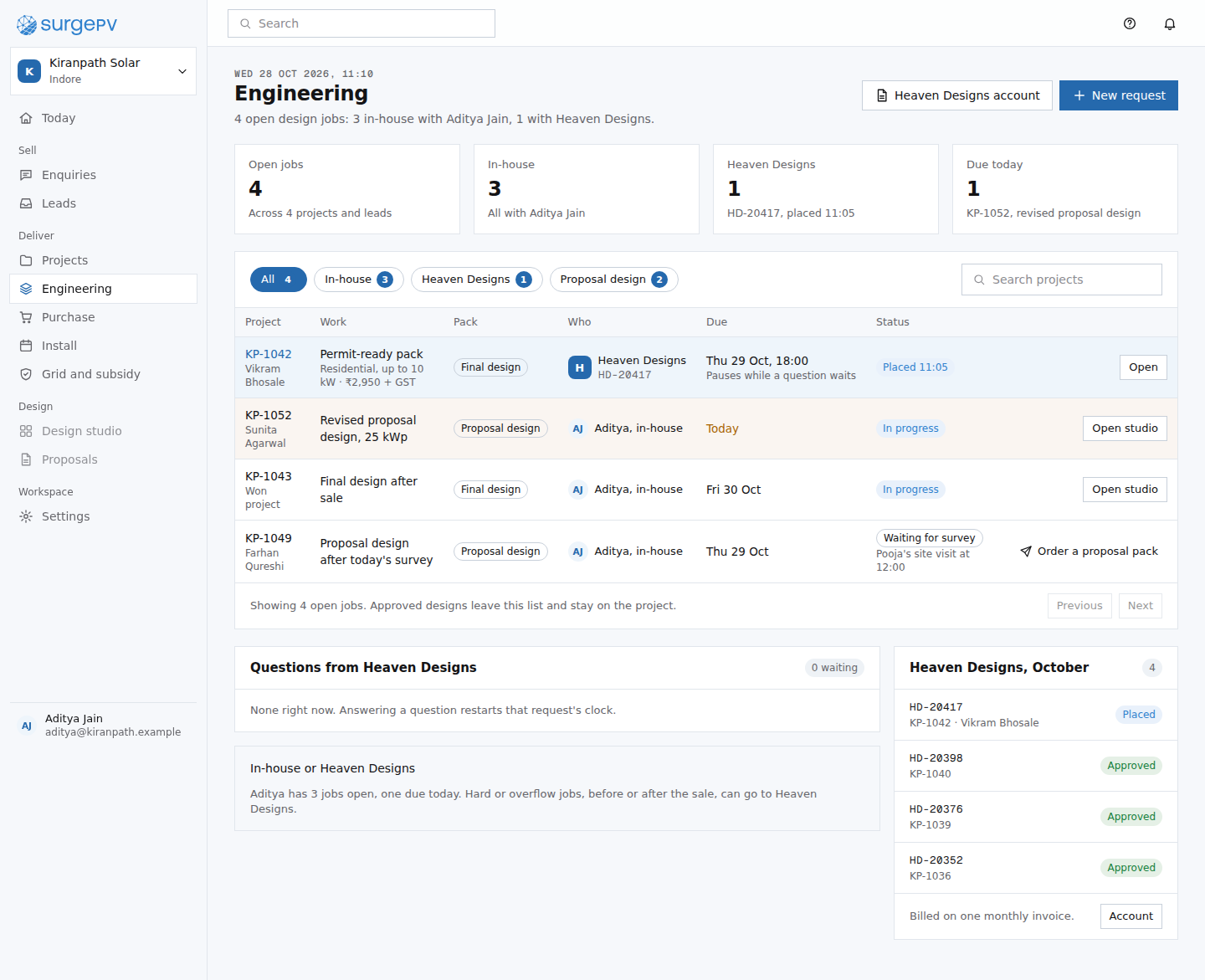 EN07Engineering queuetable stakes: a design queue; the Heaven Designs rows are what make it different
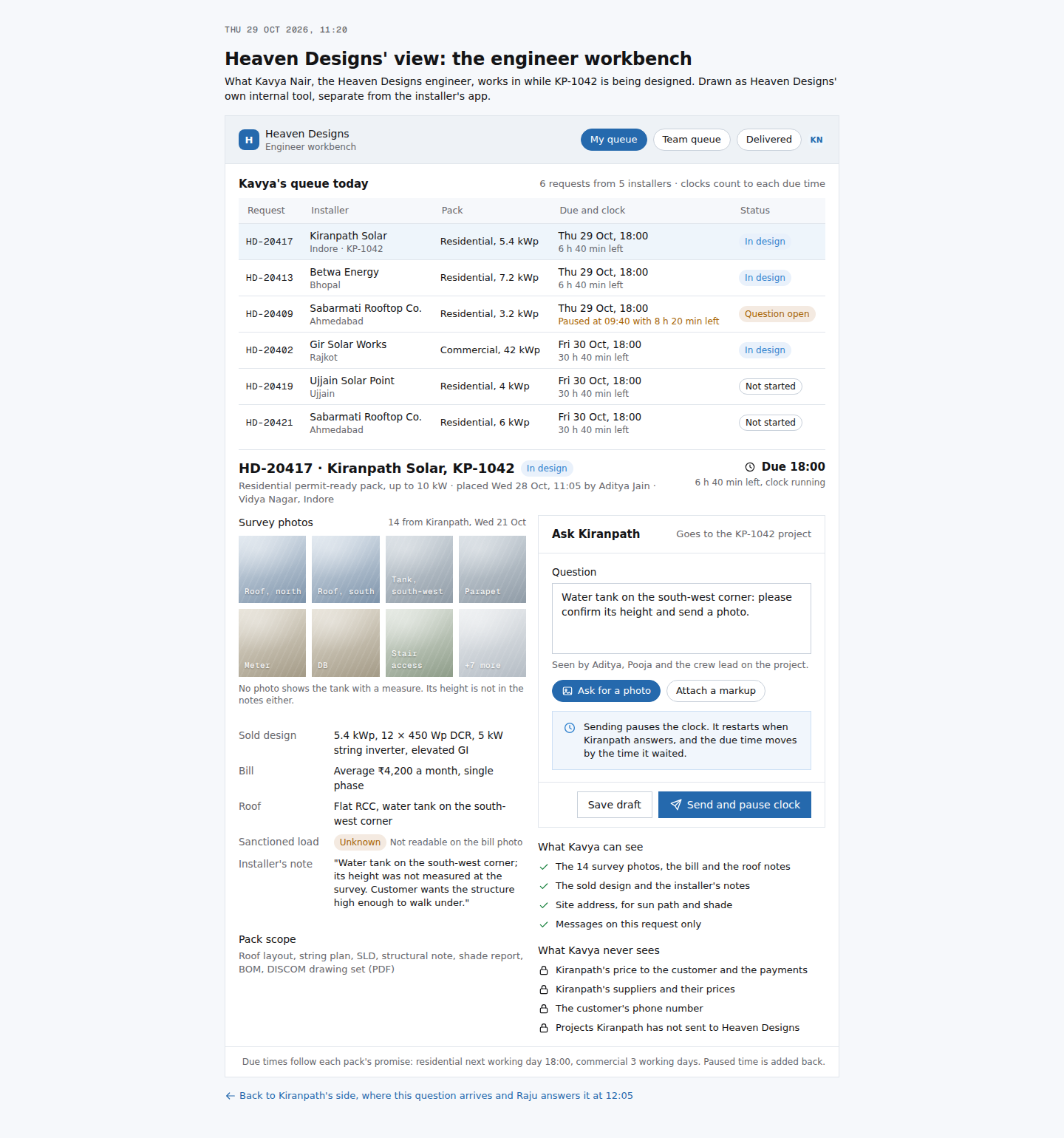 EN08Heaven Designs' view: the engineer workbenchmoat: Heaven Designs works inside the installer's project, so its questions and its clock land on the record
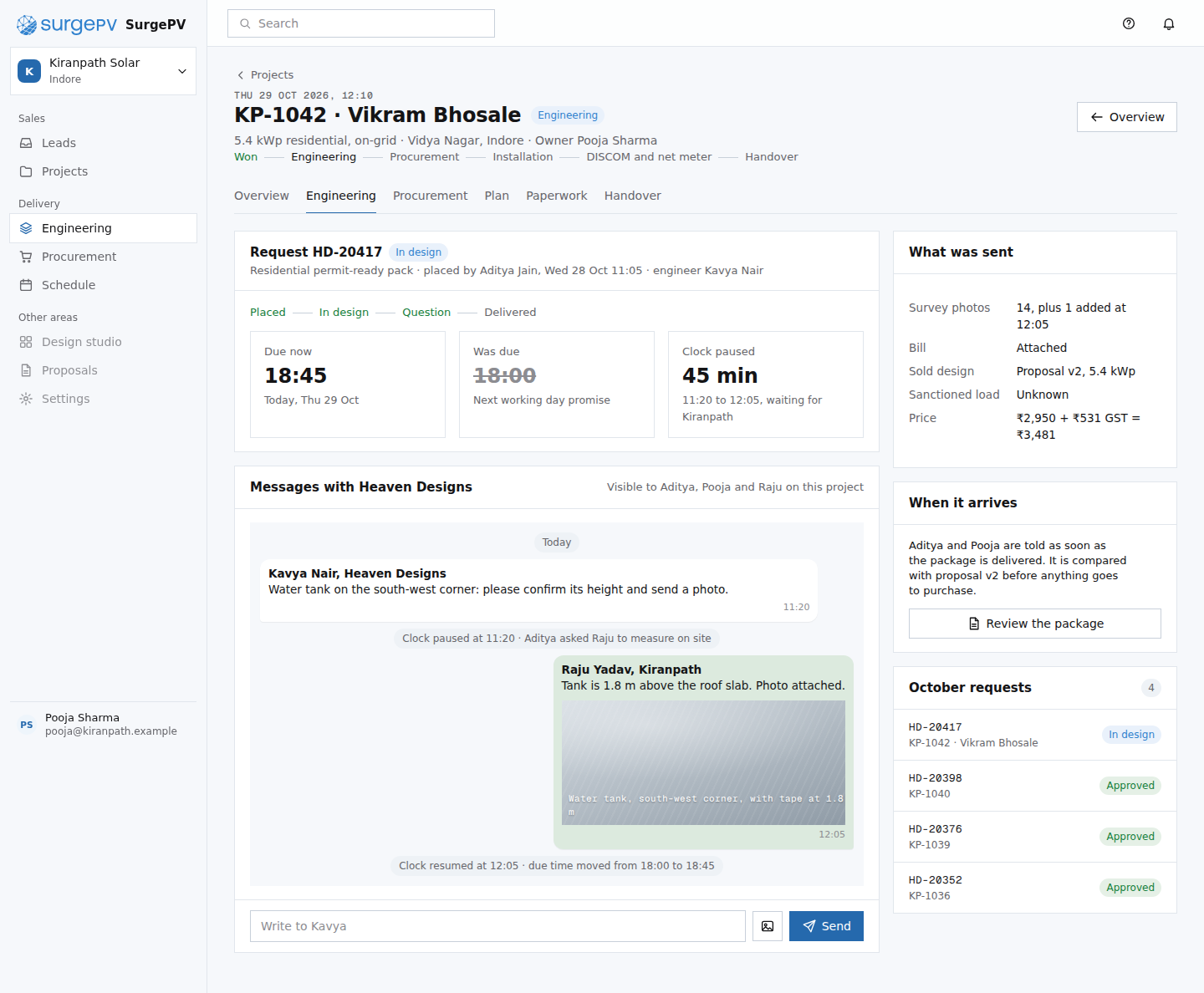 EN04Heaven Designs request HD-20417 in progressmoat: the outside engineer works inside the project; questions, answers and the clock live on the recordNeeds backend workTwo-way messaging with Heaven Designs; SLA clock that pauses while a question waits
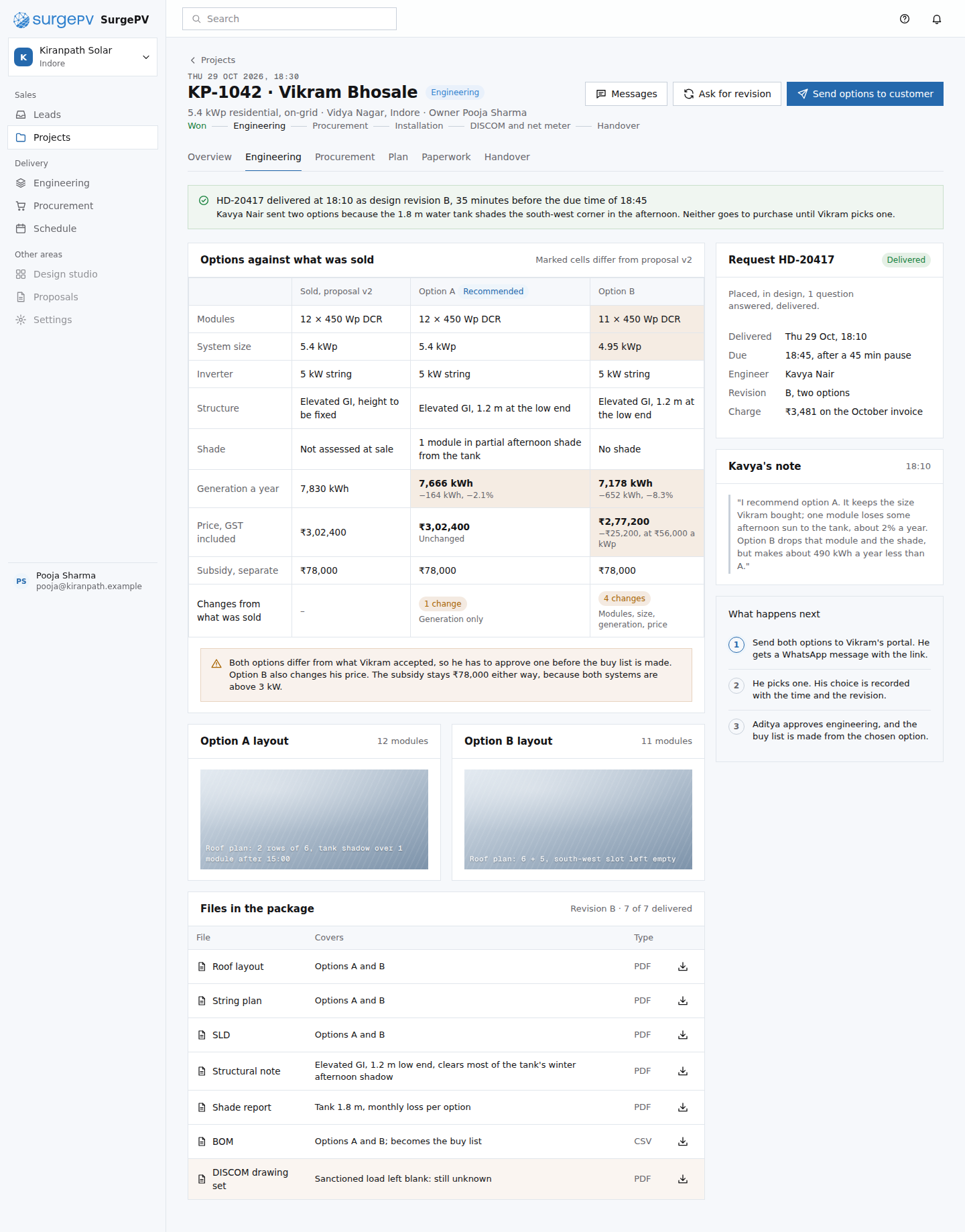 EN05Review the delivered Heaven Designs packagemoat: the delivered design is checked against what was sold, cell by cell, because both live in one recordNeeds backend workDesign diff of the delivered package against the sold proposal v2
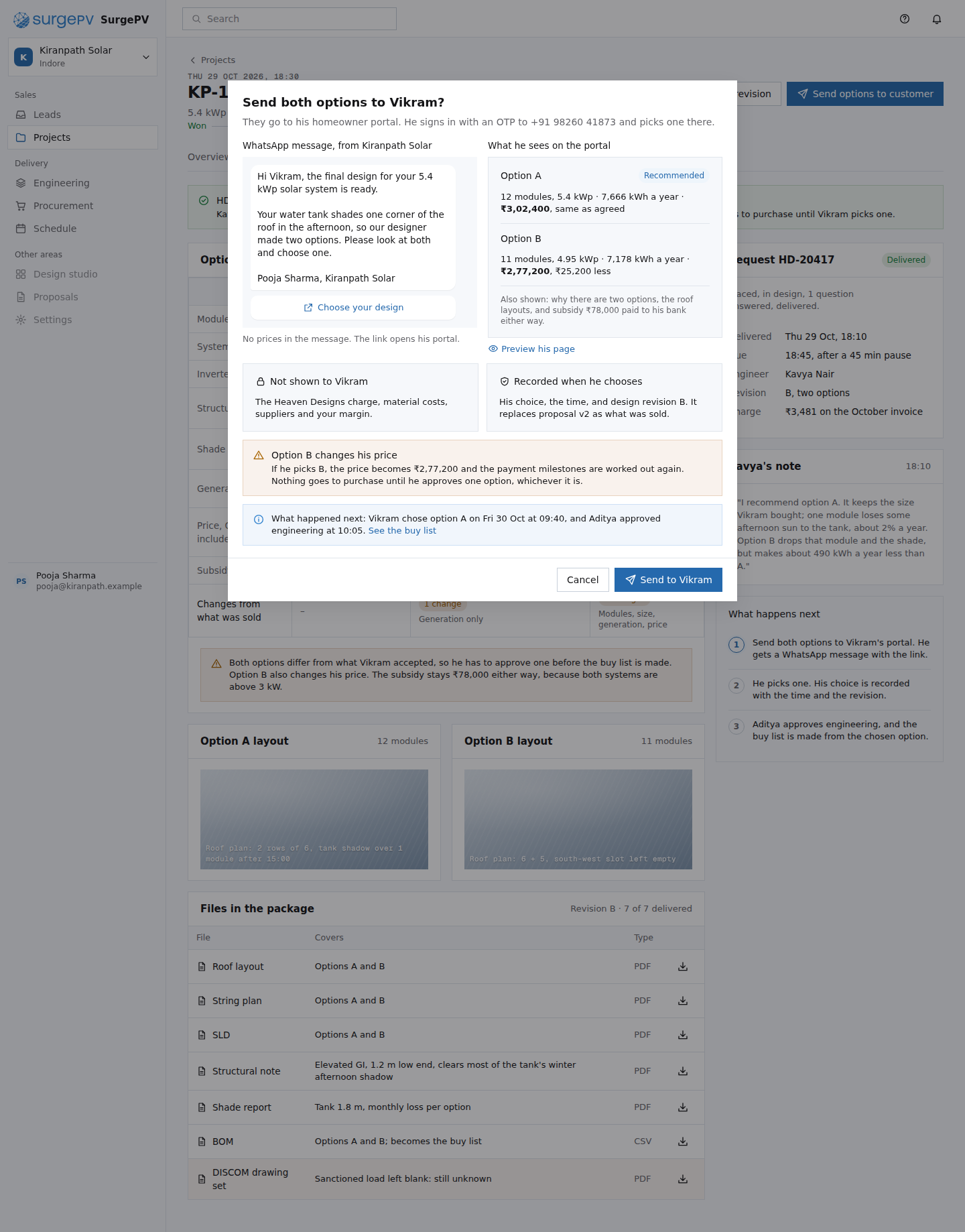 EN06Send the design options to Vikrammoat: the customer approves inside the same record, and his choice replaces what was sold
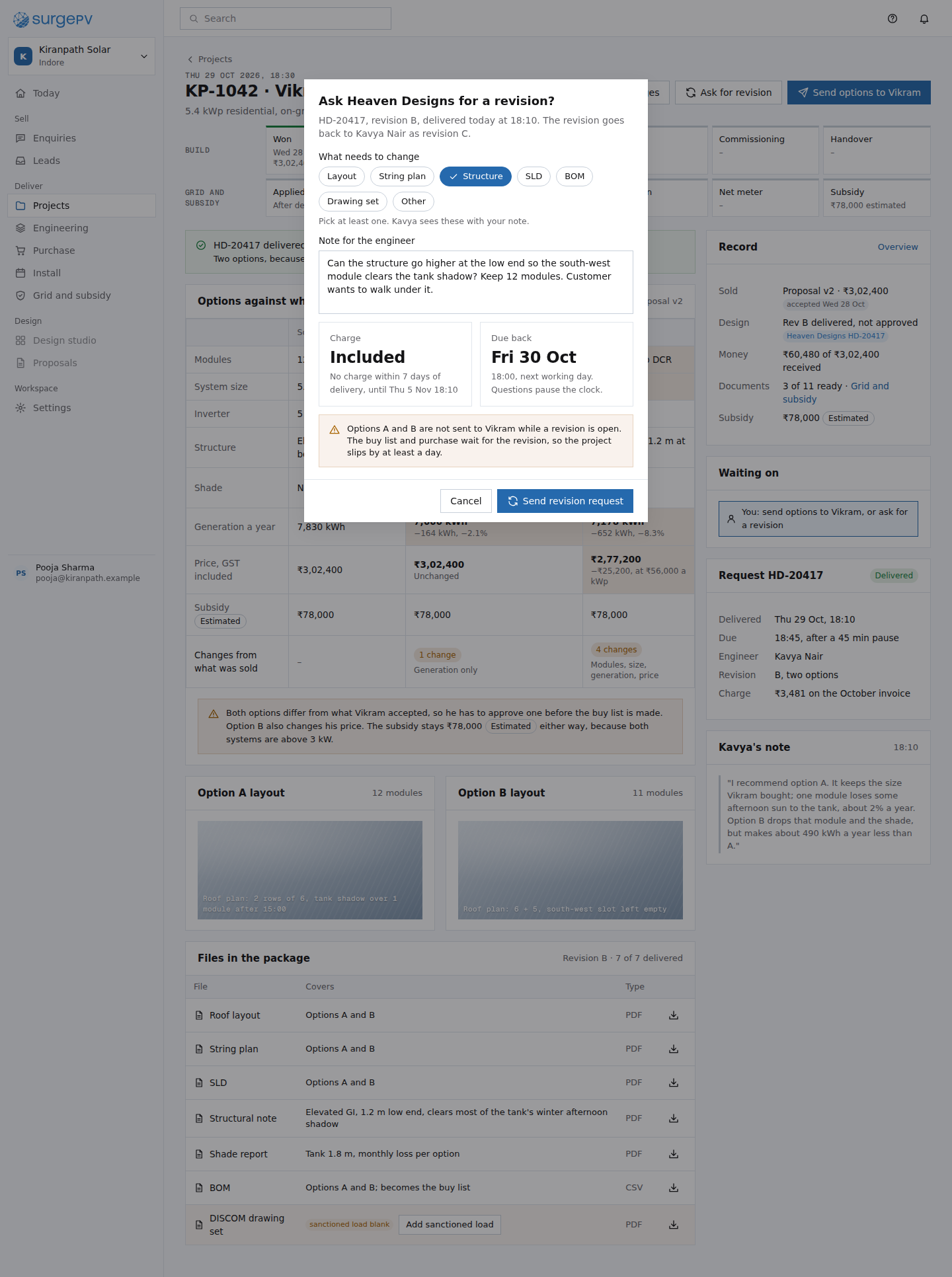 EN09Ask Heaven Designs for a revisiontable stakes: a revision request with its cost and due time stated before it is sent
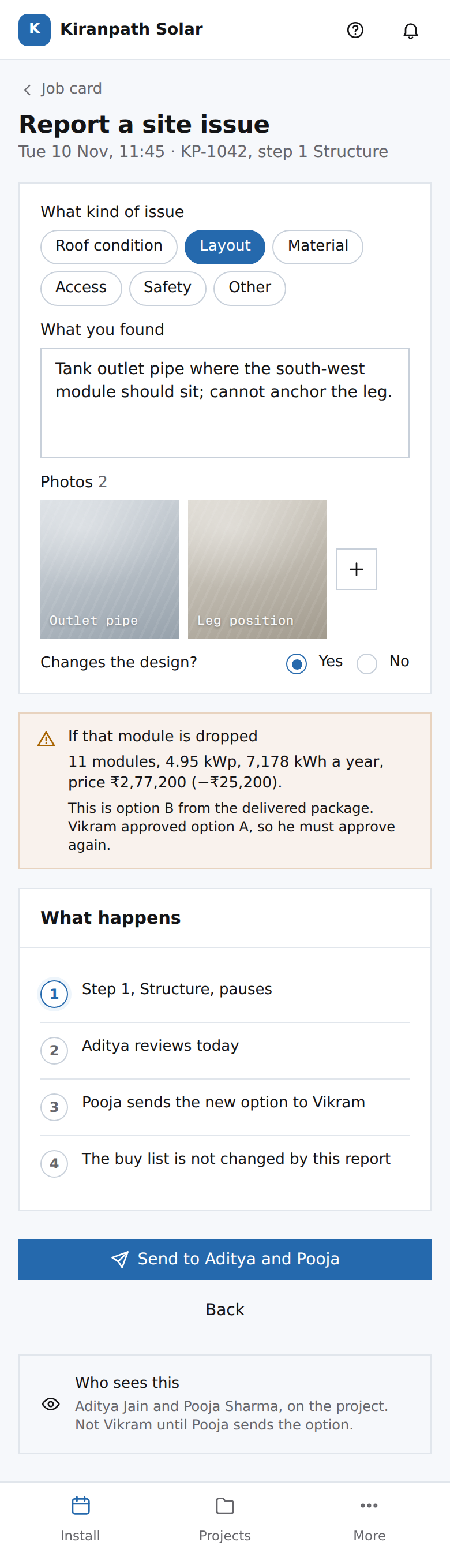 EN11Raju's phone: a change that affects the designmoat: a site change is a revision, never a silent edit
33. Purchase: quotes, direct offers, receipts
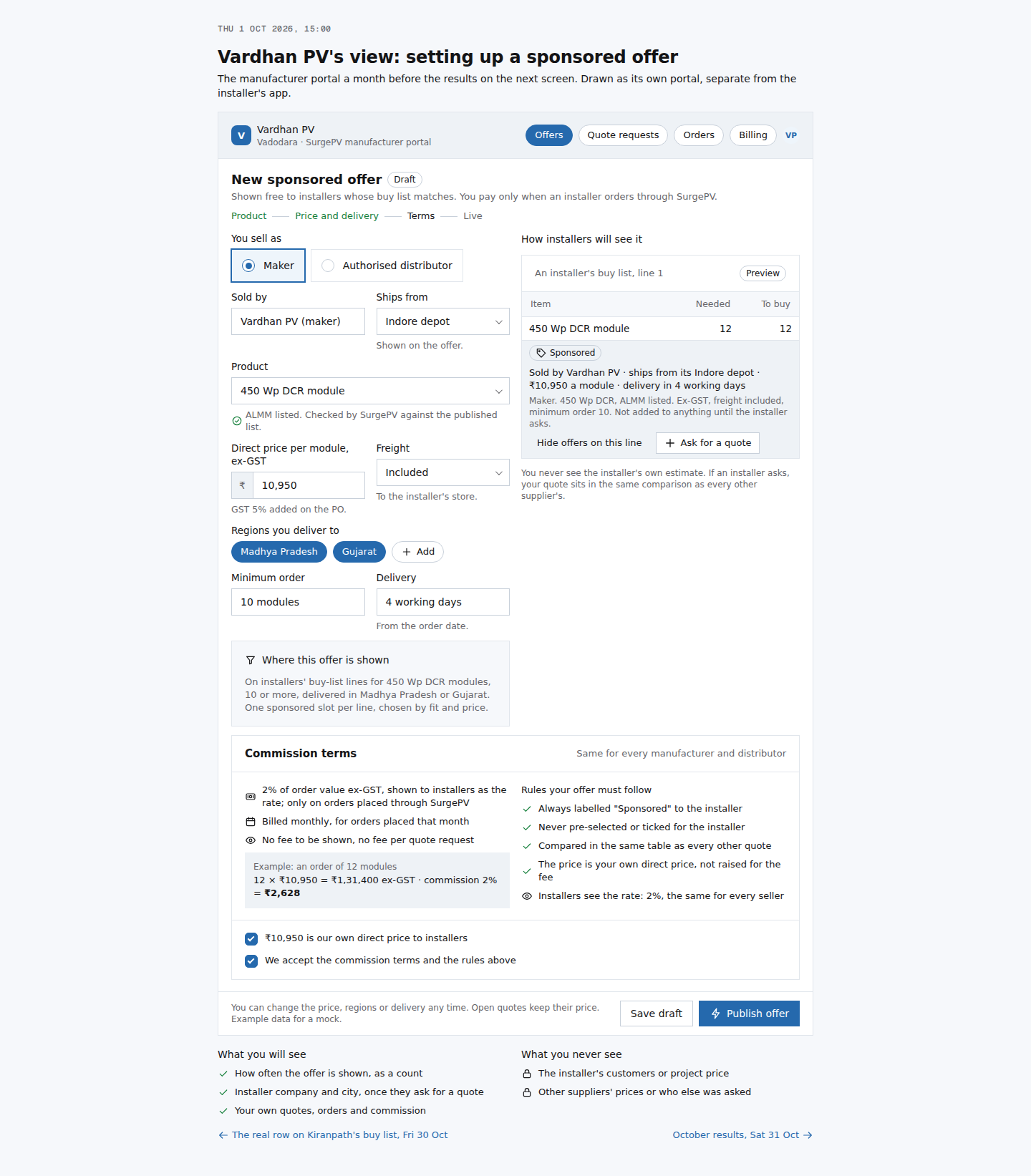 PR11Vardhan PV sets up a sponsored offermoat: the seller side of the network, on terms the installer can read
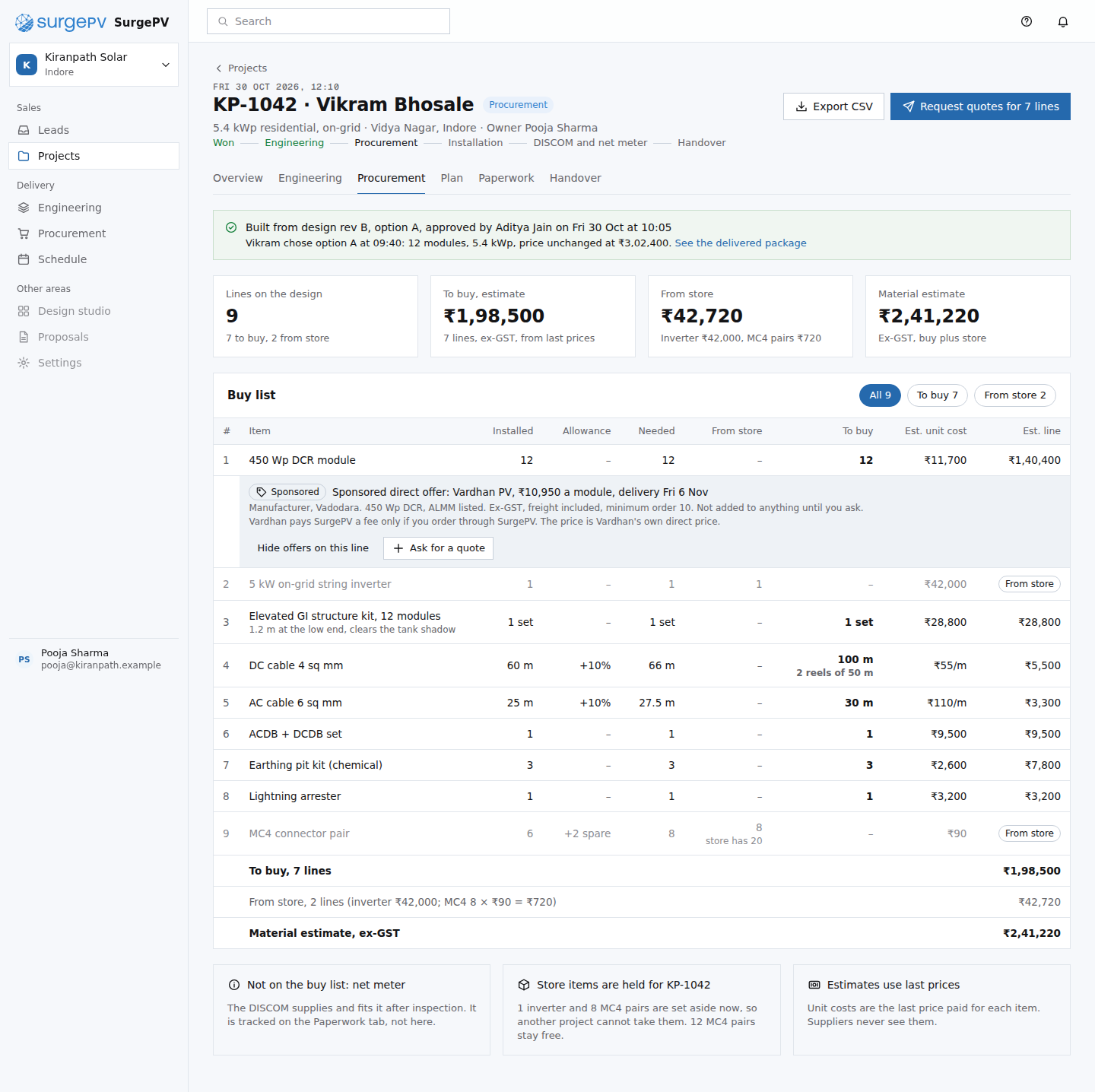 PR01Buy list from the approved designmoat: the buy list is made from the delivered design and priced against pooled market data nobody else holds
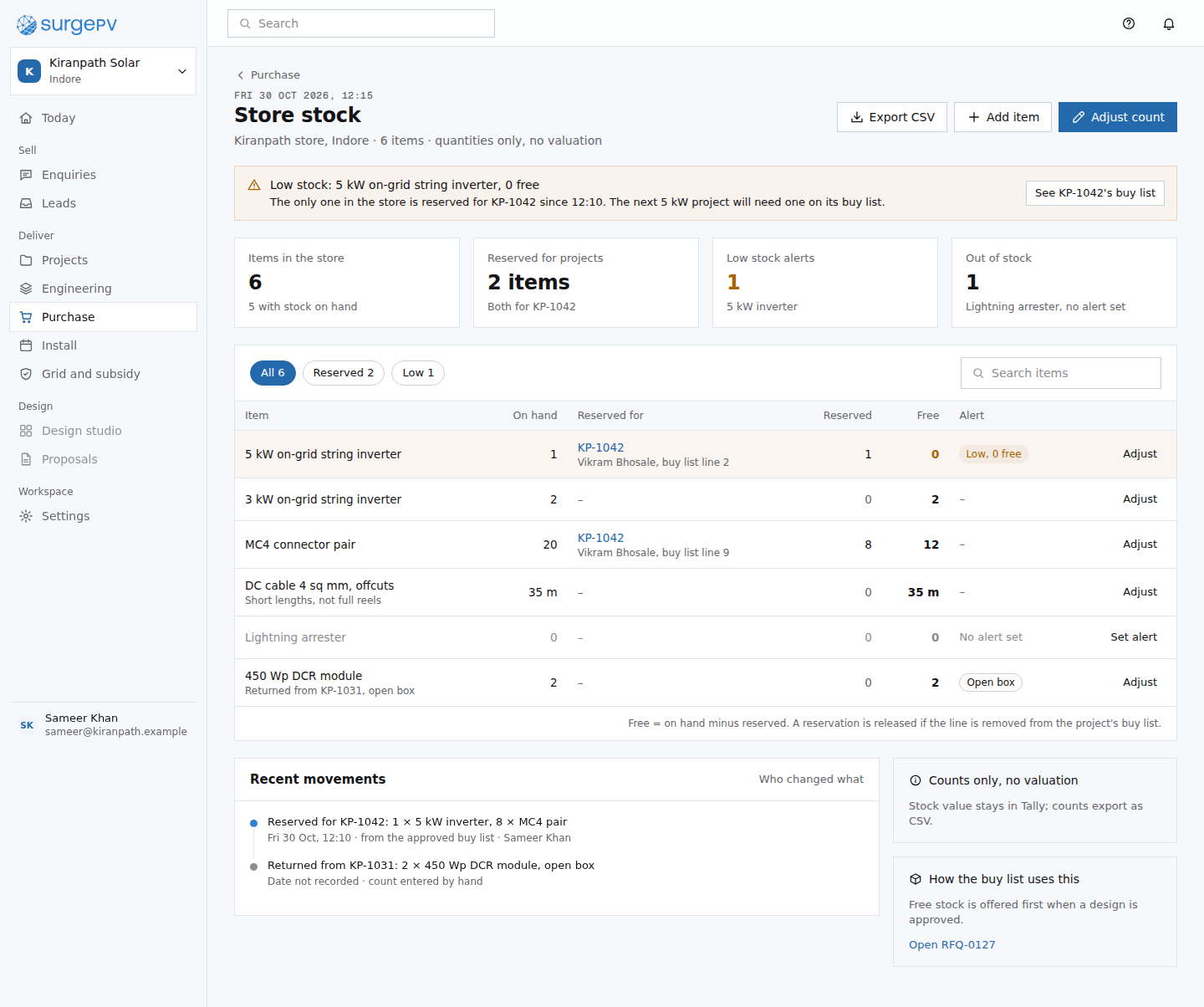 PR09Store stocktable stakes: store counts with reservations; the buy list reading them is what saves a line
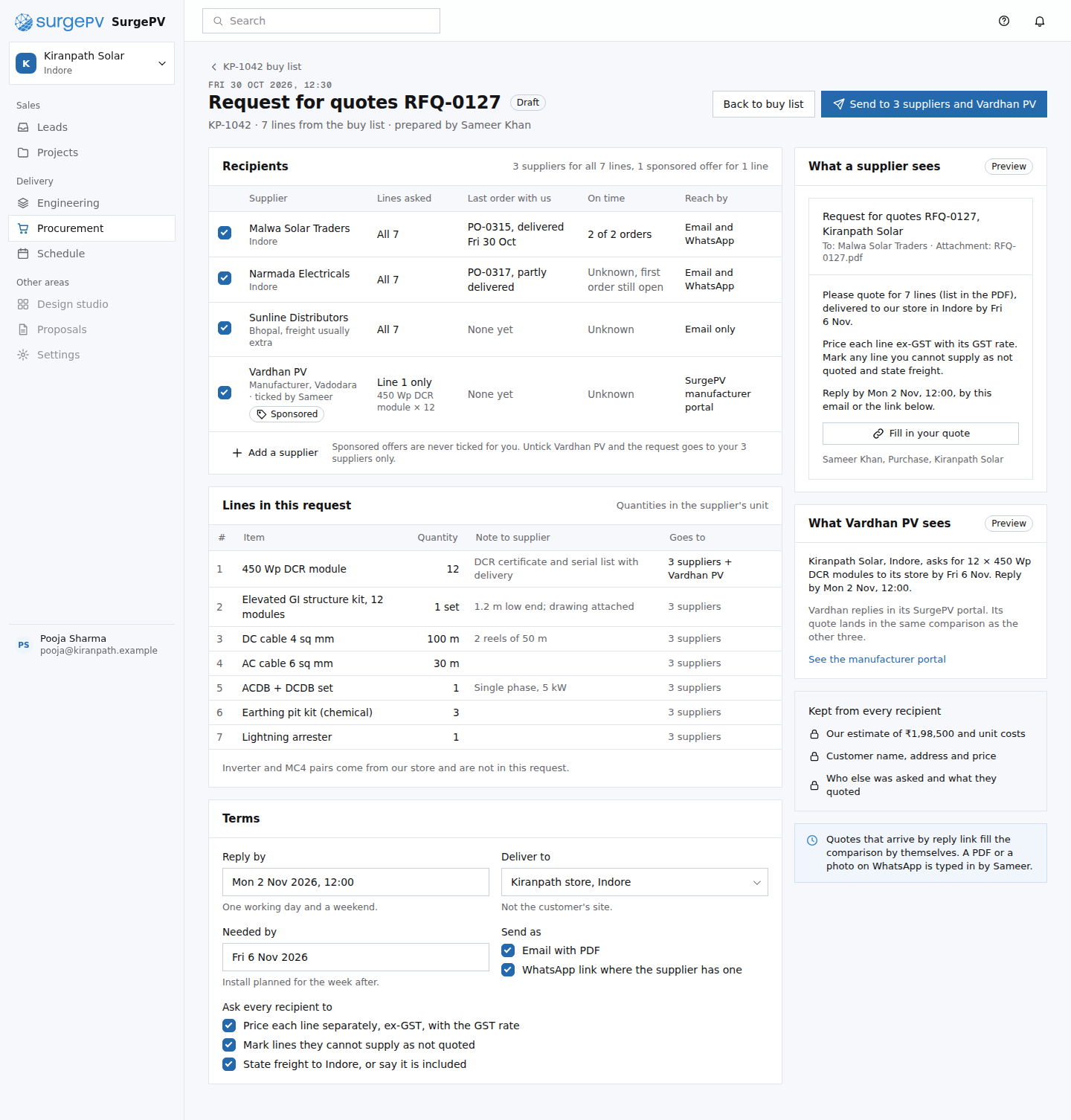 PR02Send a request for quotestable stakes: a request for quotes every purchase tool has; what matters is that the lines come from the design
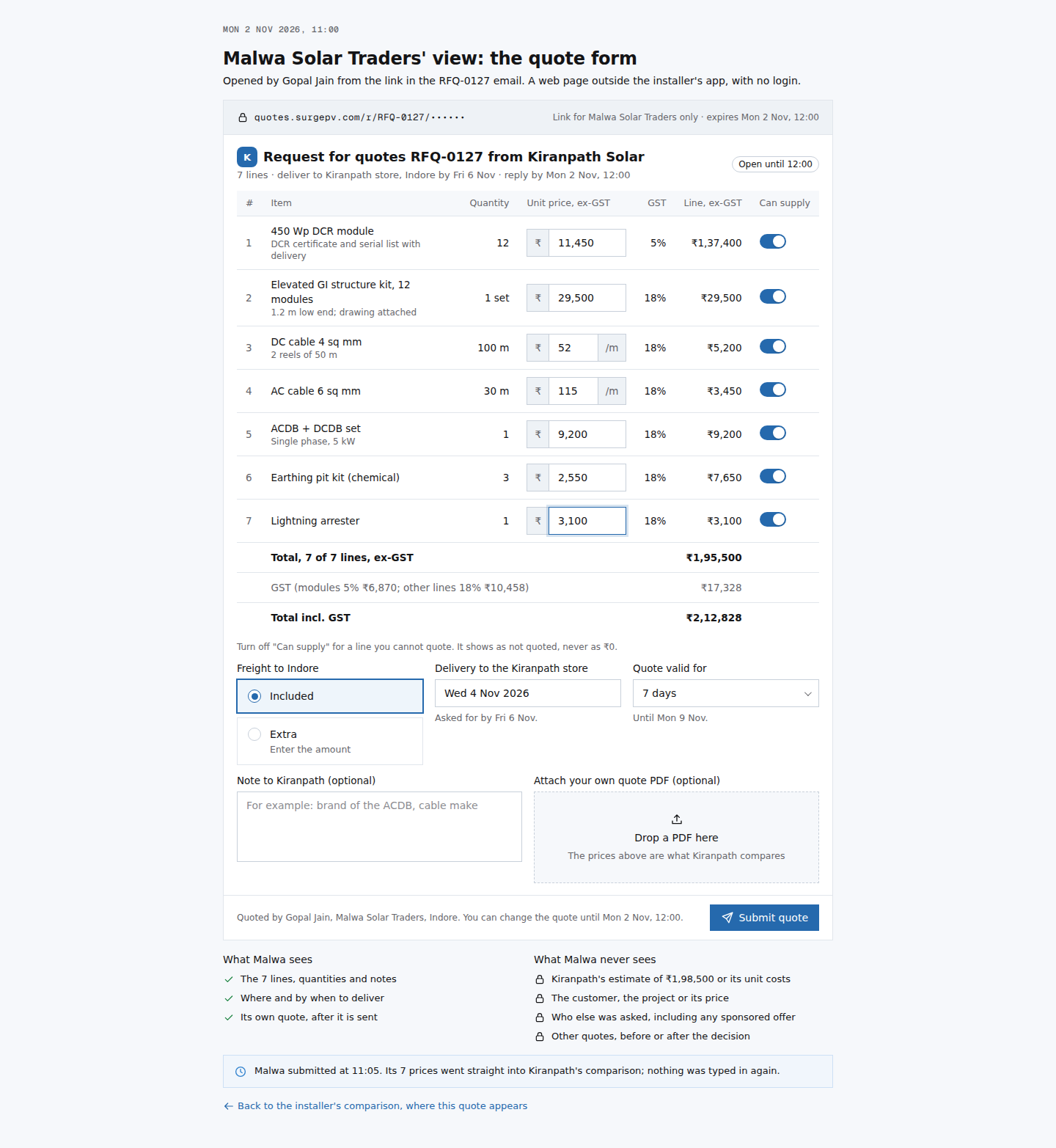 PR10Malwa's view: reply to a request for quotesmoat: suppliers reply straight into the comparison through a link with no login, so nobody retypes a quoteNeeds backend workTokenised supplier reply link, no login; quote rows written straight into the comparison
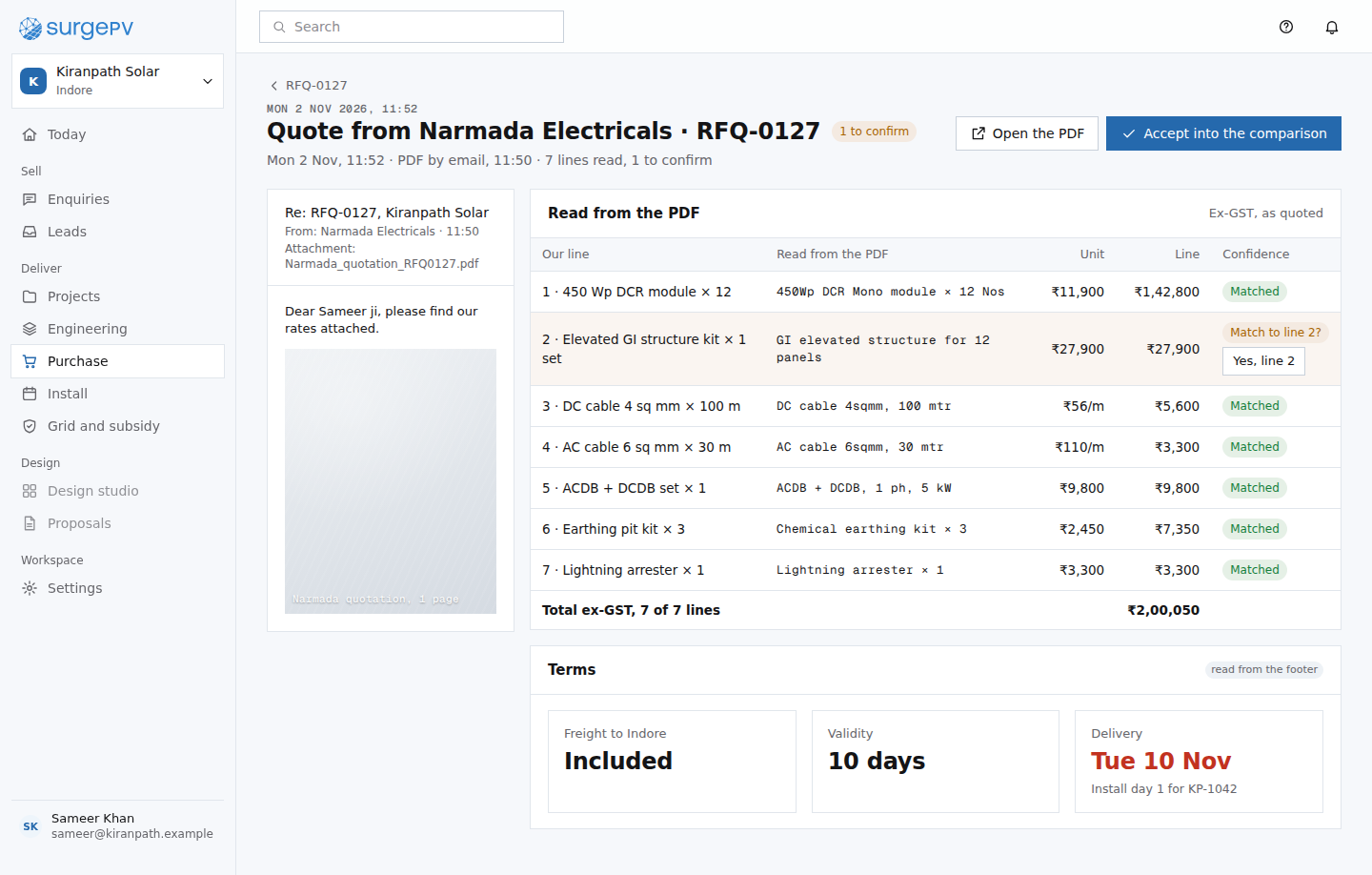 PR12Narmada's quote arrived as a PDFmoat: quotes that arrive as PDFs or photos stop being retyped, so every supplier lands in the same comparisonNeeds backend workReading PDF and photo quotes into lines
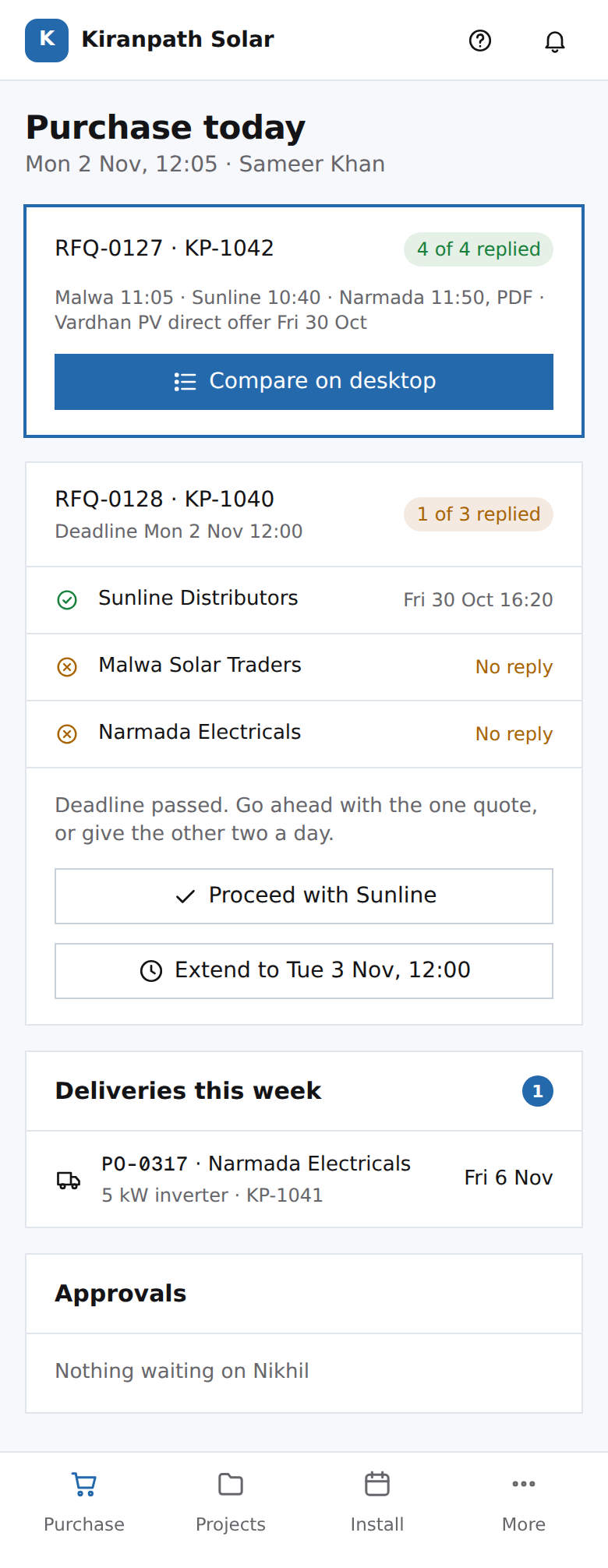 PH04Sameer's phone: purchase todaytable stakes: replies, deliveries and approvals in one list, with one honest failure state
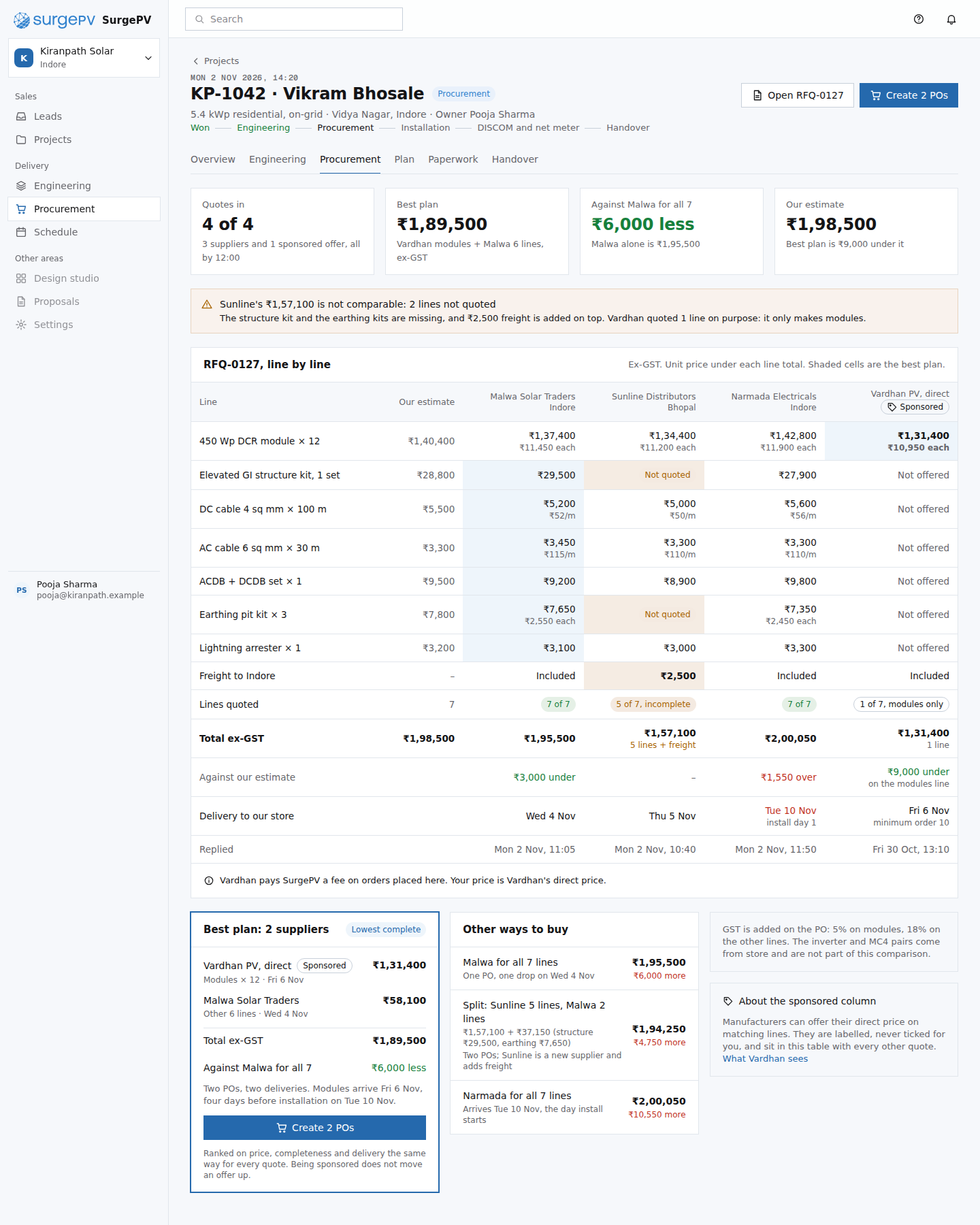 PR03Compare quotesmoat: like-for-like comparison with missing lines and freight shown, judged against the pooled Indore median
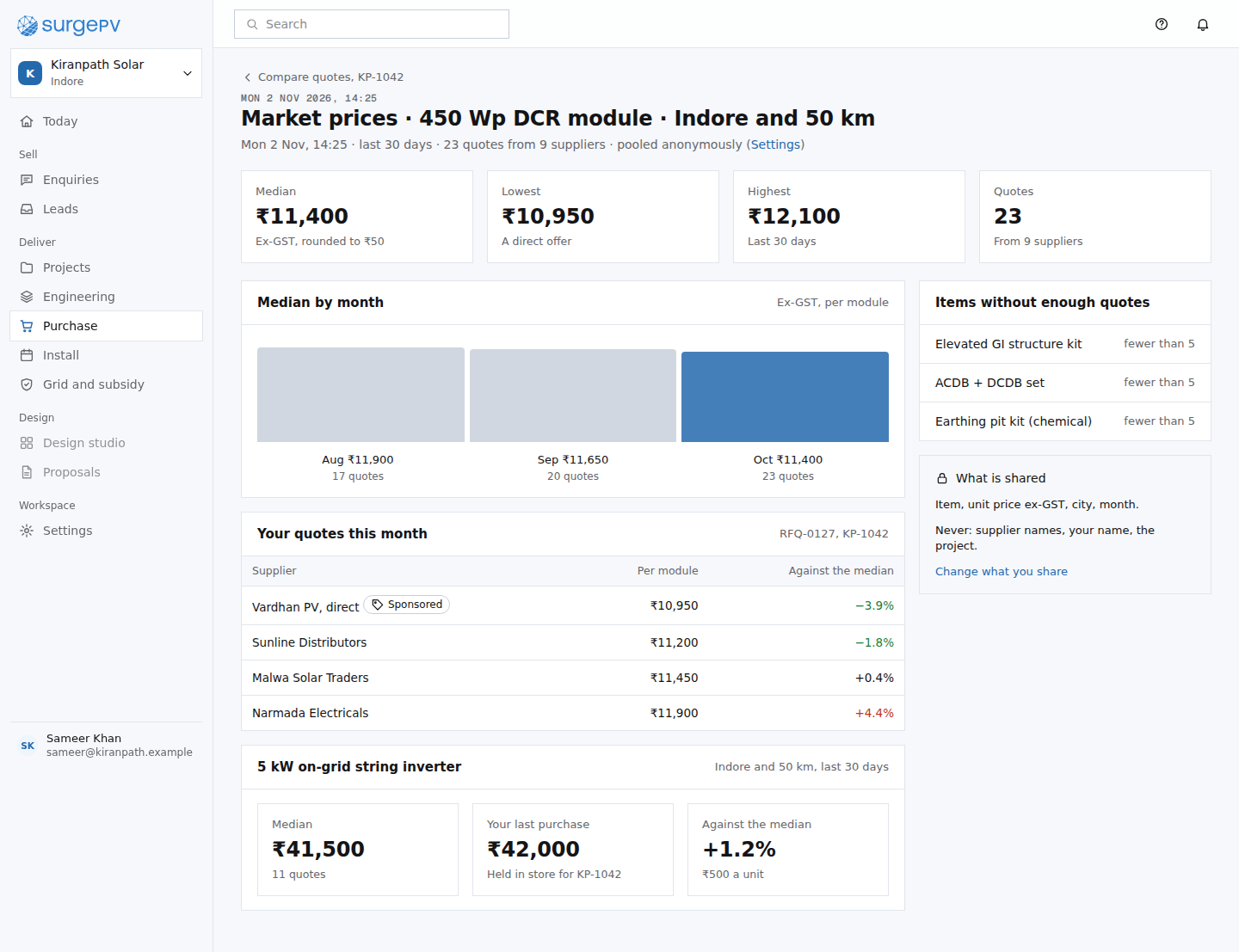 PR13Market prices: 450 Wp DCR module, Indoremoat: price data nobody else holds, pooled from installers who opted inNeeds backend workAnonymised price pooling across installers
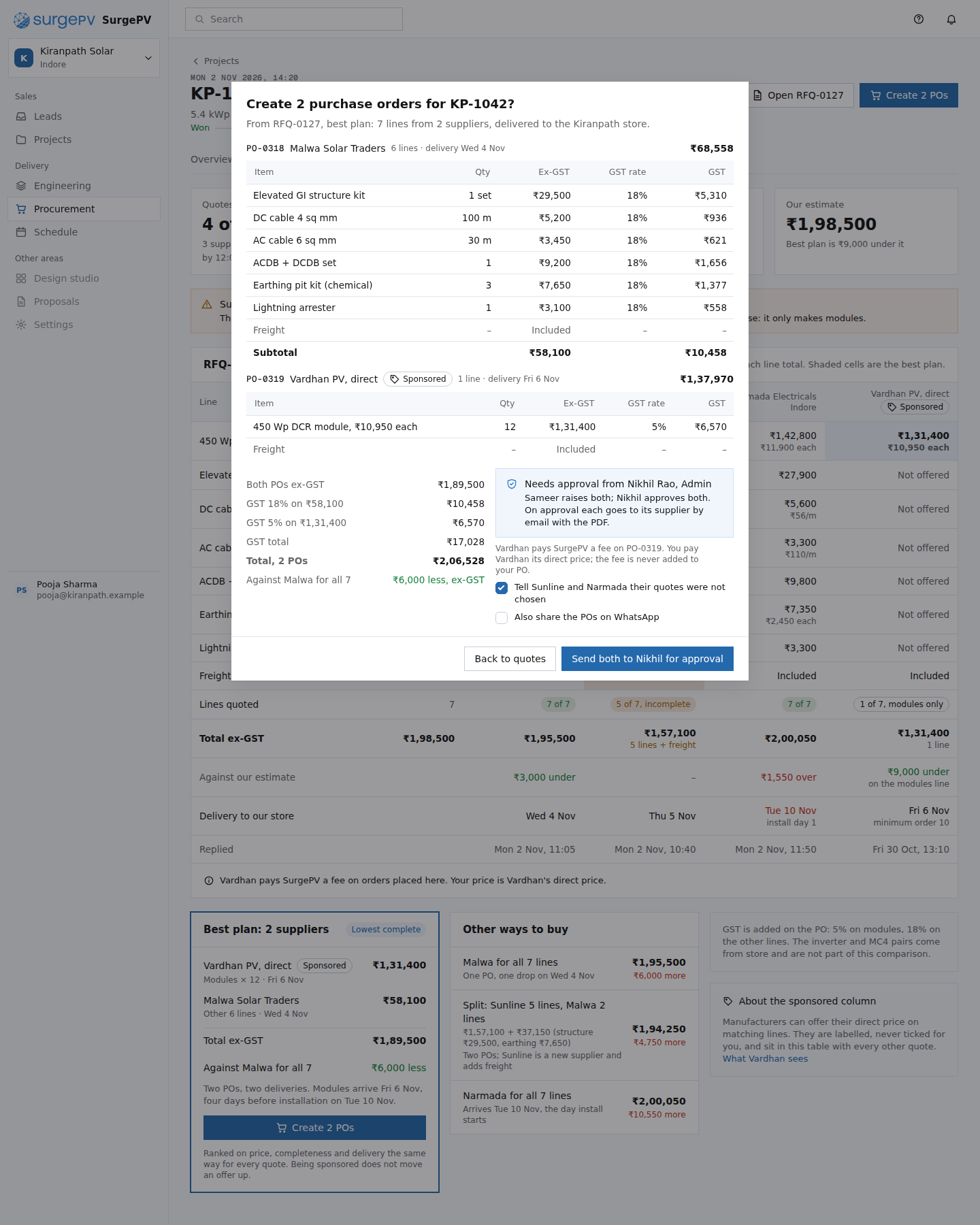 PR04Create 2 POs from the best plantable stakes: raising POs with GST and an approval step; every line traces back to a quote
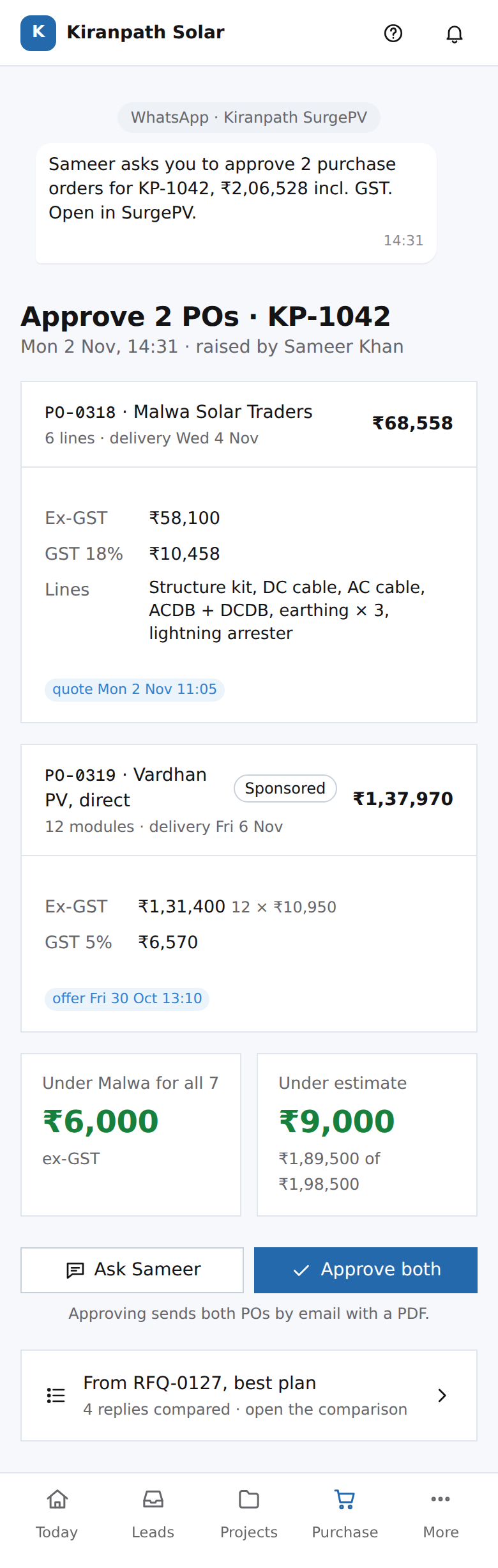 PH02Nikhil's phone: approve 2 POstable stakes: approval on a phone; the linked record makes it safe because every line traces to a quote
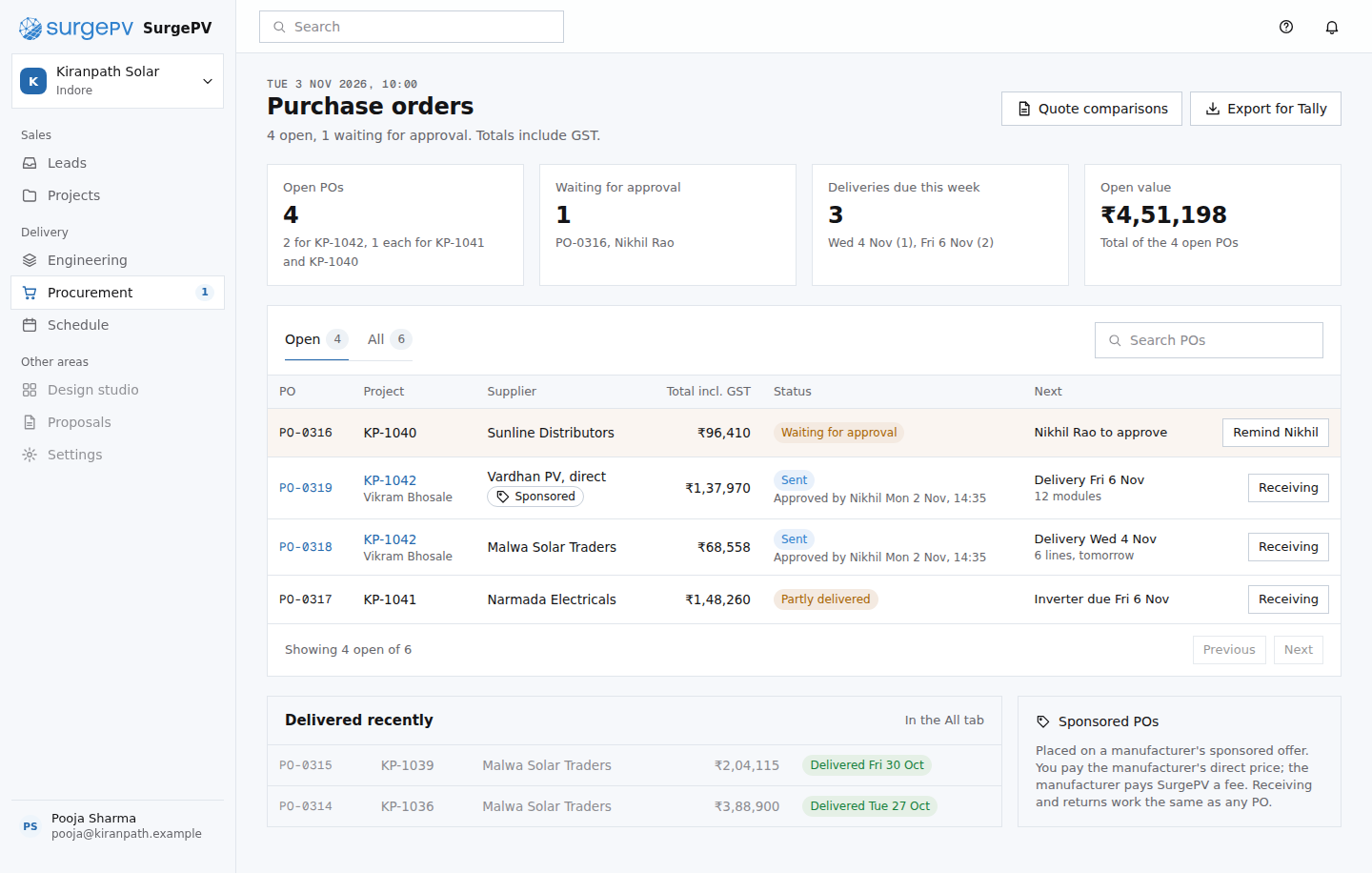 PR05Purchasetable stakes: a PO list; what matters is the hard state, a request that closed with one reply of three
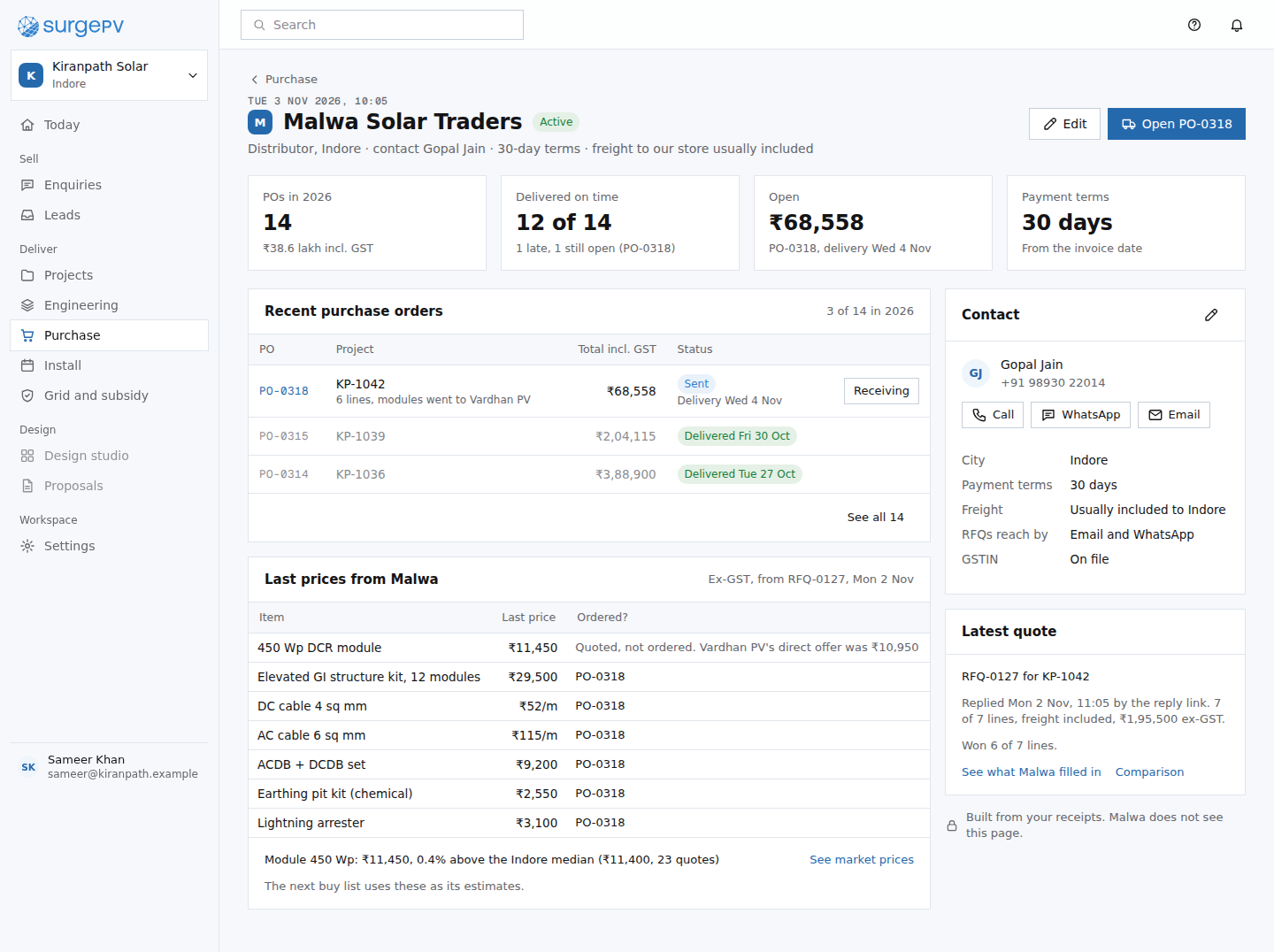 PR08Supplier profile: Malwa Solar Traderstable stakes: a supplier record; the on-time count from receipts and the market median are what a spreadsheet cannot give
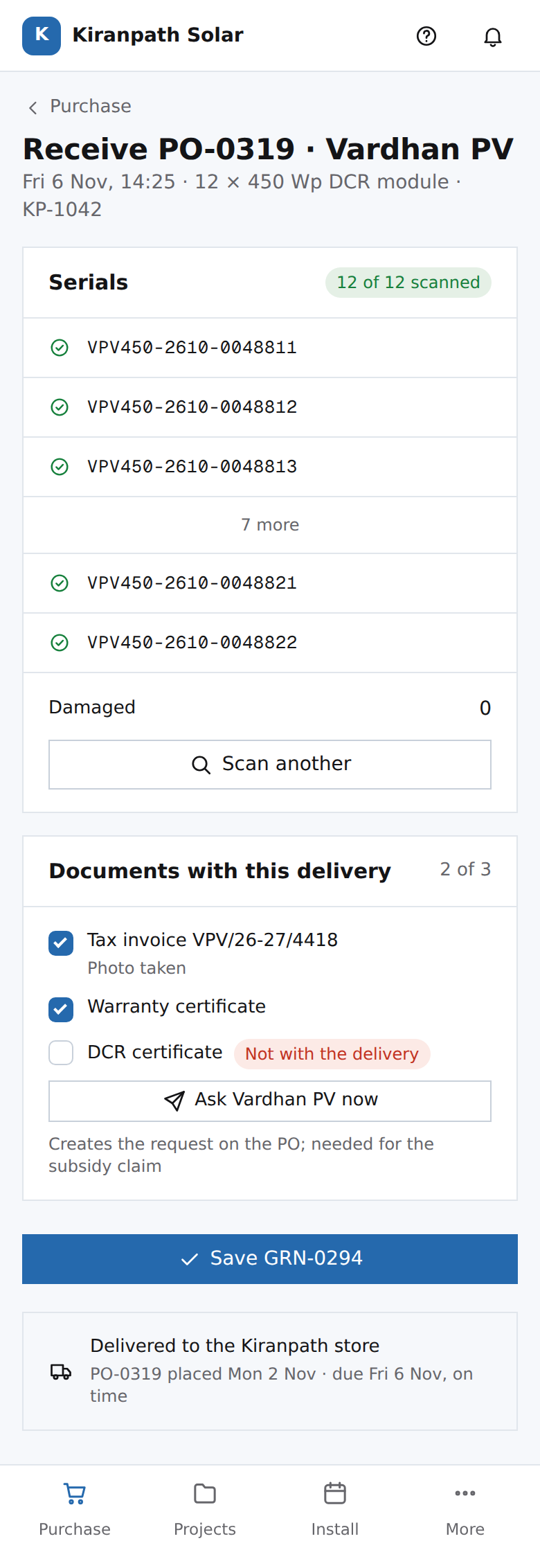 PH03Sameer's phone: receive PO-0319 and scan serialsmoat: serials and documents enter the record at the only point they can be checked
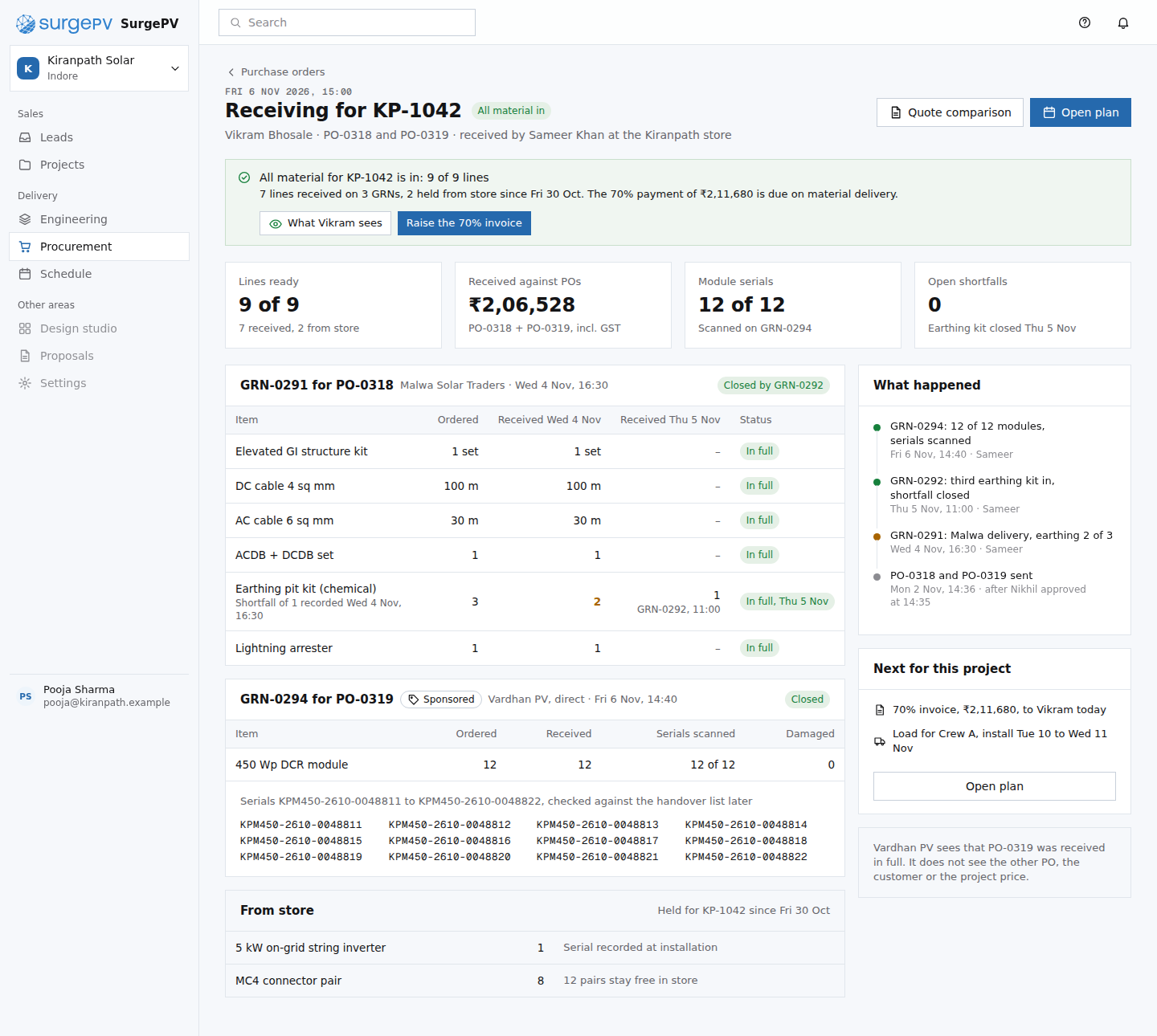 PR06Receiving for KP-1042moat: serials and supplier documents enter the record at receipt, the only point they can be checked
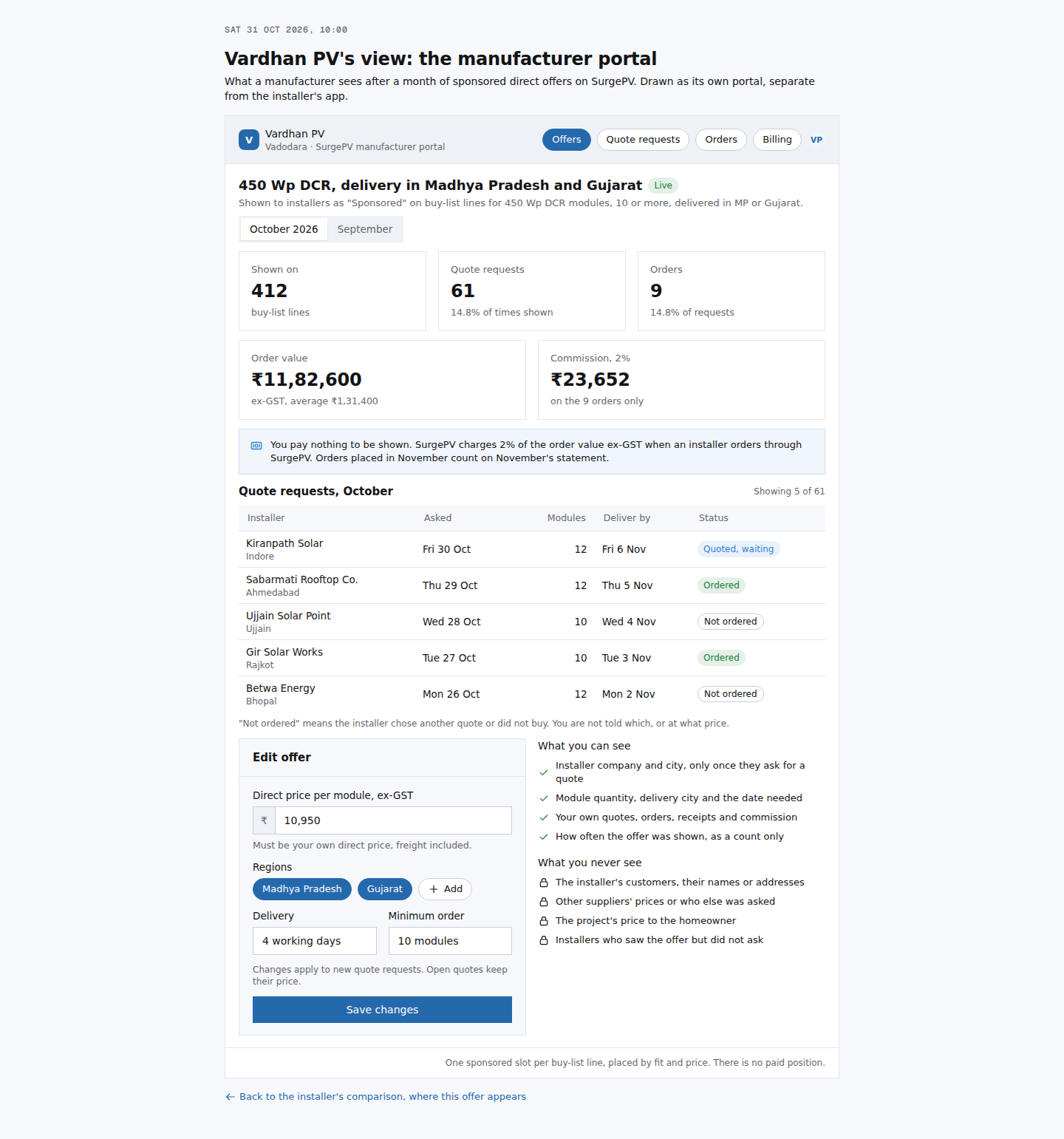 PR07Vardhan PV's view: sponsored offer resultsmoat: the seller side of the network sees results without seeing installers' customers or rivals' pricesNeeds backend workManufacturer portal, offer matching to buy-list lines by product, region and quantity, commission billing
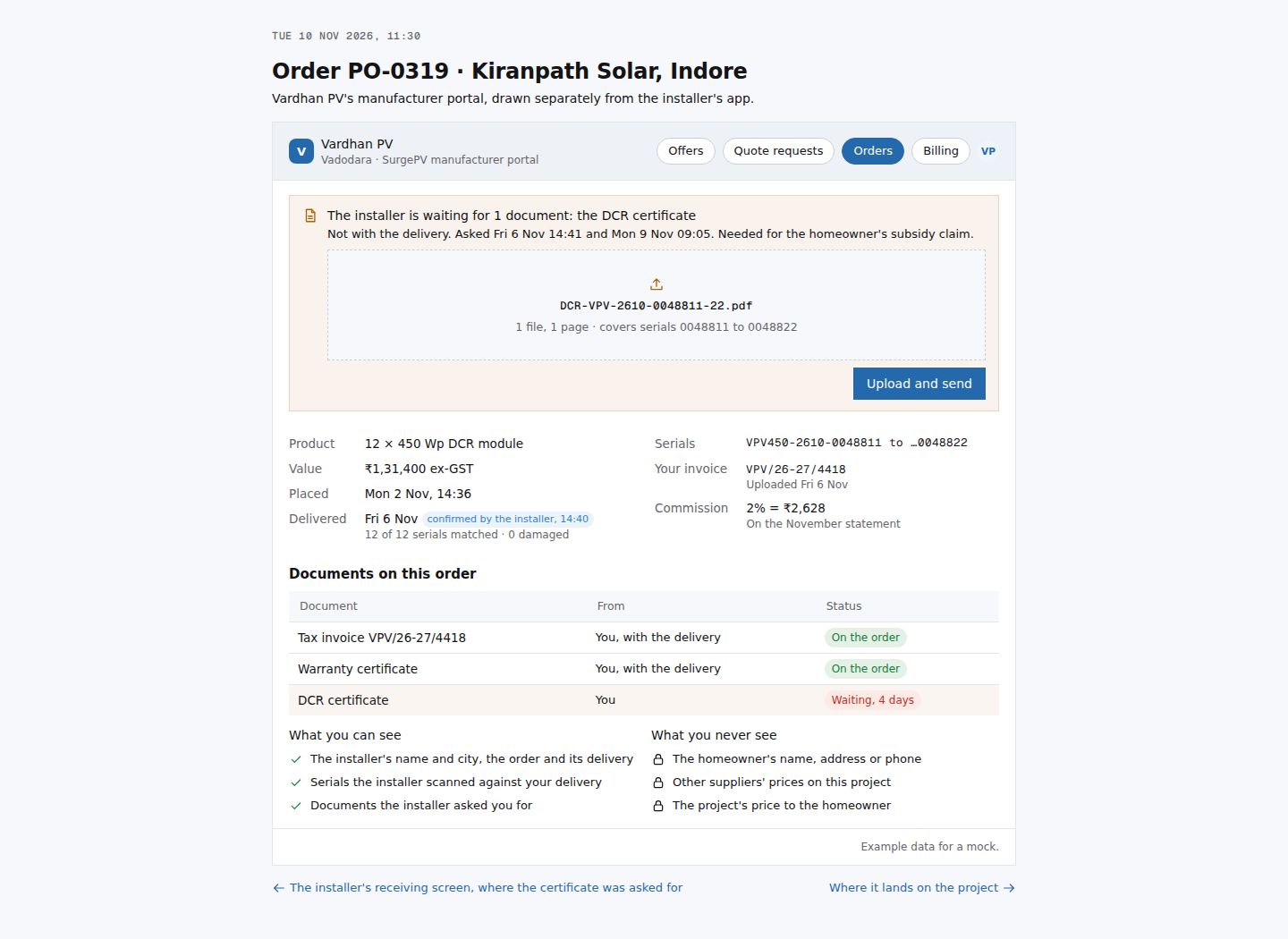 MF01Vardhan PV's view: order PO-0319 and the DCR certificatemoat: the maker works inside the installer's record, not over email
44. Install and handover
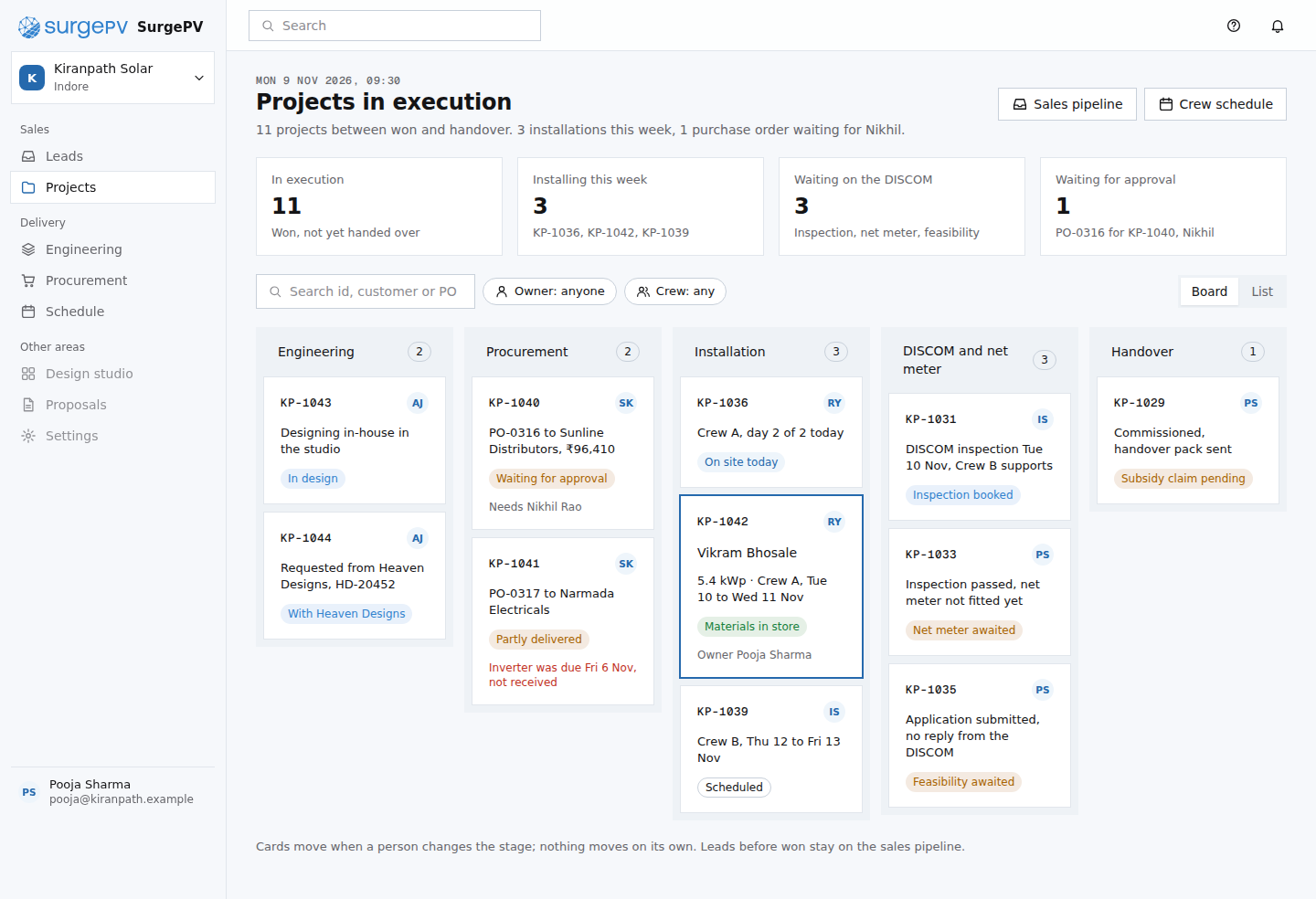 PM01Projects in executiontable stakes: a project board; the paperwork chip and the waiting line on each card come from the record
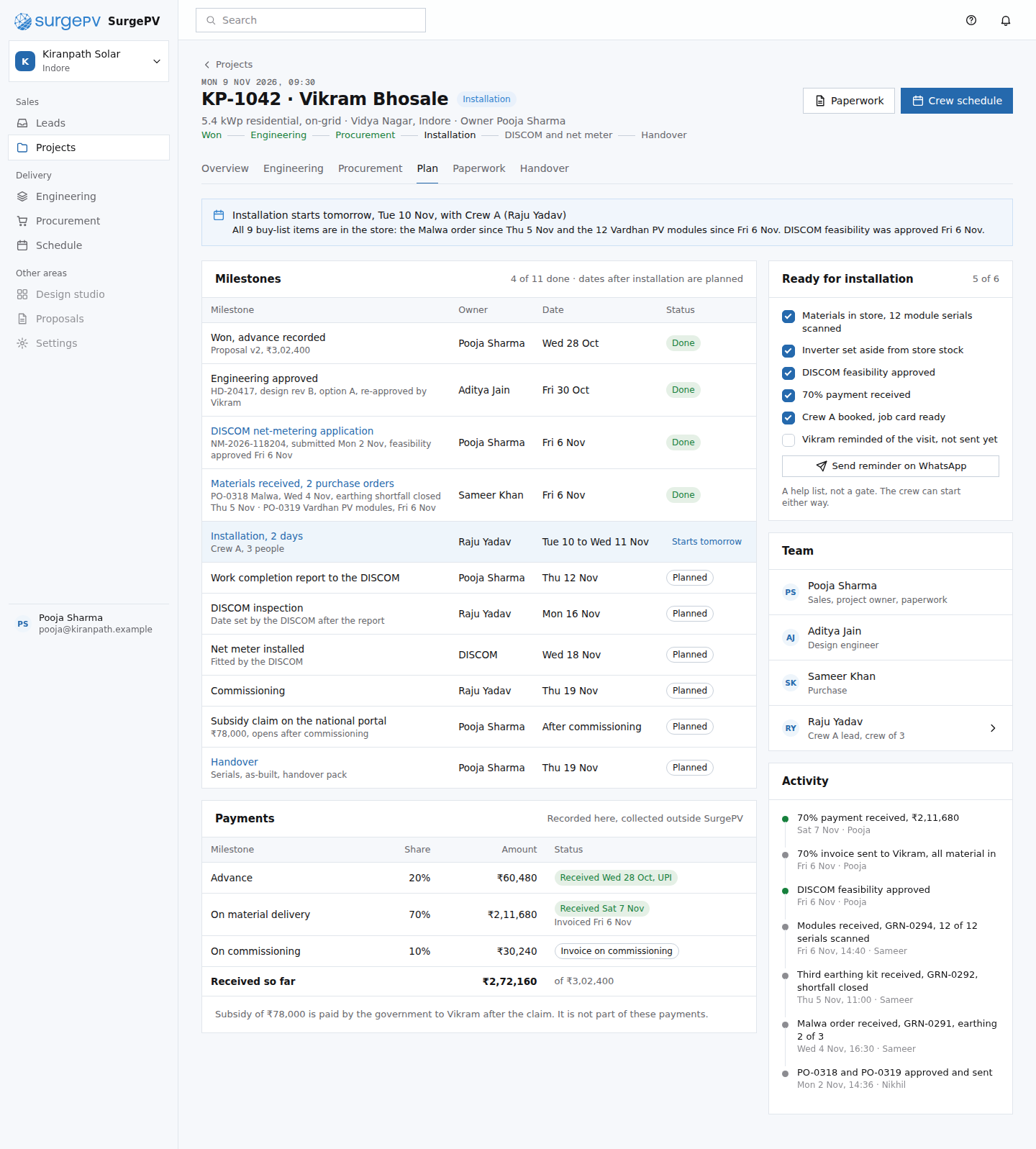 PM02Install plantable stakes: an install plan with crew, dates and a readiness list every project tool has
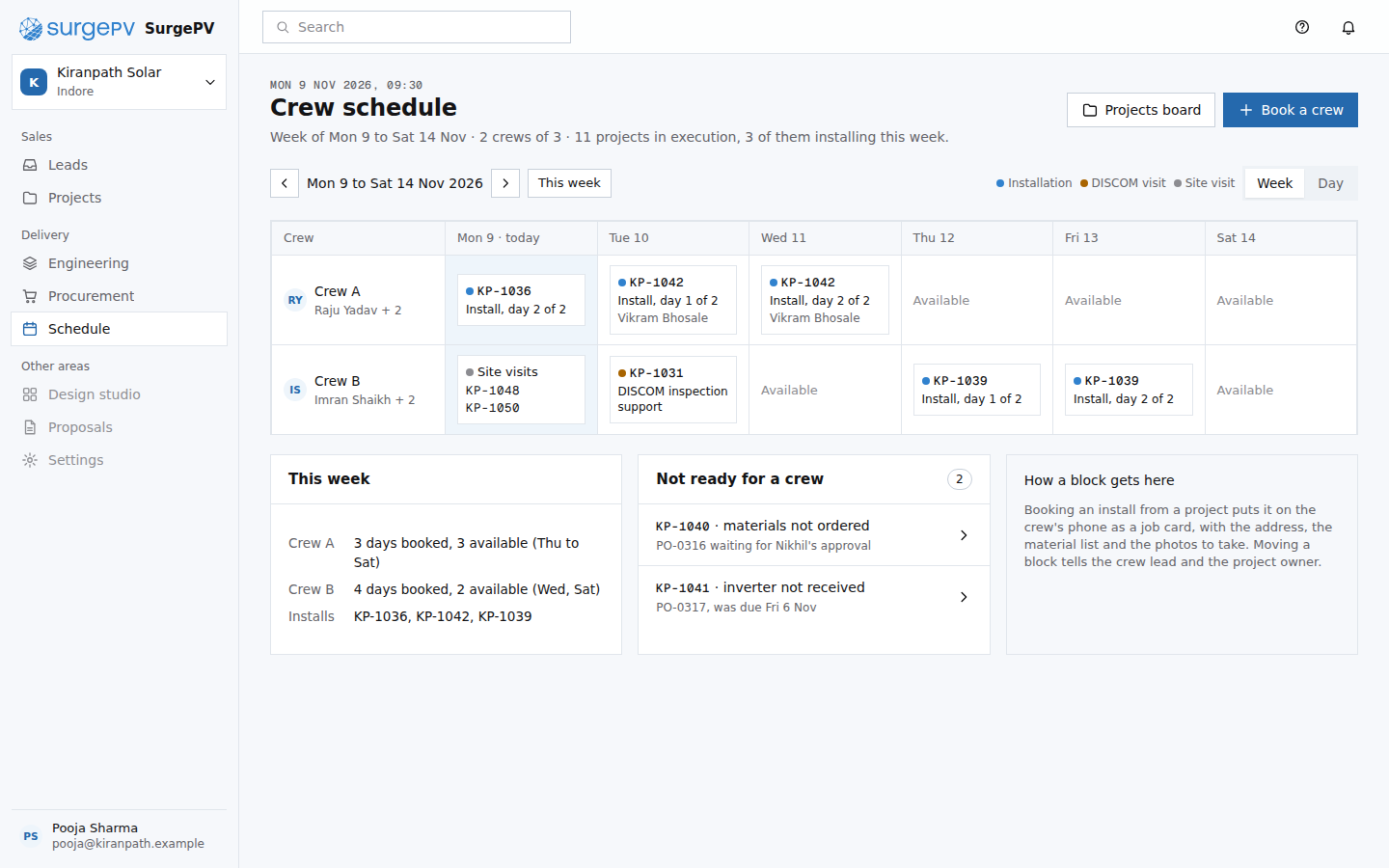 PM04Crew scheduletable stakes: a crew calendar; the not-ready list reads the purchase and DISCOM state from the record
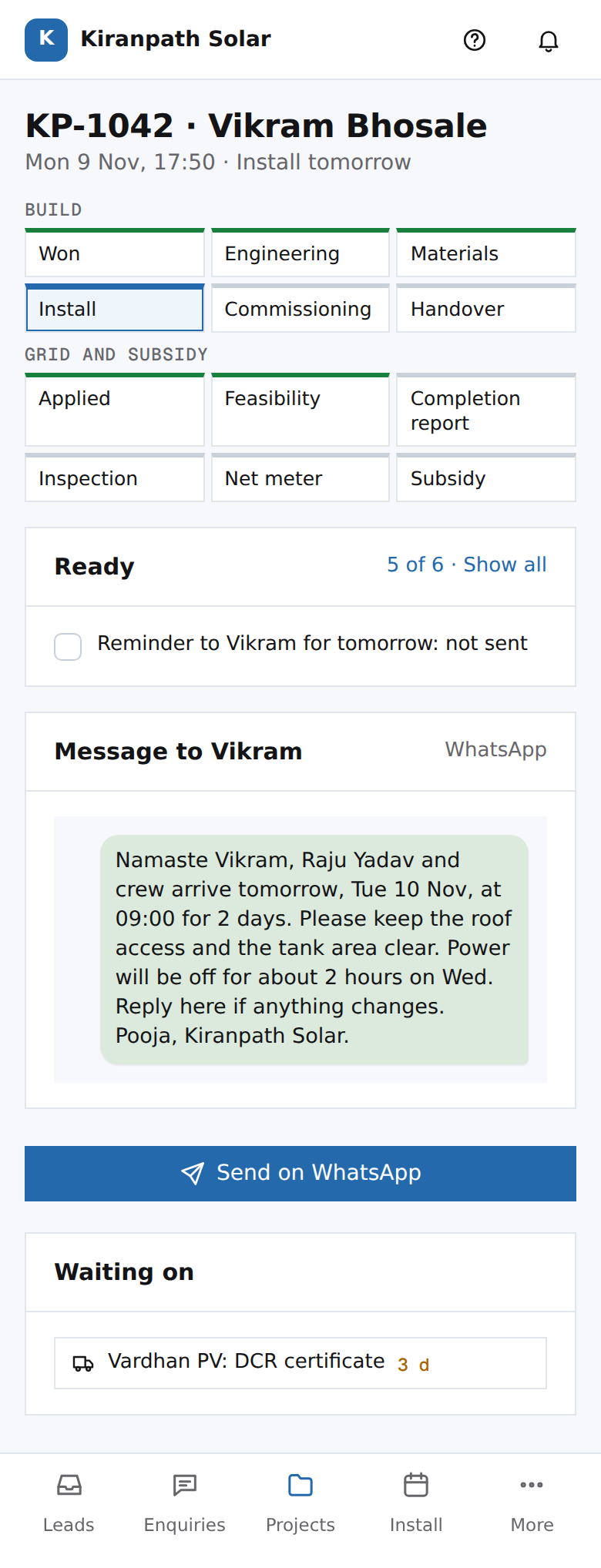 PH06Pooja's phone: project KP-1042, send the remindermoat: the message is written from the record: crew, time and what to prepare
 PM05Raju's phone: job cardmoat: the photos and serials taken at each step become the DISCOM report and the handover recordNeeds backend workOffline photo capture that uploads when the phone has signal, tied to the step and the project.
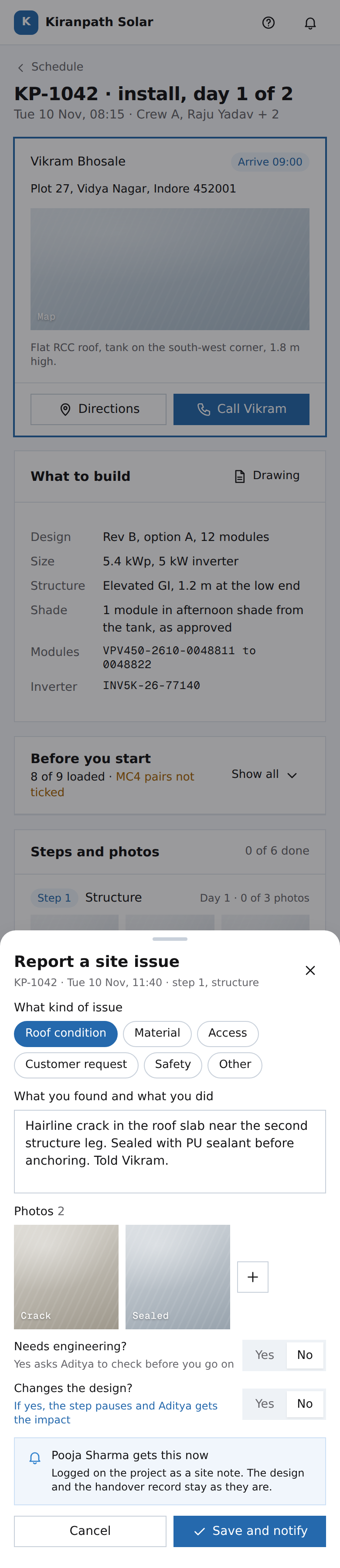 PM07Raju's phone: report a site issuetable stakes: an issue log with photos; the two questions keep a site note from turning into a silent design change
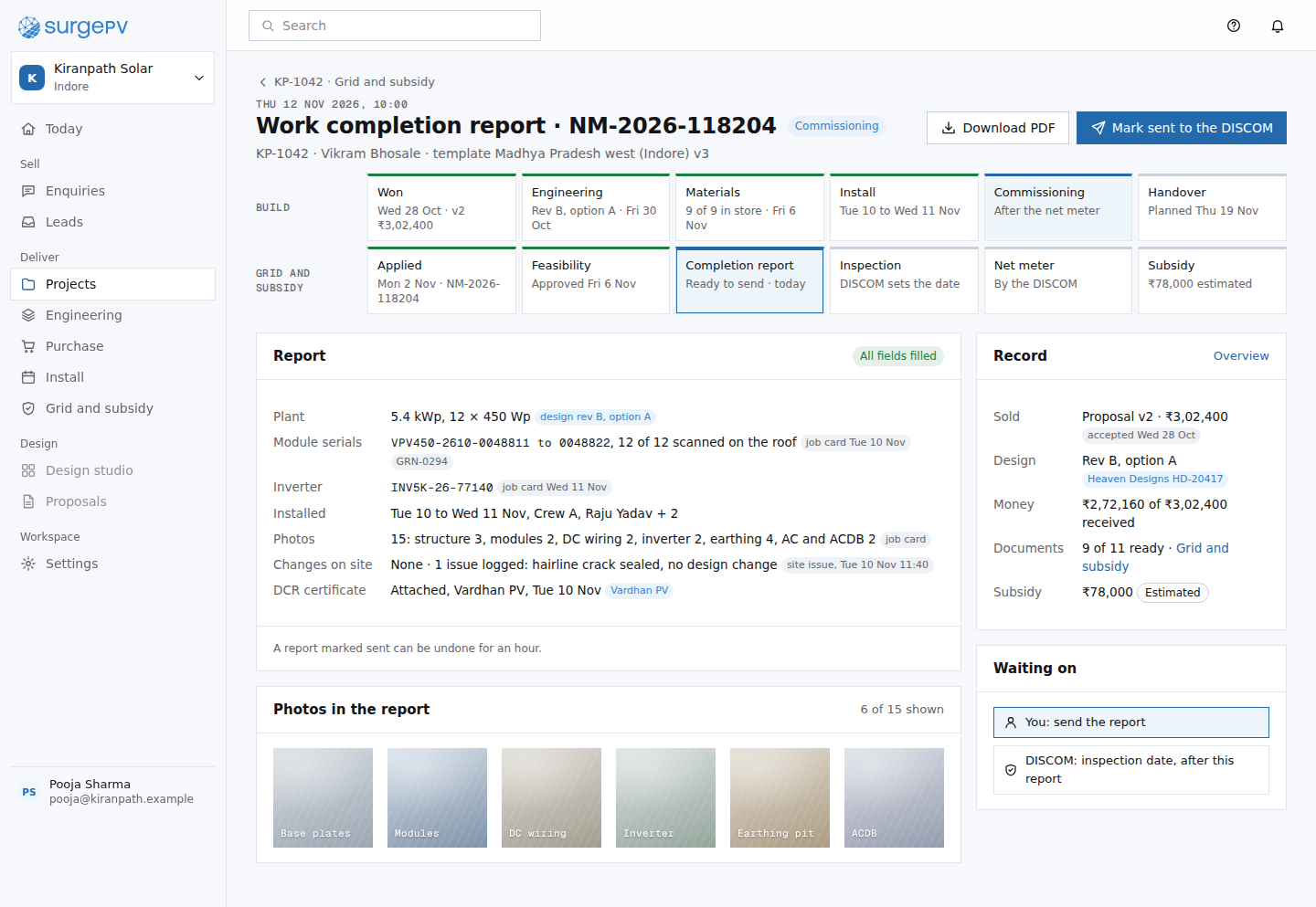 PW04Work completion report, built from the job cardmoat: nothing is retyped from the roof; the report is the as-built design, the scanned serials and the crew's photos
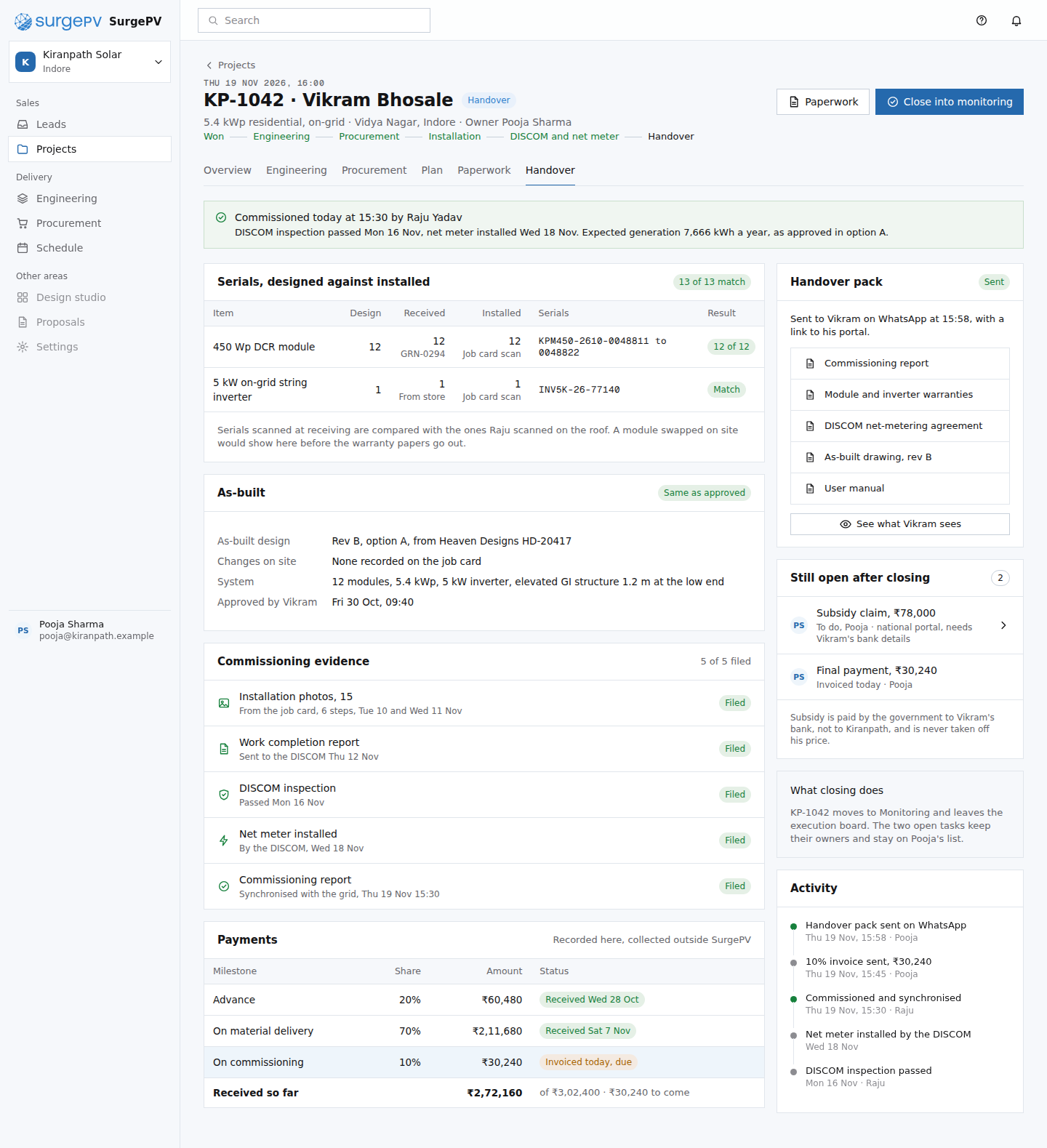 PM06Commissioning and handovermoat: designed, received and installed serials reconcile because the design, the goods receipt and the job card are one record
55. Grid and subsidy paperwork
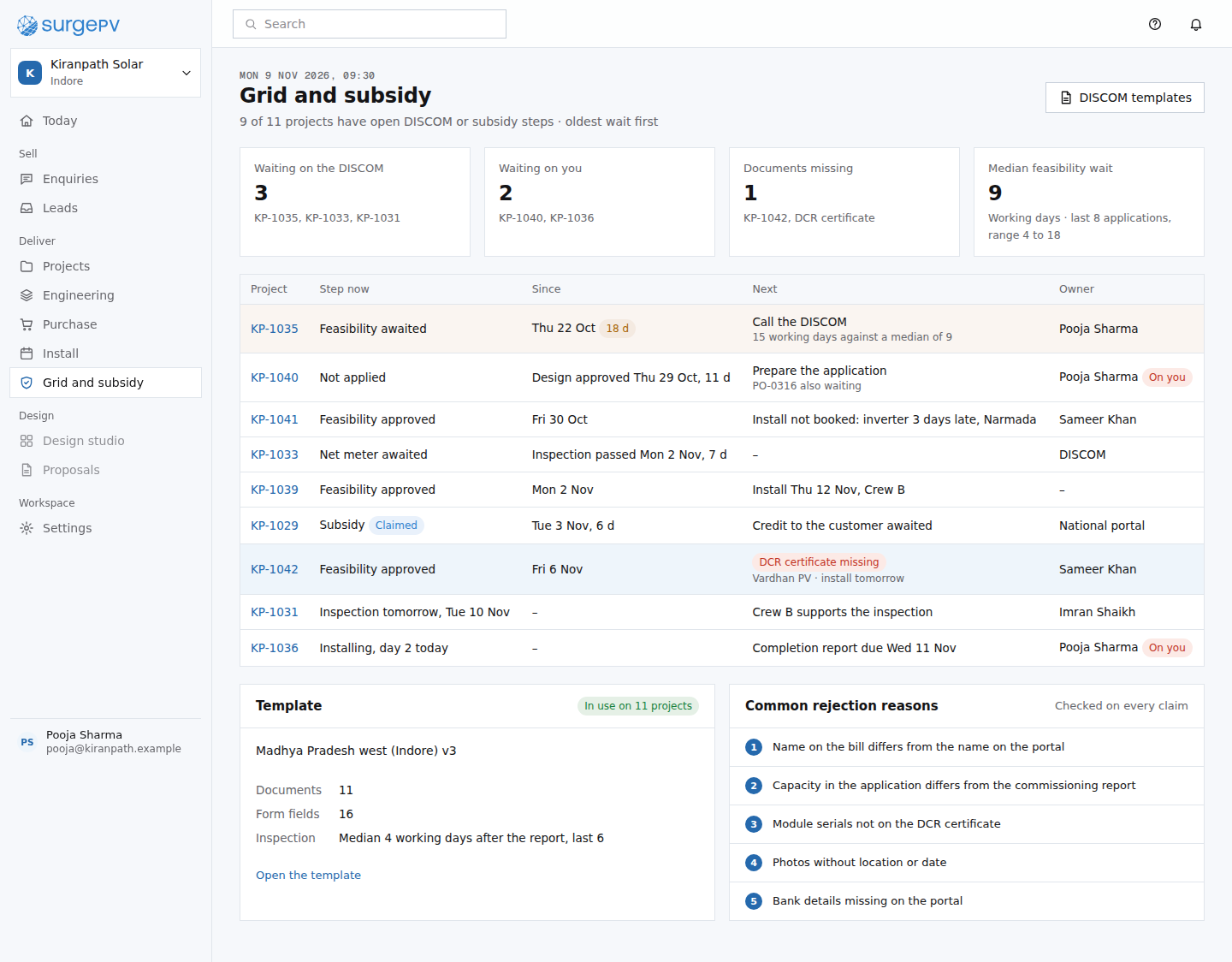 PW01Grid and subsidy: all projectsmoat: nobody else holds the application dates, the DISCOM template and the project in one place
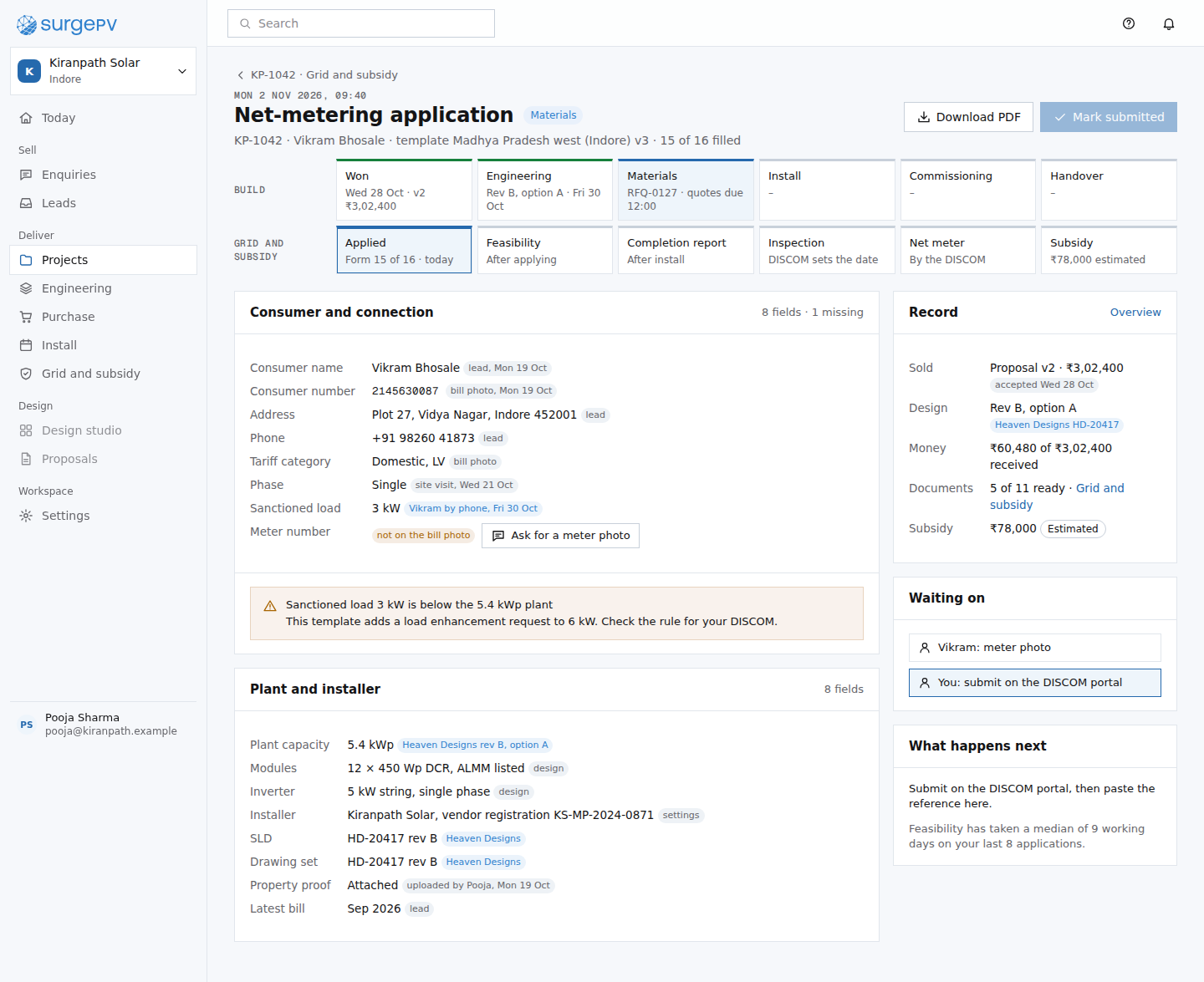 PW02Net-metering application, filled from the projectmoat: the DISCOM form is prefilled from the record, each value with its sourceNeeds backend workDISCOM form templates and PDF fill per utility.
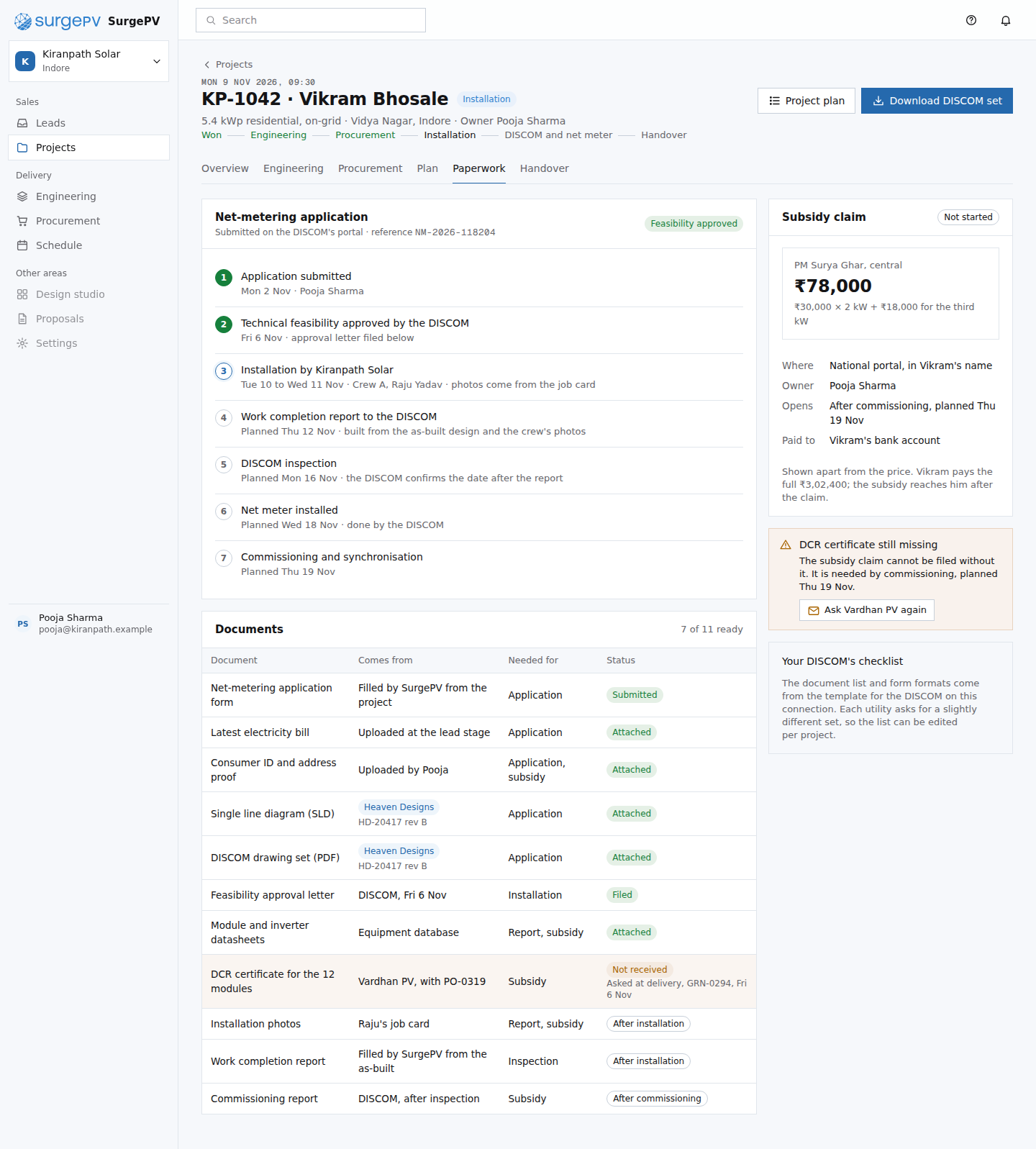 PM03Grid and subsidymoat: the DISCOM application, its documents and the subsidy run from the same record, with each document's sourceNeeds backend workDISCOM form and document templates per utility (forms, drawing and report formats differ by DISCOM).
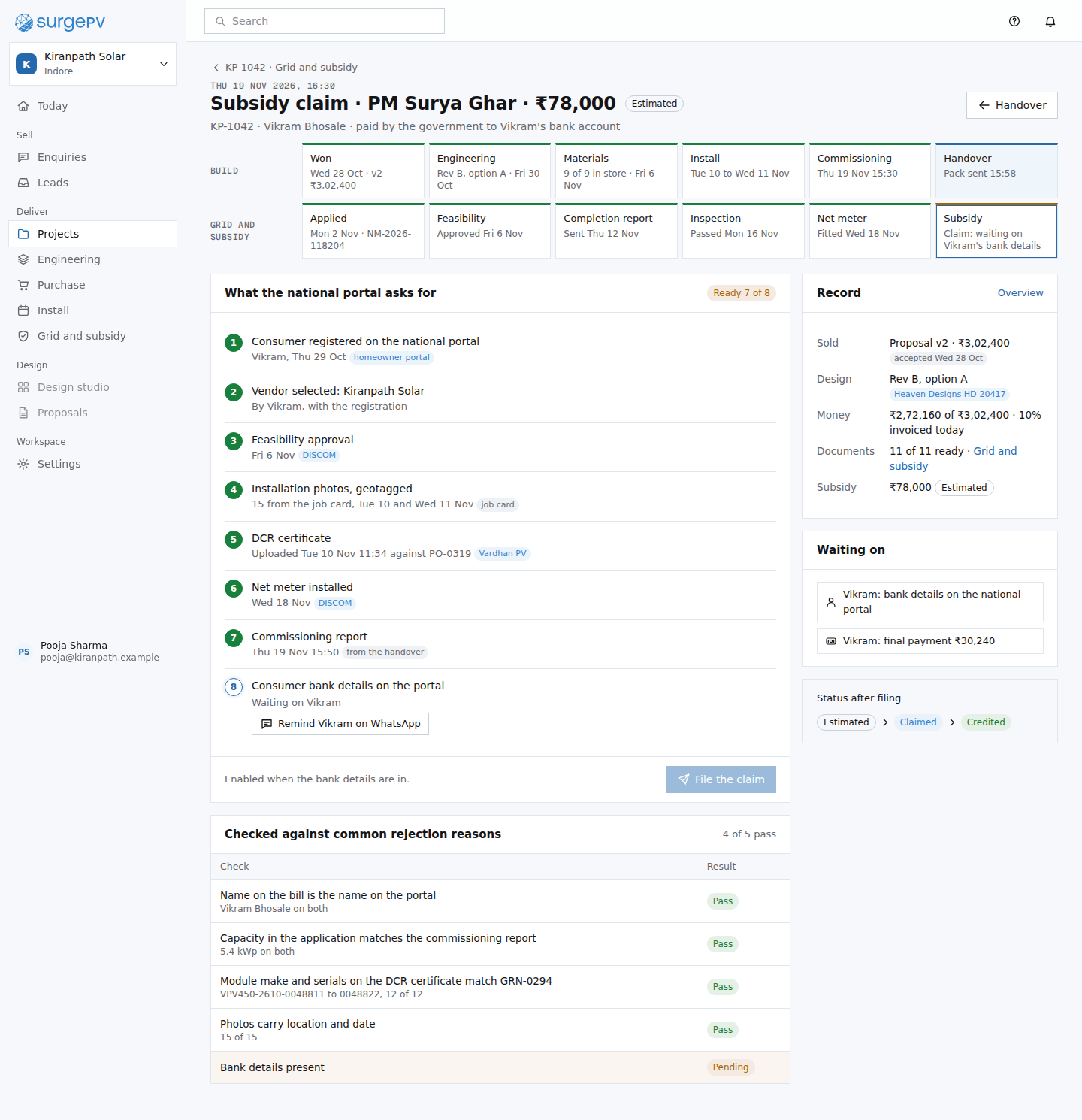 PW03Subsidy claim: ready to file?moat: the checks read the record: the DCR certificate on the PO, geotagged photos on the job card, serials on the goods receipt
66. Owner: today and money
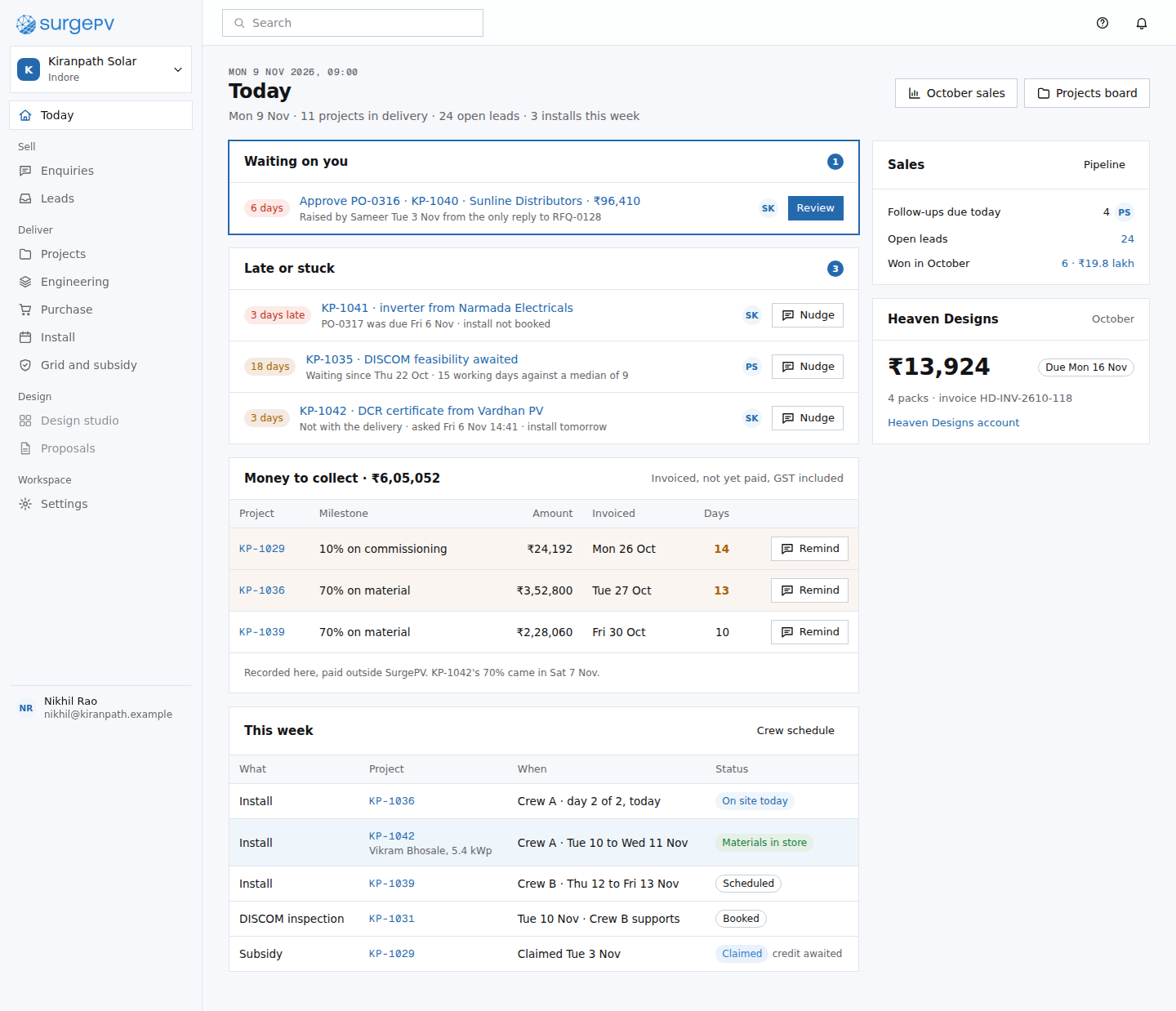 PM08Todaymoat: one waiting list across suppliers, the DISCOM, the customer and the team, because the record holds all of them
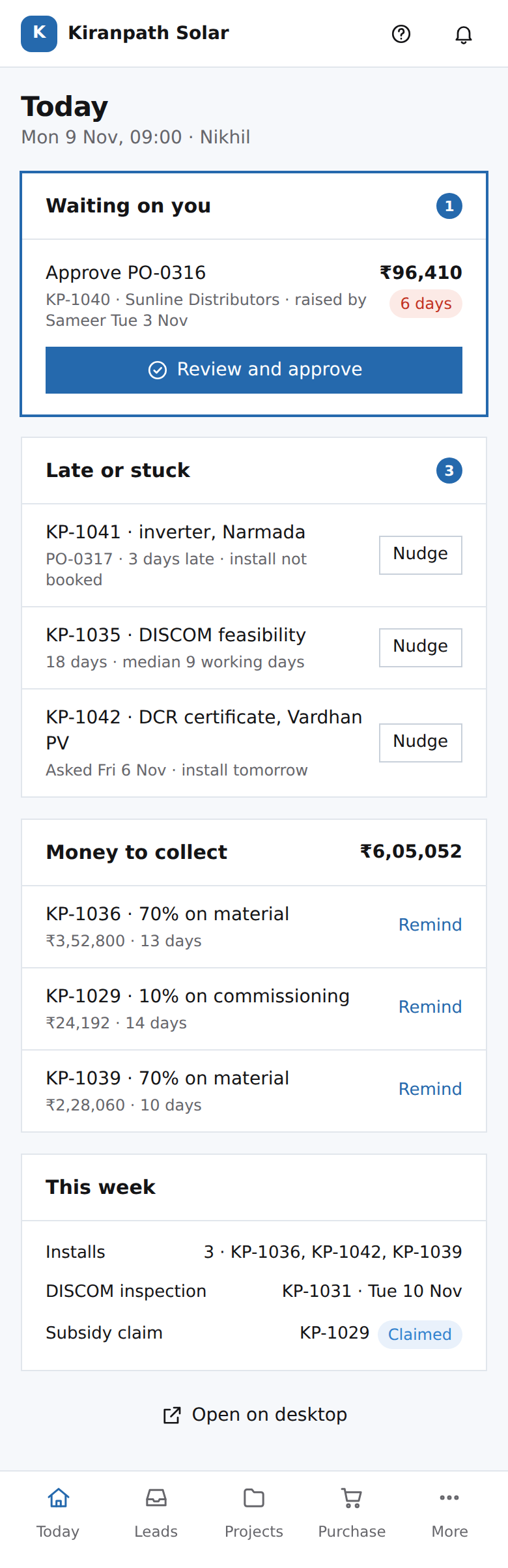 PH01Nikhil's phone: todaymoat: the waiting list spans suppliers, the DISCOM and the customer because the record holds all threeCR09Sales month: October 2026table stakes: a monthly sales report every CRM has
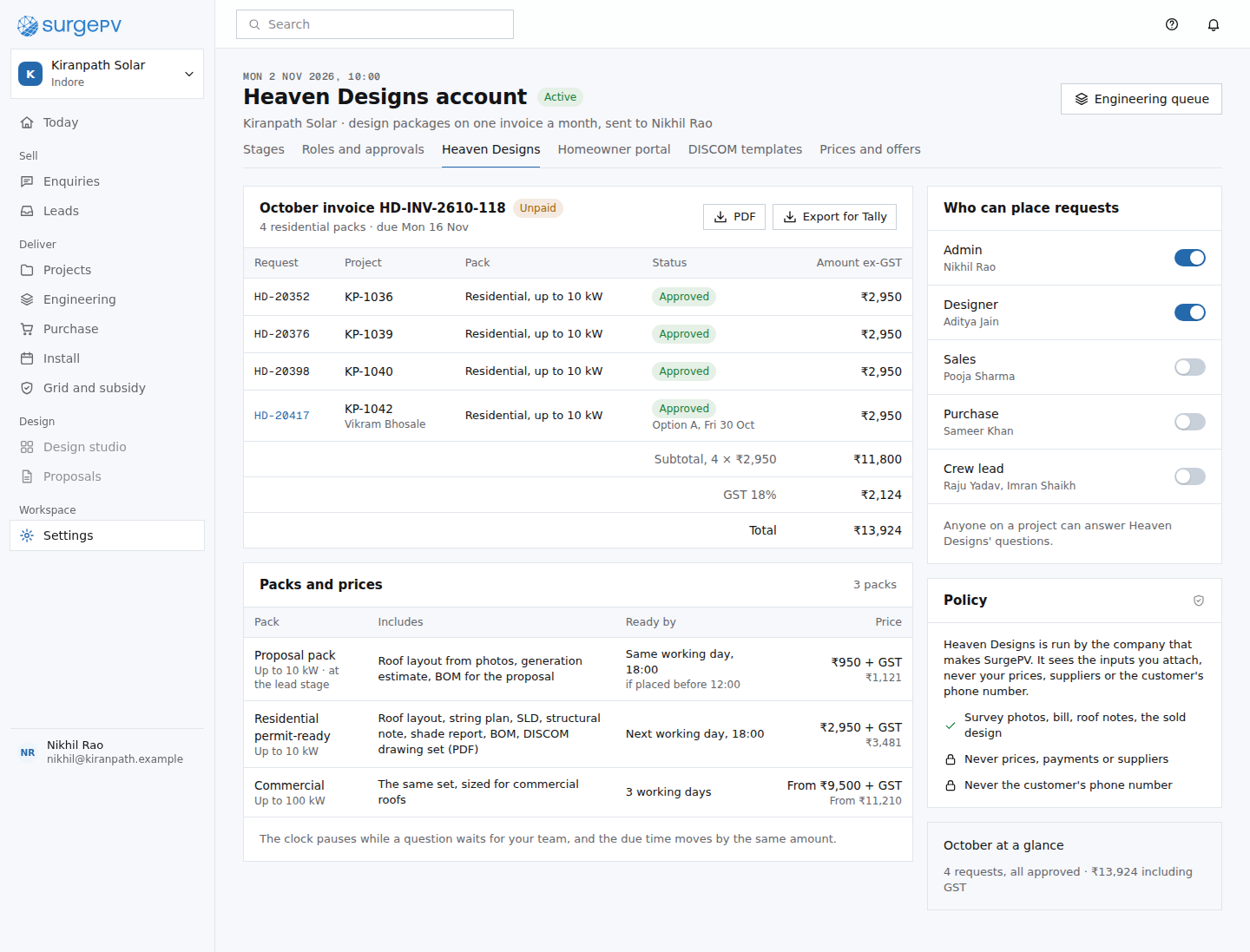 ST03Settings: Heaven Designs accountmoat: design services billed inside the record, each invoice line traced to a request and a project
77. Homeowner portal
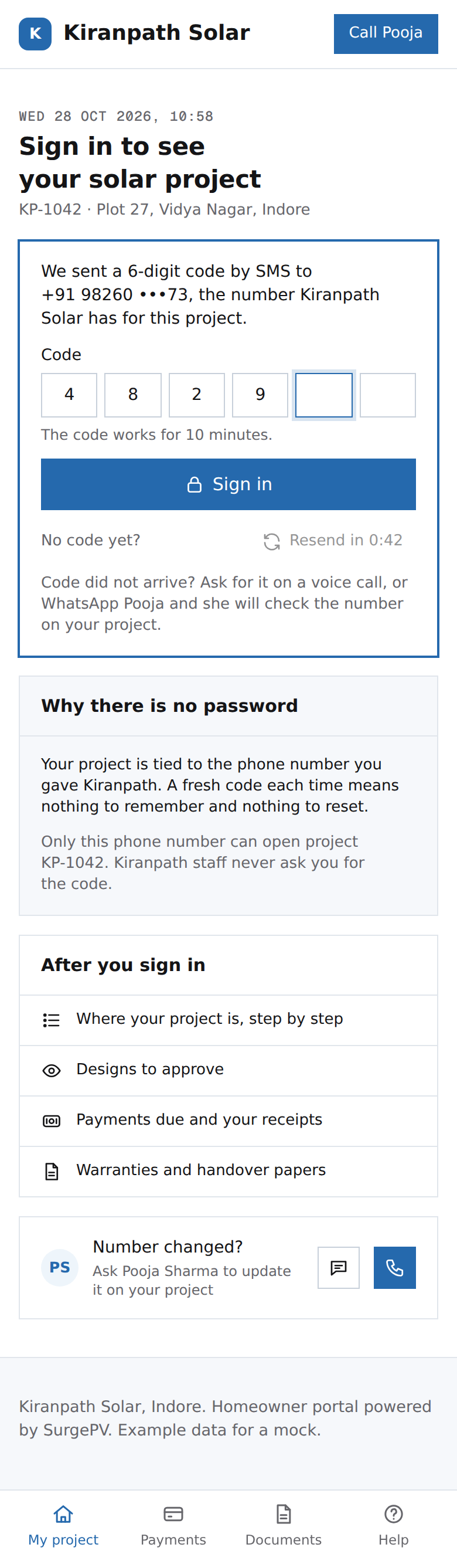 CP07Homeowner portal: sign in with a codetable stakes: one-time-code sign-in; binding the link to the project's own number is what keeps it safeNeeds backend workOTP by SMS to the phone number on the project; link bound to one project; rate-limited resend
 CP01Homeowner portal: my solar projectmoat: the homeowner acts inside the same record the installer works in
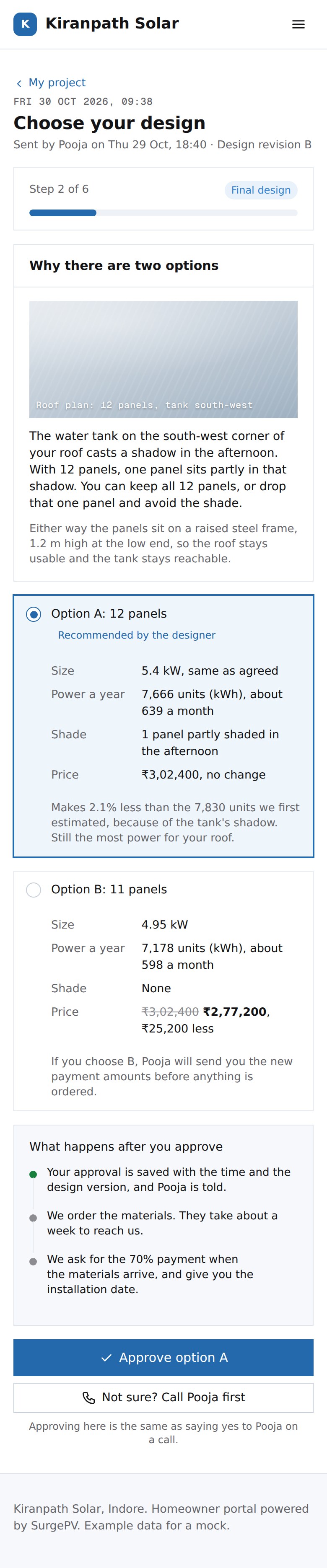 CP02Homeowner portal: choose your designmoat: the homeowner approves the final design inside the record, and his choice becomes what was sold
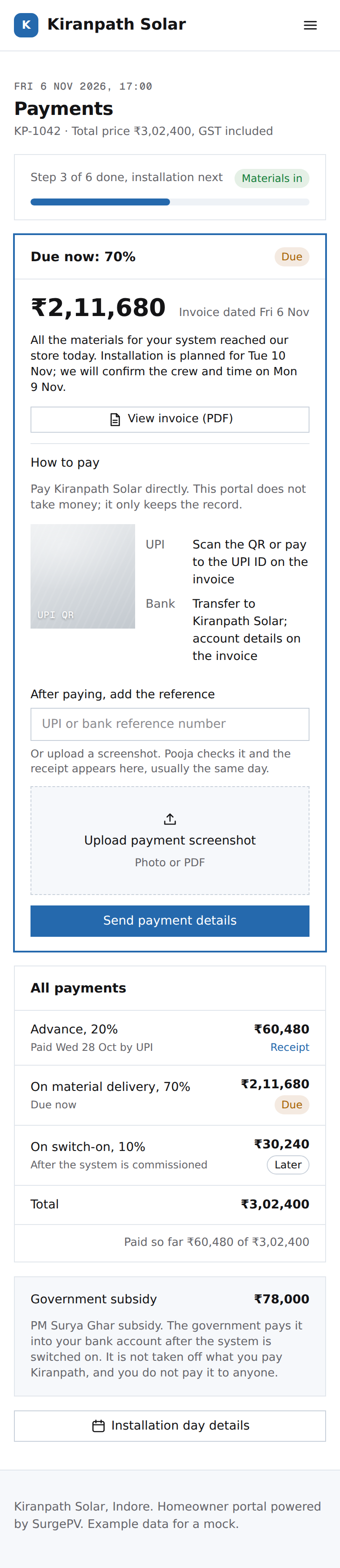 CP03Homeowner portal: paymentstable stakes: a payments page; the record keeps payments and the subsidy apart, so the subsidy is never read as a discount
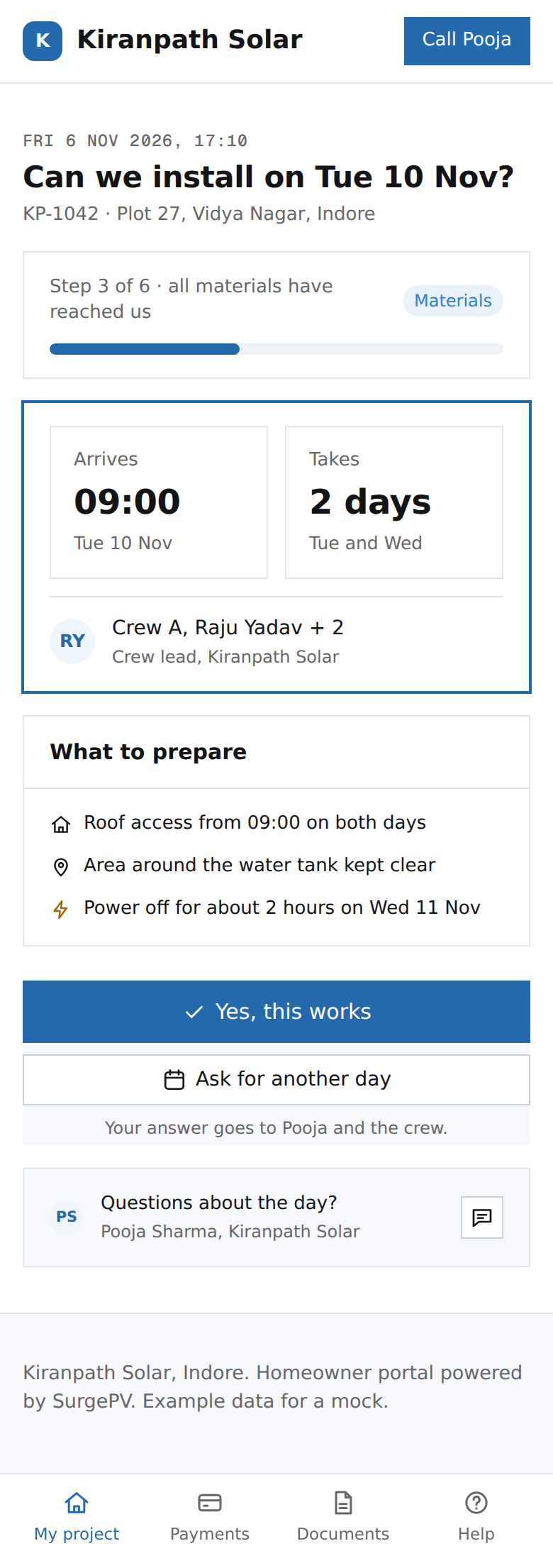 CP09Homeowner portal: confirm your installation datemoat: the homeowner answers inside the record, so nobody calls to ask
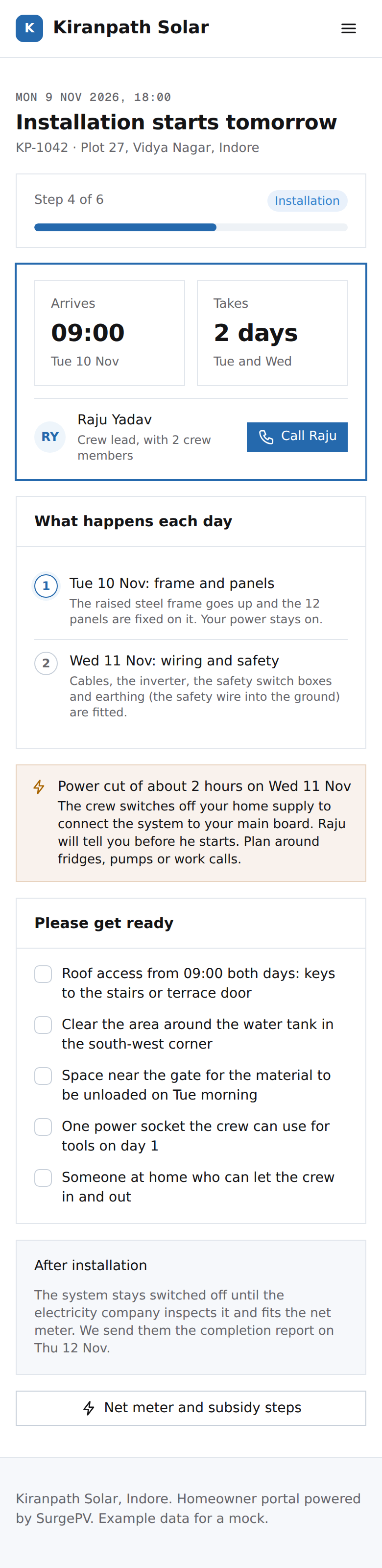 CP04Homeowner portal: installation daytable stakes: an install-day notice; the date Vikram confirmed and the crew come from the record
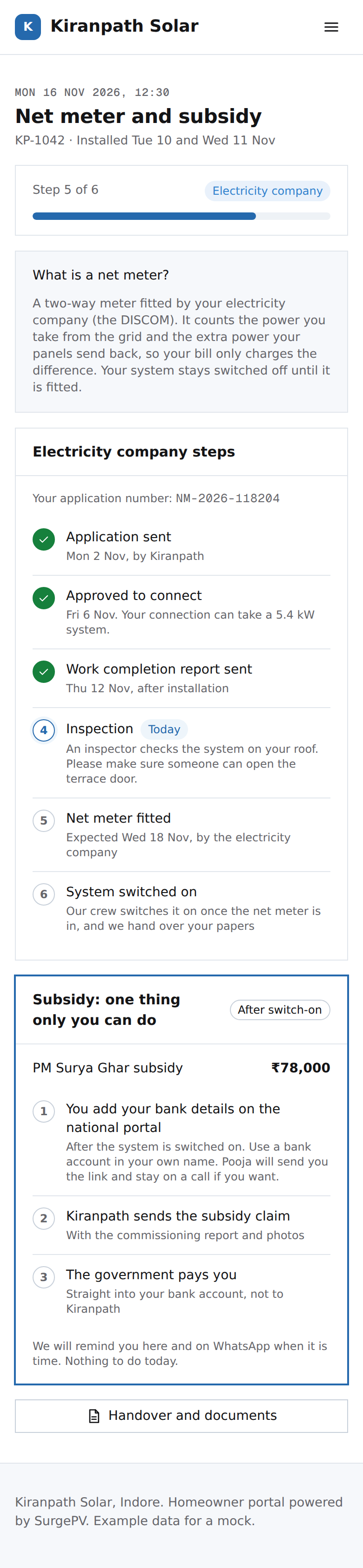 CP05Homeowner portal: net meter and subsidymoat: the homeowner sees the DISCOM steps from the same record the installer works in
 CP06Homeowner portal: your system is handed overmoat: the handover pack is the as-built record, and the portal stays useful after it
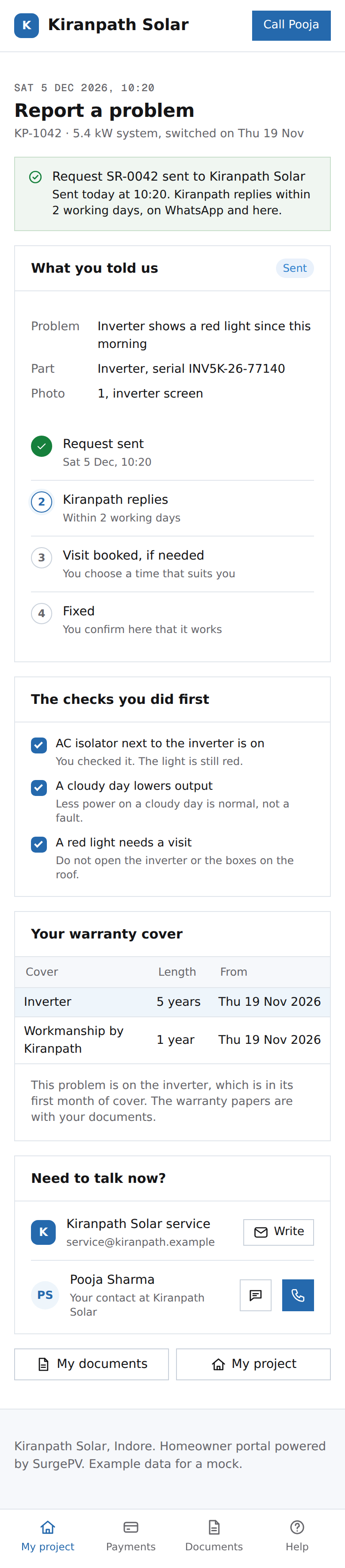 CP08Homeowner portal: report a problemmoat: the service request already carries the serial and warranty dates from the handover record
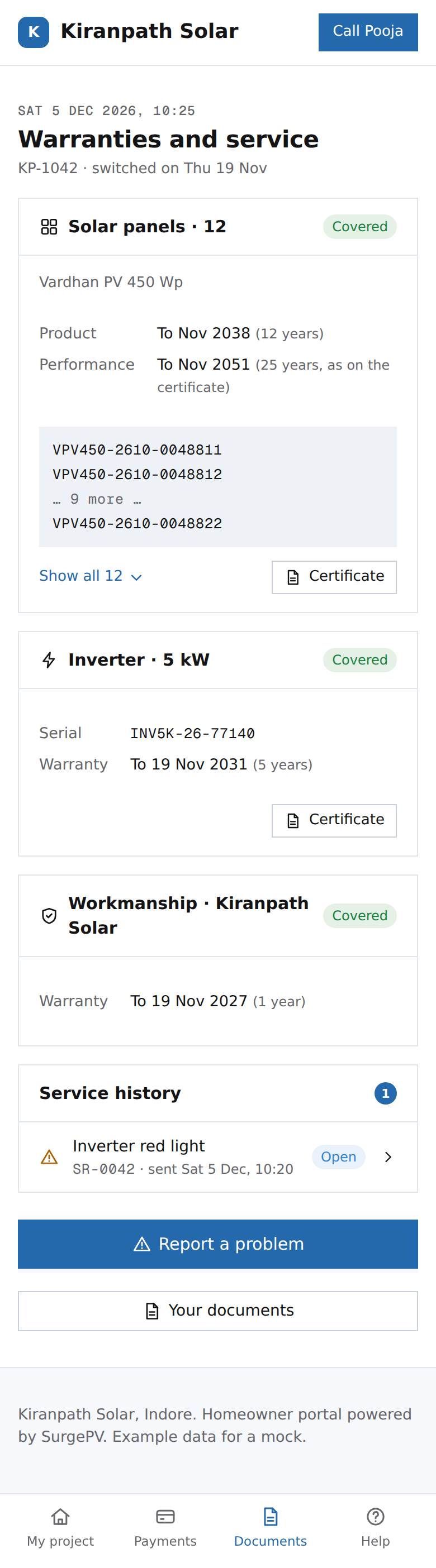 CP10Homeowner portal: warranties and servicemoat: serials from the store and the roof make a warranty claim one tap
88. Why this is hard to copy
Each screen here shows a value with its source chip, or another party acting inside the record.
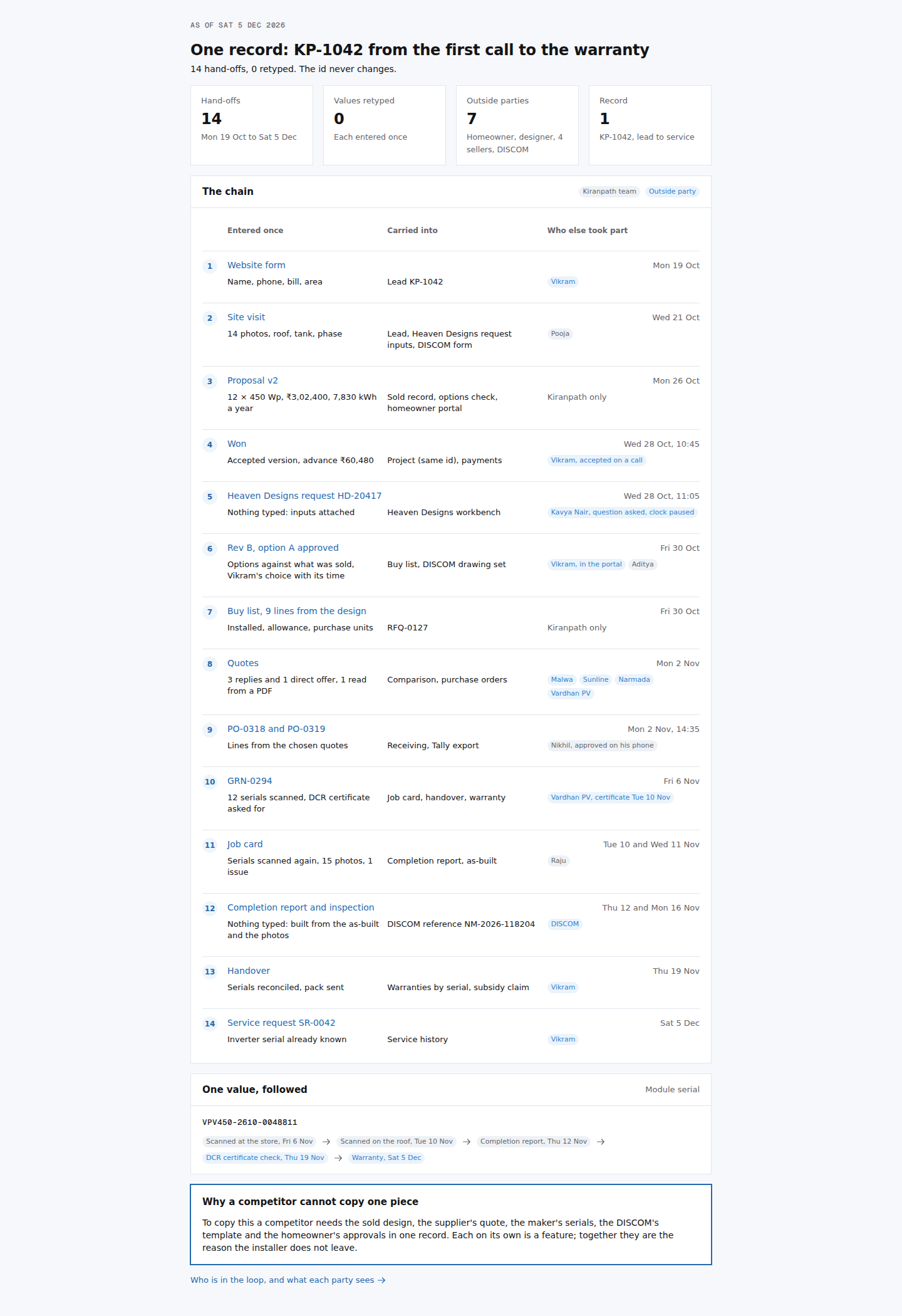 LR01One record: KP-1042 from the first call to the warrantymoat: this is the moat; each link is a feature, the chain is the reason to stayCR03New lead from the website formmoat: nothing retyped; the enquiry already holds the detailsEN02Heaven Designs request formmoat: the request fills itself from the record, each input with its sourceEN05Review the delivered Heaven Designs packagemoat: the delivered design is checked against what was sold, cell by cell, because both live in one recordNeeds backend workDesign diff of the delivered package against the sold proposal v2PR01Buy list from the approved designmoat: the buy list is made from the delivered design and priced against pooled market data nobody else holdsPR03Compare quotesmoat: like-for-like comparison with missing lines and freight shown, judged against the pooled Indore medianPR06Receiving for KP-1042moat: serials and supplier documents enter the record at receipt, the only point they can be checkedPW02Net-metering application, filled from the projectmoat: the DISCOM form is prefilled from the record, each value with its sourceNeeds backend workDISCOM form templates and PDF fill per utility.MF01Vardhan PV's view: order PO-0319 and the DCR certificatemoat: the maker works inside the installer's record, not over emailPM06Commissioning and handovermoat: designed, received and installed serials reconcile because the design, the goods receipt and the job card are one recordCP10Homeowner portal: warranties and servicemoat: serials from the store and the roof make a warranty claim one tap
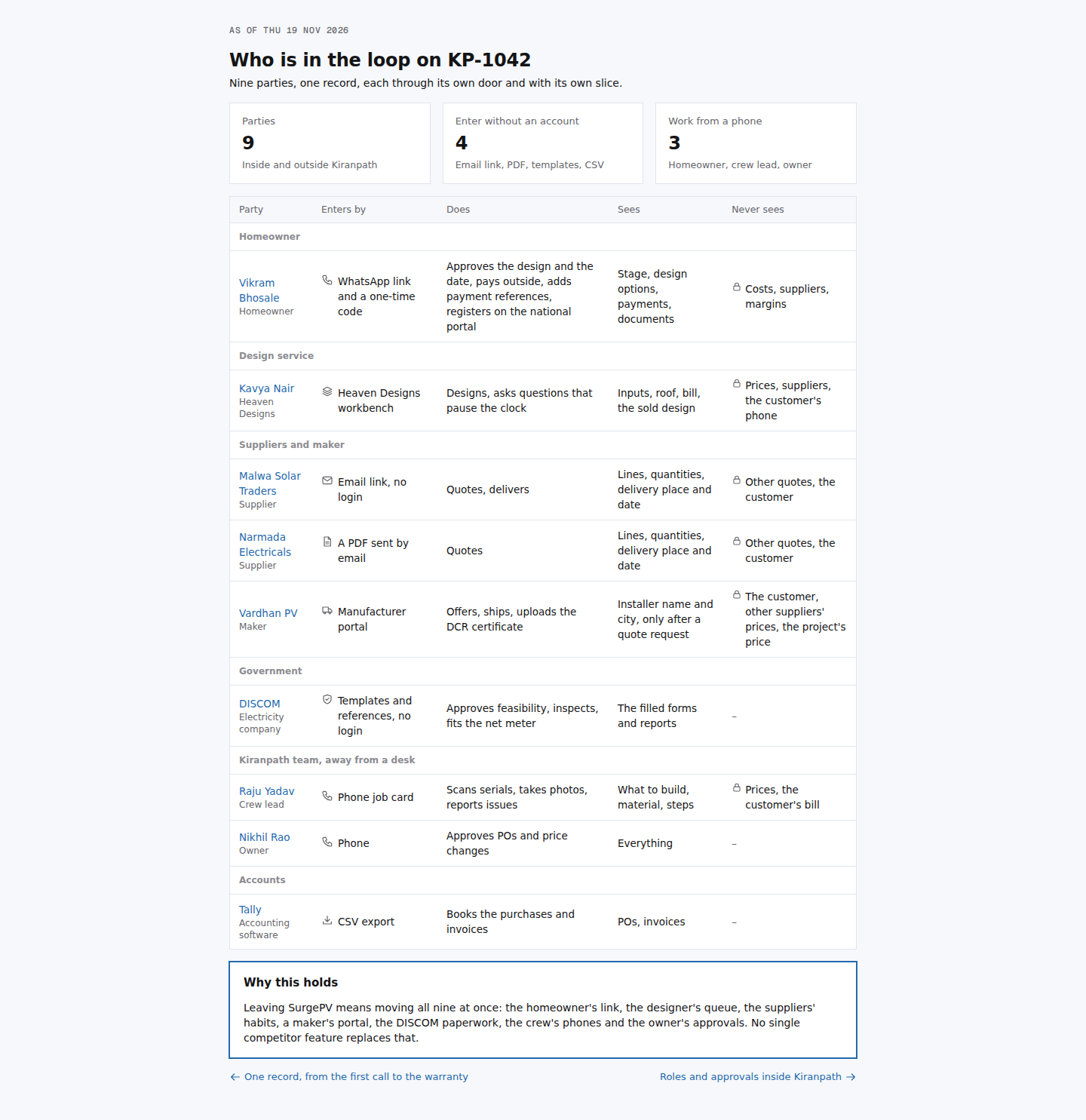 LR02Who is in the loop on KP-1042moat: multi-party lock-in made visible; every party would have to move together
99. Options
Pairs. The first of each pair is the recommended one.
CR05Project overview, just wonmoat: the sold record is the project; nothing from the sale is typed again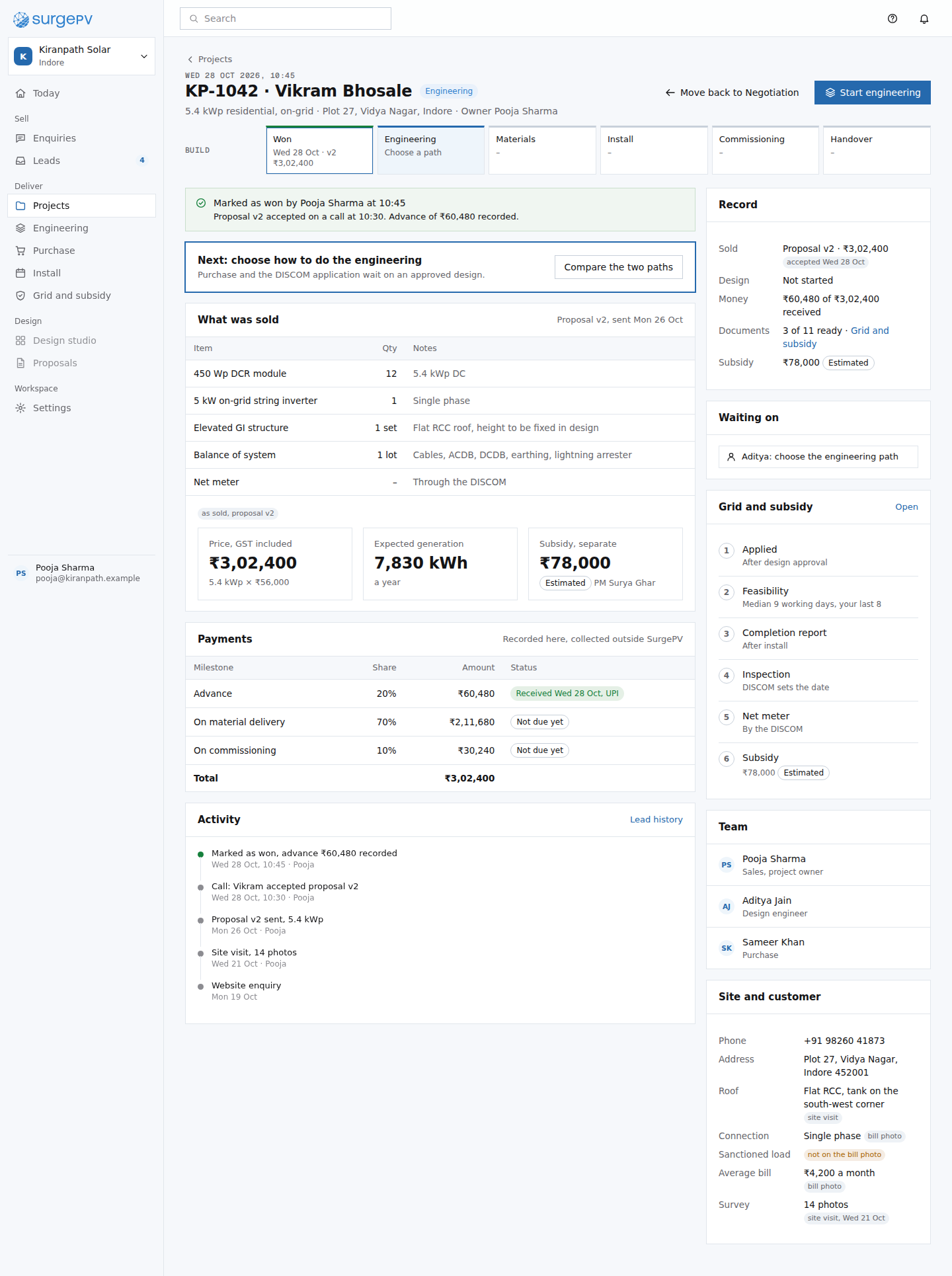 CR05bProject overview, single rail (option b)moat: the same sold record; only the spine layout differs from CR05PM08Todaymoat: one waiting list across suppliers, the DISCOM, the customer and the team, because the record holds all of them
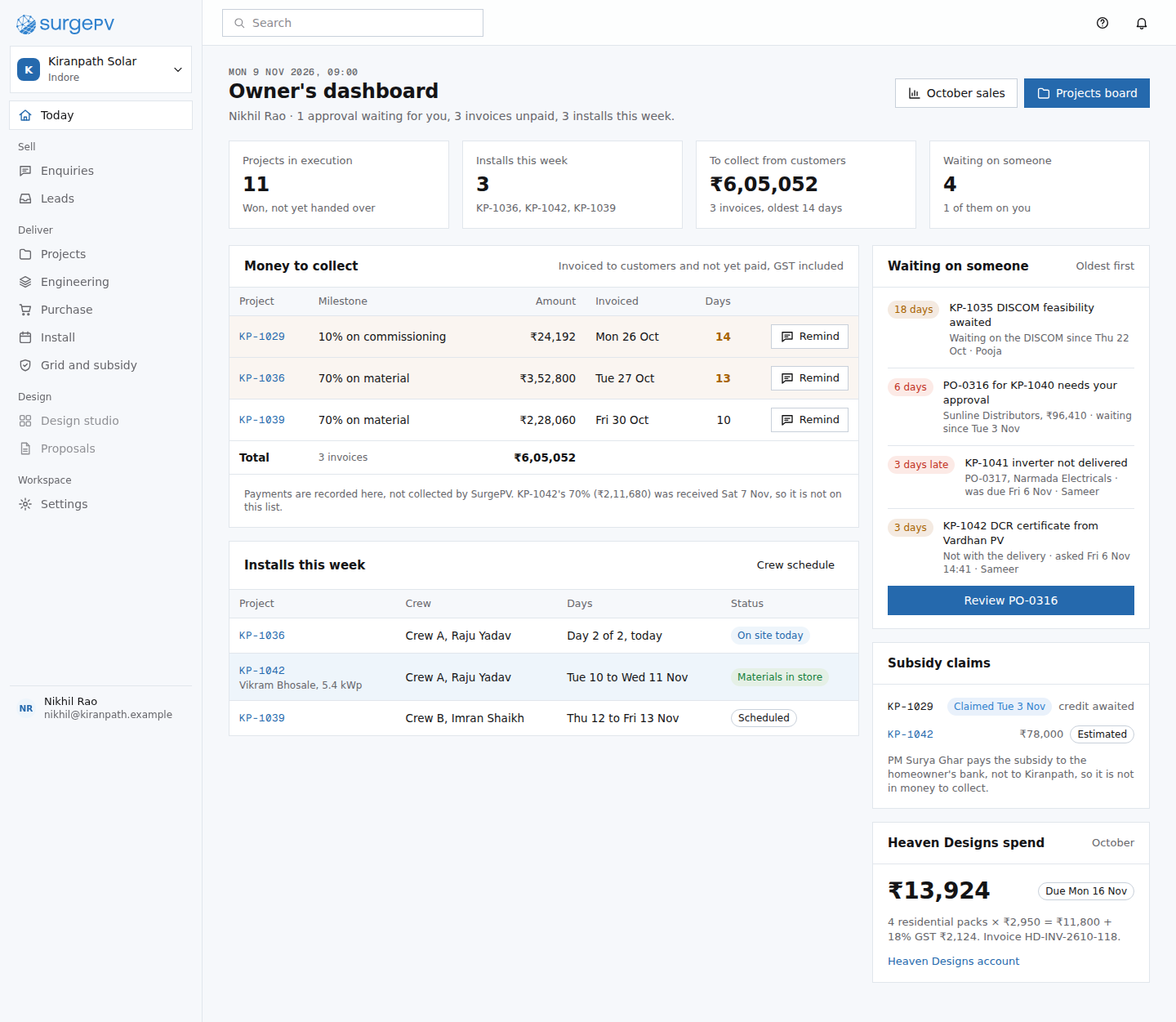 PM08bOwner's dashboard, numbers firsttable stakes: a totals dashboard every tool hasPR03Compare quotesmoat: like-for-like comparison with missing lines and freight shown, judged against the pooled Indore median
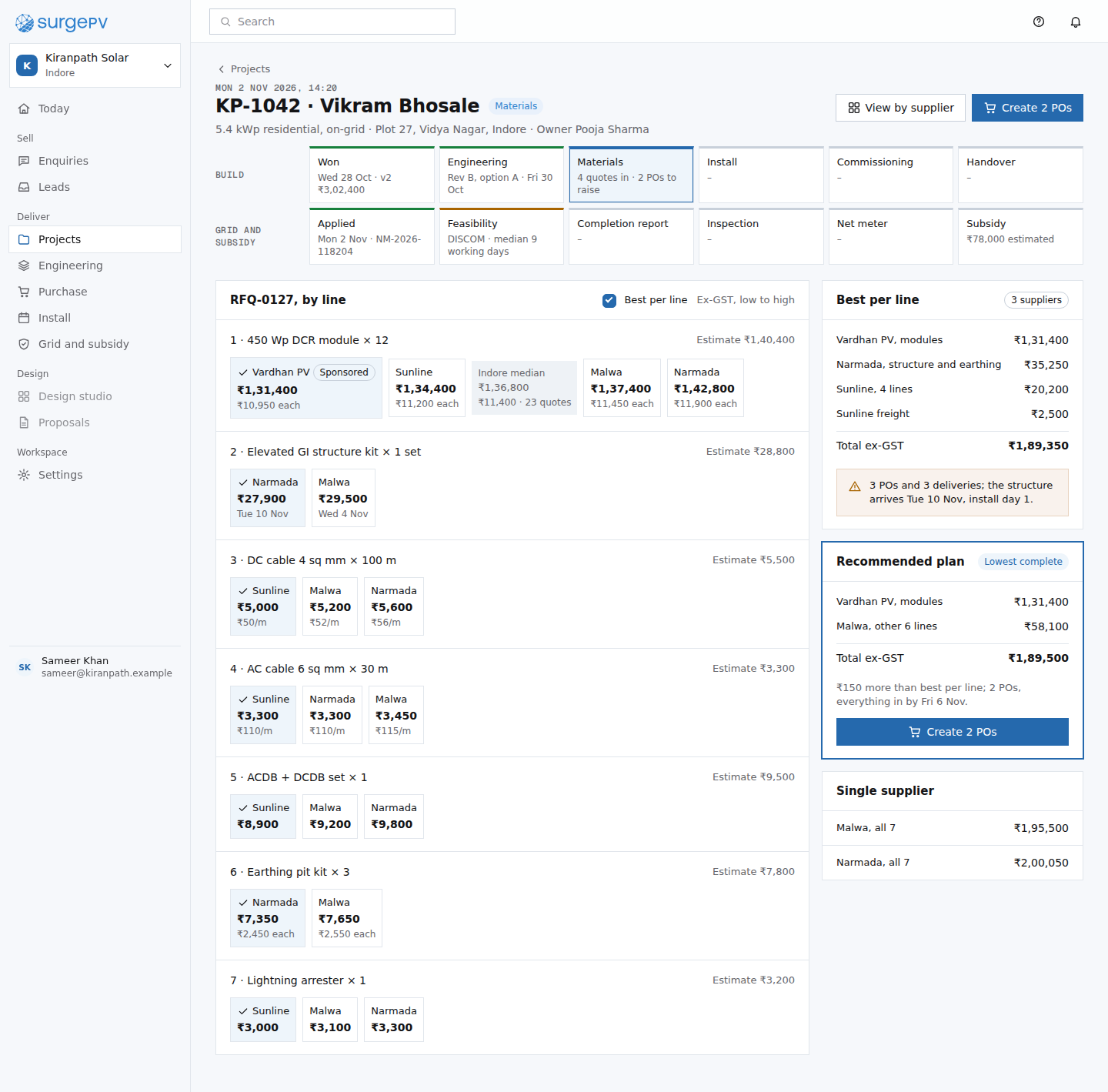 PR03bCompare quotes, by line (option b)moat: the same quotes and Indore median, laid out the way a marketplace would: one block per line, cheapest firstCP01Homeowner portal: my solar projectmoat: the homeowner acts inside the same record the installer works in
 CP01bHomeowner portal: my solar project, status firsttable stakes: a status tracker every installer portal showsPM05Raju's phone: job cardmoat: the photos and serials taken at each step become the DISCOM report and the handover recordNeeds backend workOffline photo capture that uploads when the phone has signal, tied to the step and the project.
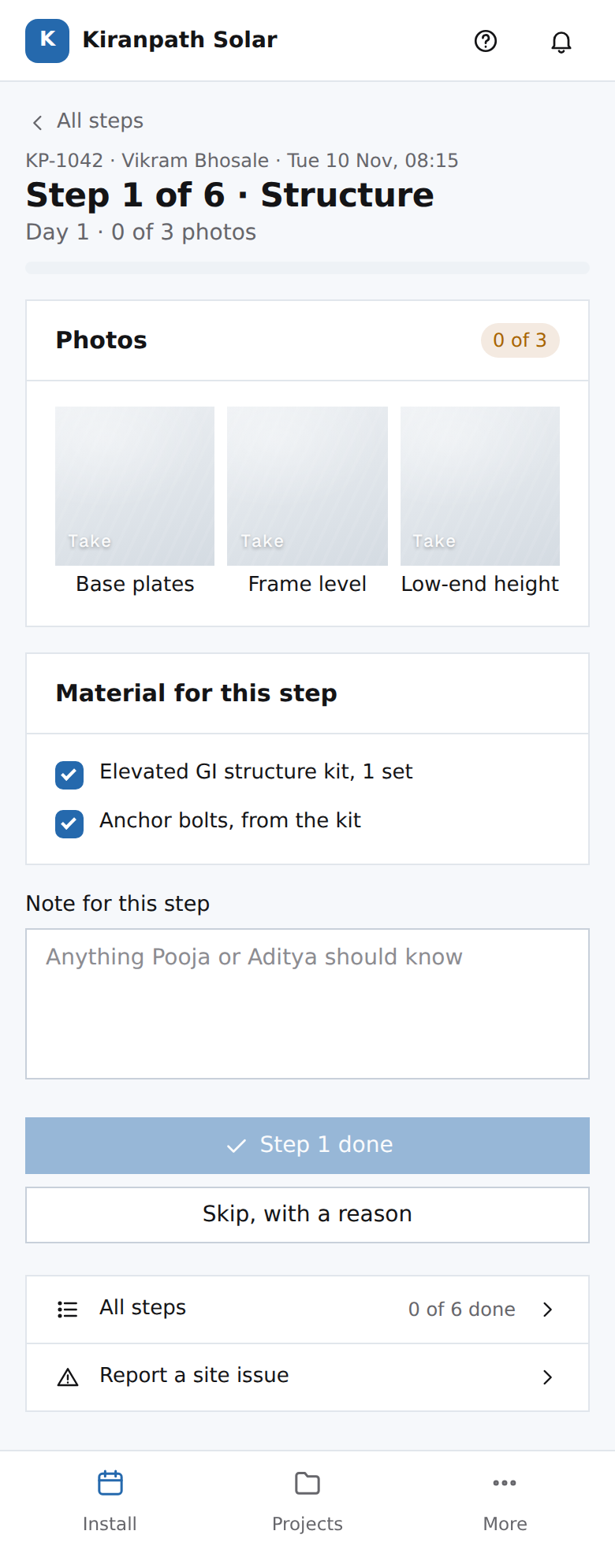 PM05bRaju's phone: job card, one step per screenmoat: one step per screen makes a missing photo impossible to overlook, and those photos are what the DISCOM report and handover are built from
1010. Setup and settings
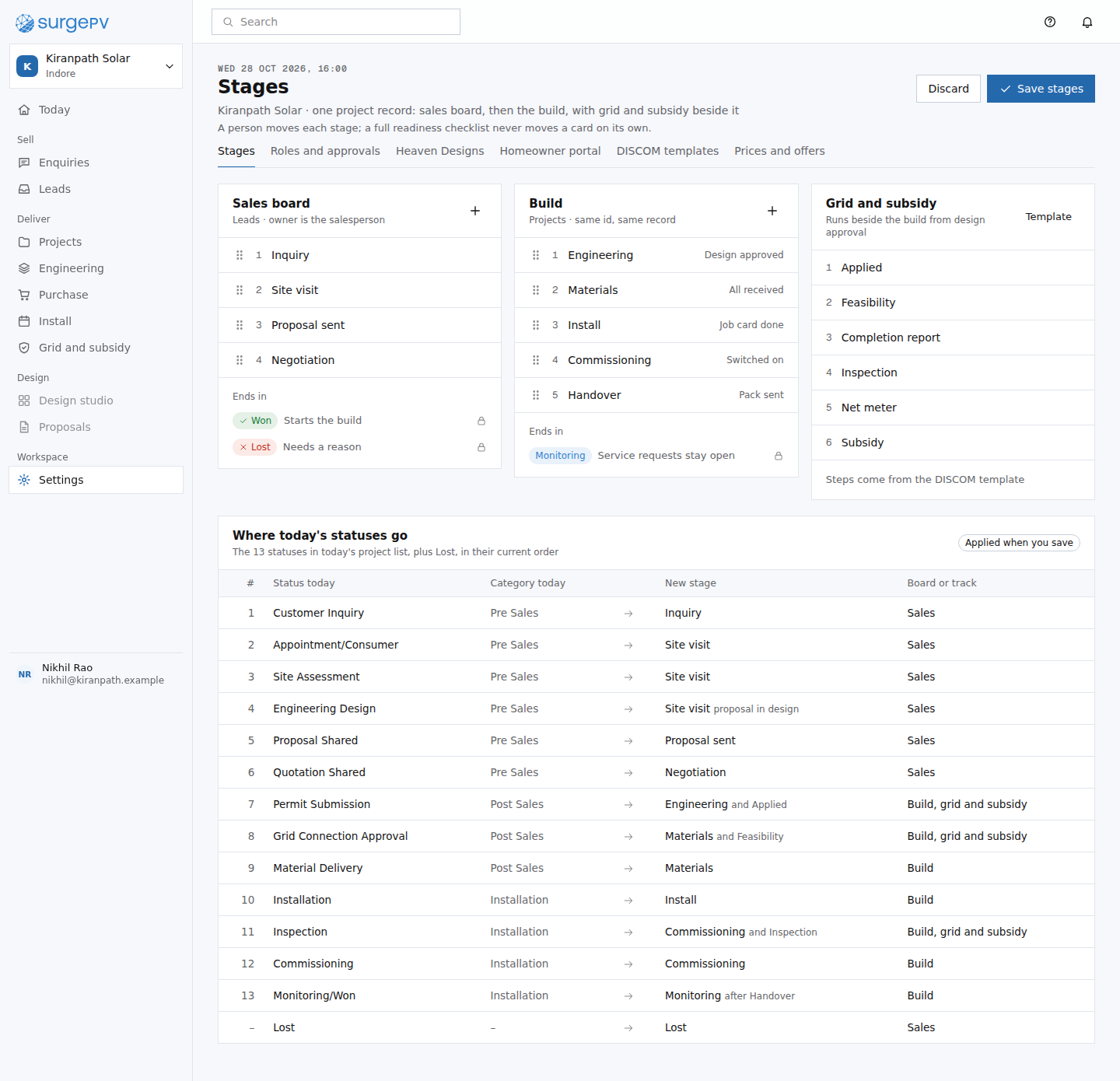 ST01Settings: stagestable stakes: every CRM lets you set stages; the mapping onto today's statuses is what makes the switch safe
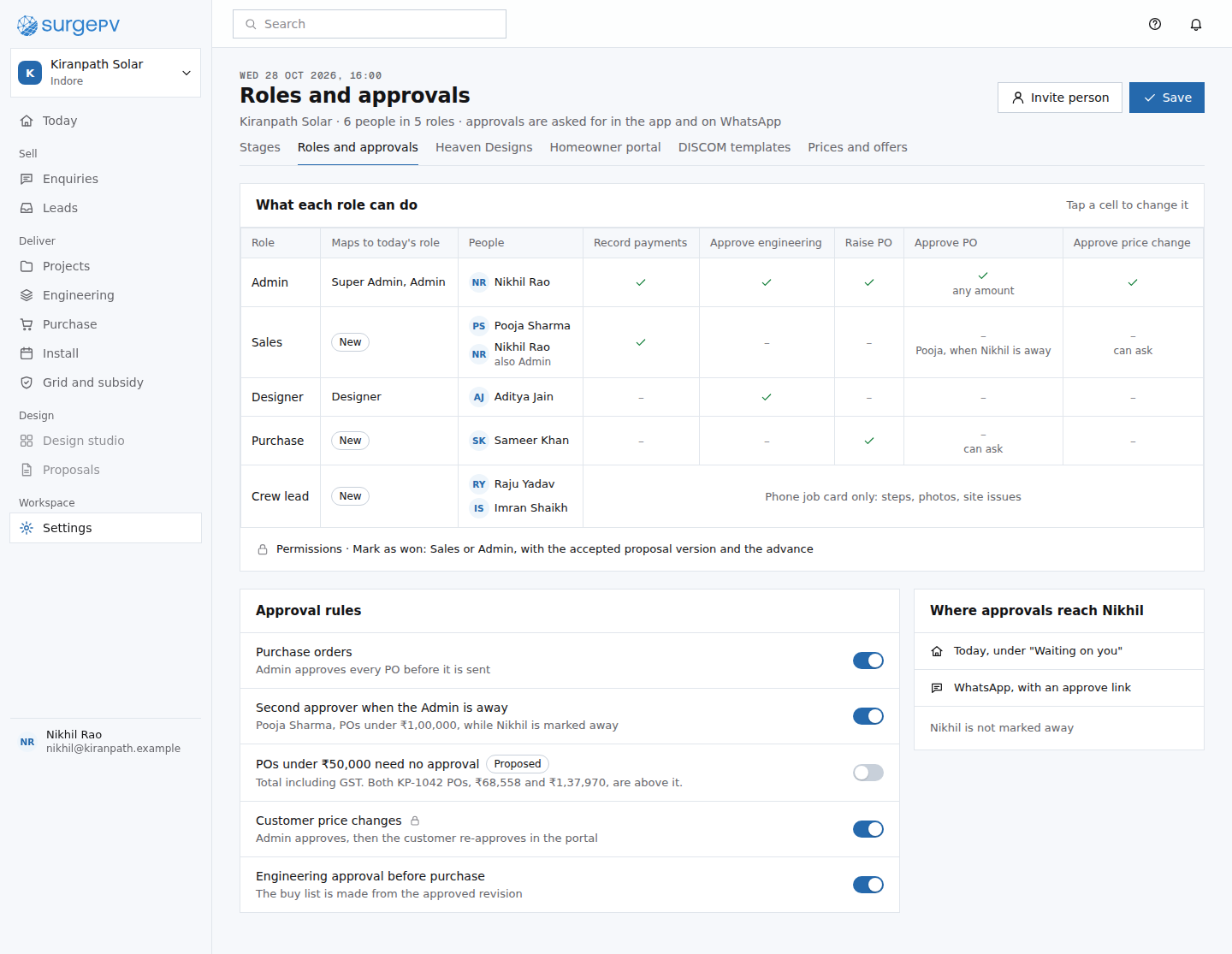 ST02Settings: roles and approvalstable stakes: roles and approvals are expected; the mapping to today's three roles keeps it a small changeST03Settings: Heaven Designs accountmoat: design services billed inside the record, each invoice line traced to a request and a project
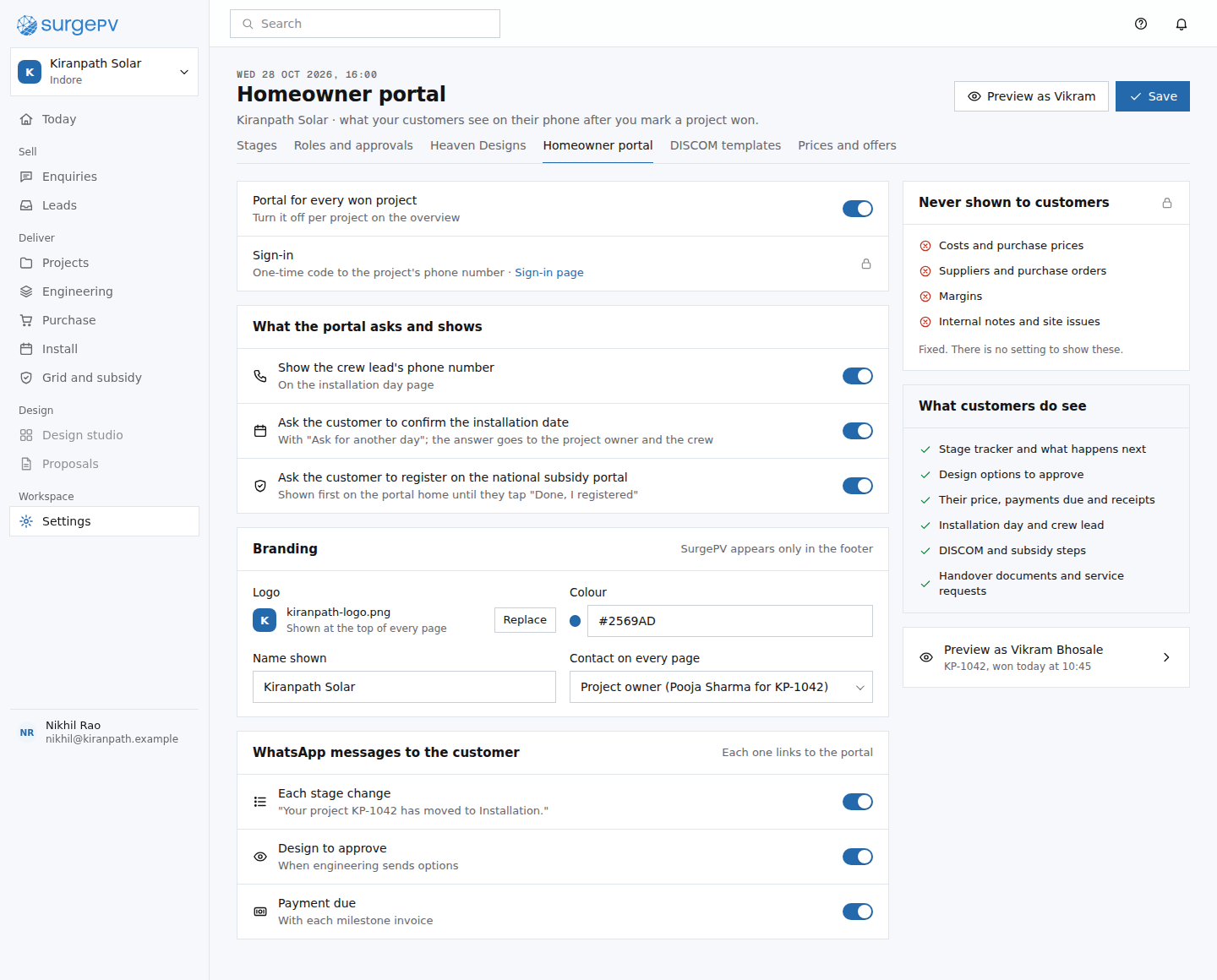 ST04Settings: homeowner portalmoat: the homeowner acts inside the record, so the portal settings decide which calls never happen
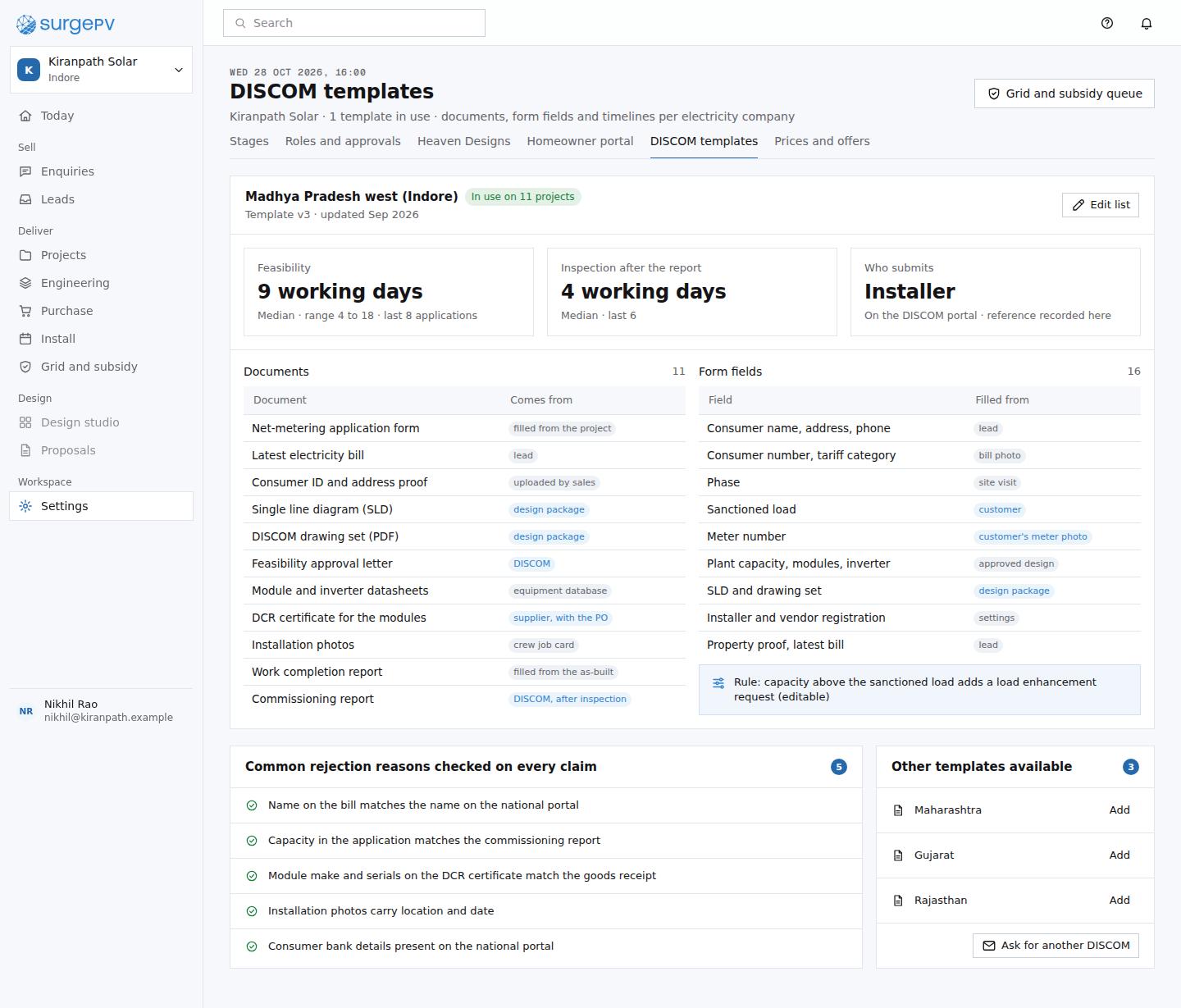 ST05Settings: DISCOM templatesmoat: paperwork depth per DISCOM, with waits measured from the installer's own applications
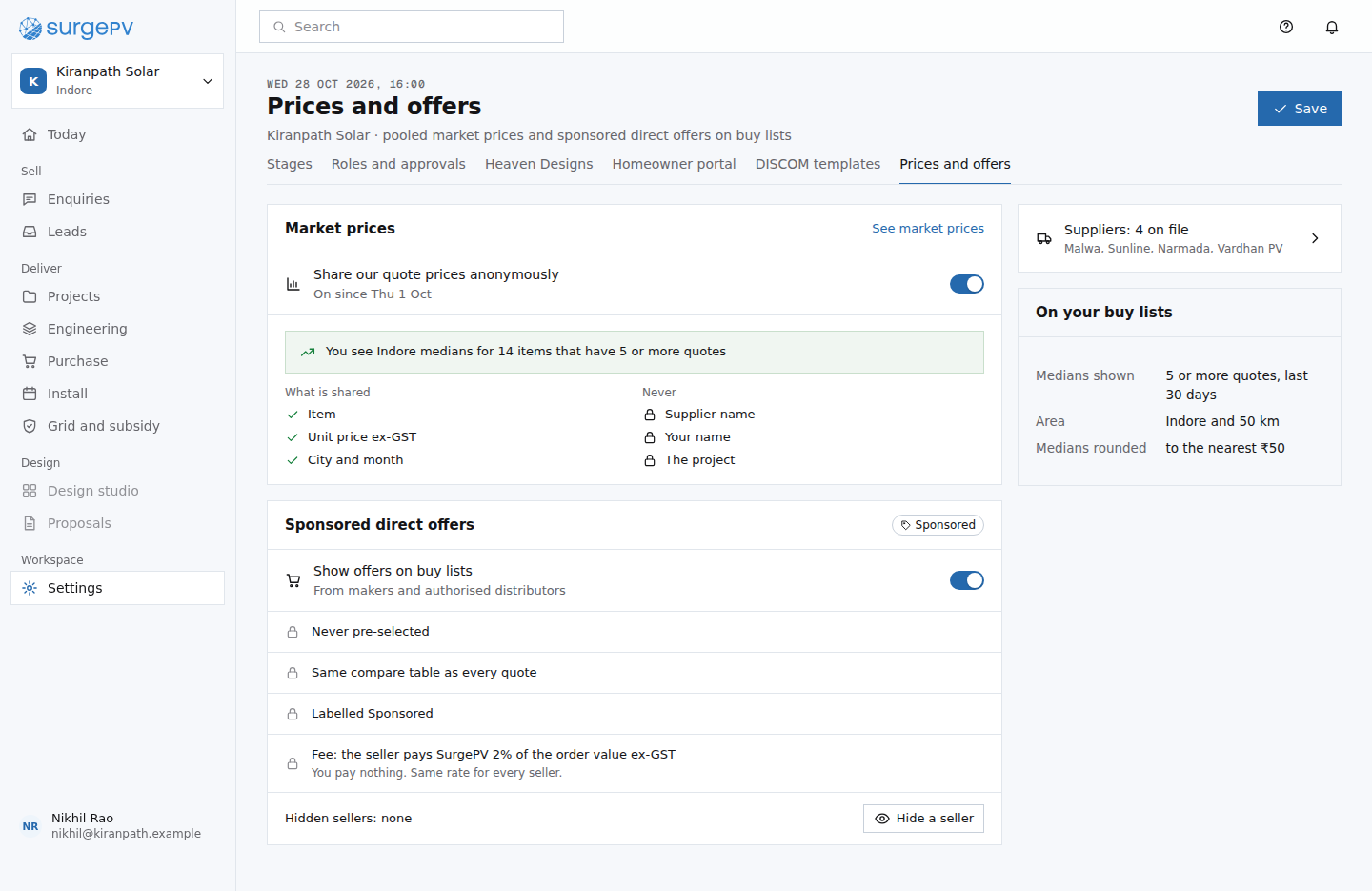 ST06Settings: prices and sponsored offersmoat: the network's terms, in the installer's hands; the consent is what makes the price data exist