Lead to handover in SurgePV: every screen, and the journeys between them
One rooftop job followed from first call to handover, for Kiranpath Solar, a fictional installer in Indore, through two portals: the installer's and the homeowner's. 31 screens; 18 are tagged Needs backend work for the notable pieces (the pipeline, project plan and purchase records are all new). The story is dated: each screen shows the day it happens, from Wed 28 Oct to Thu 19 Nov 2026. Nothing here is connected to a real account.
What this shows
- Two portals, not an EPC tool: the installer portal runs the job; the homeowner portal shows the customer where it is, what to approve and pay, and the papers at the end.
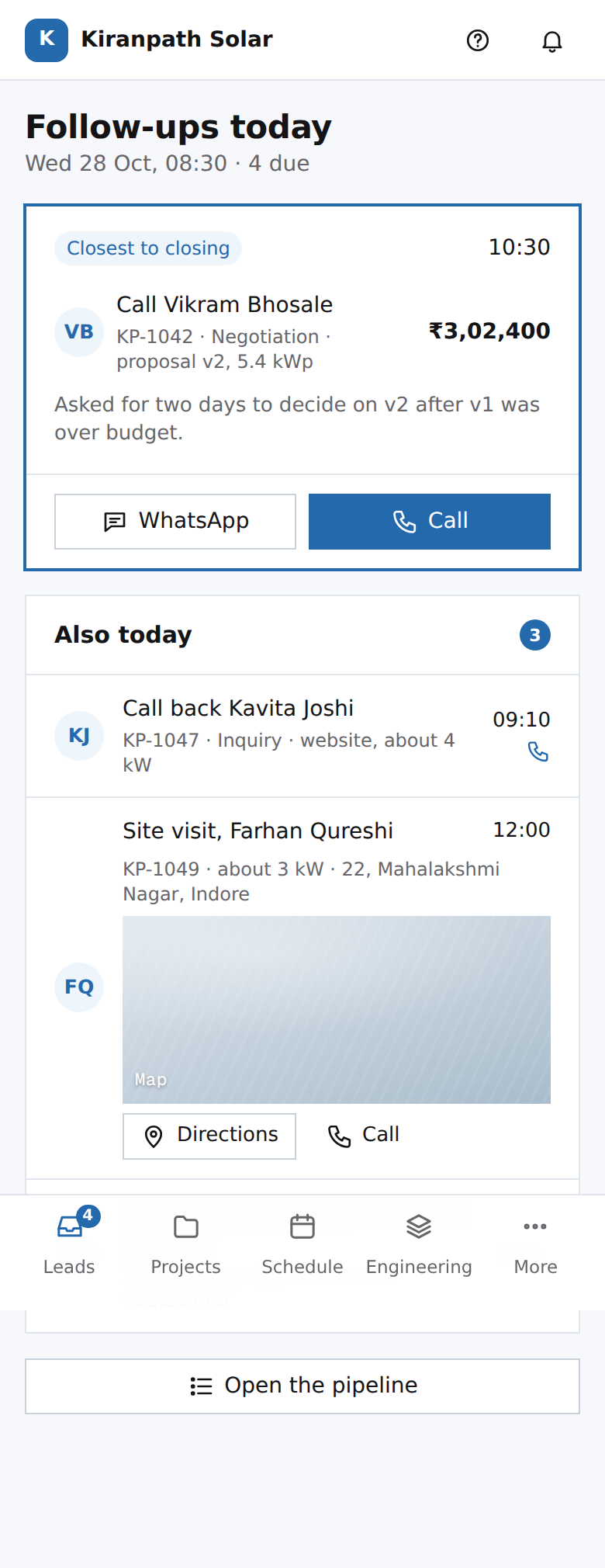
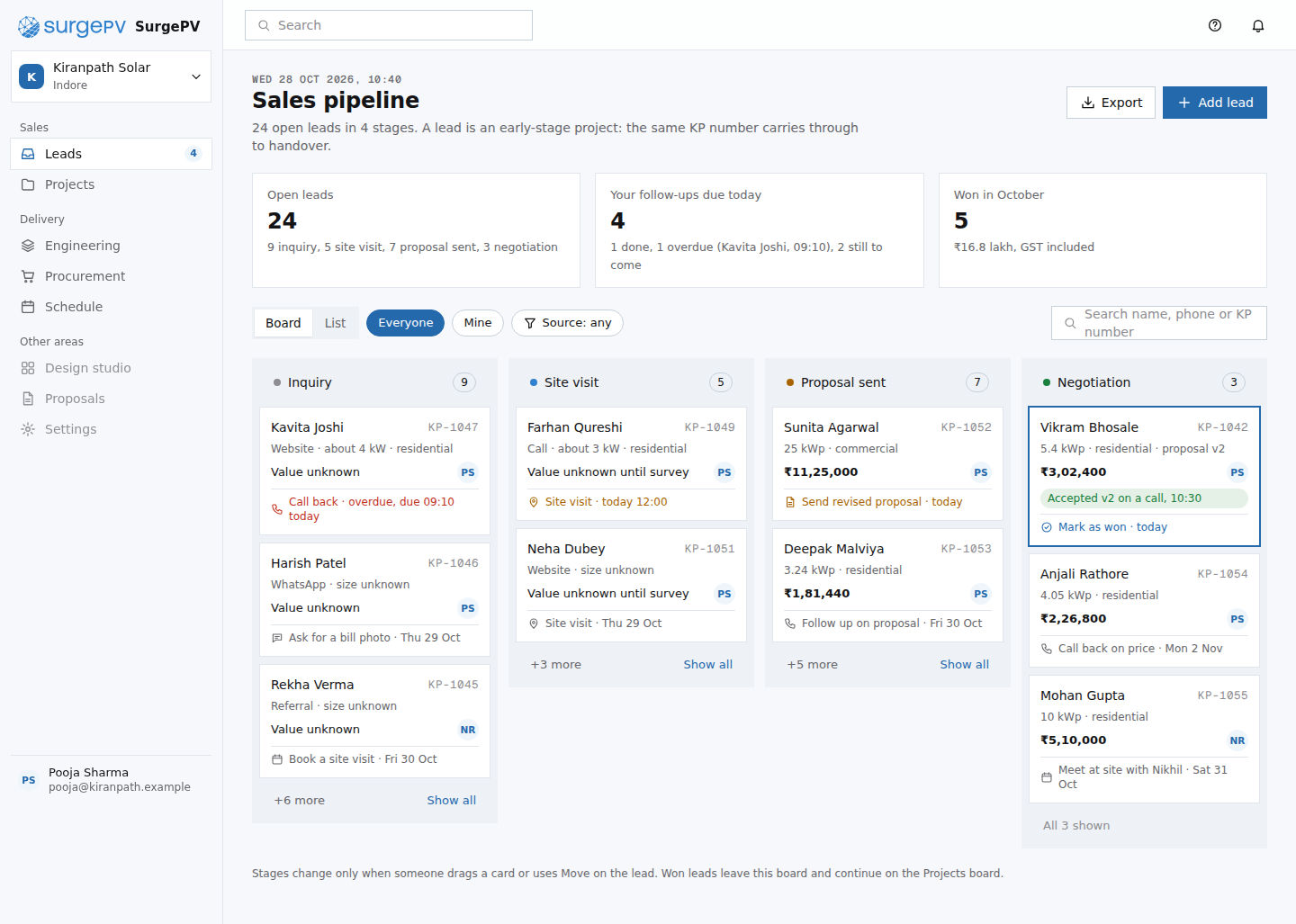
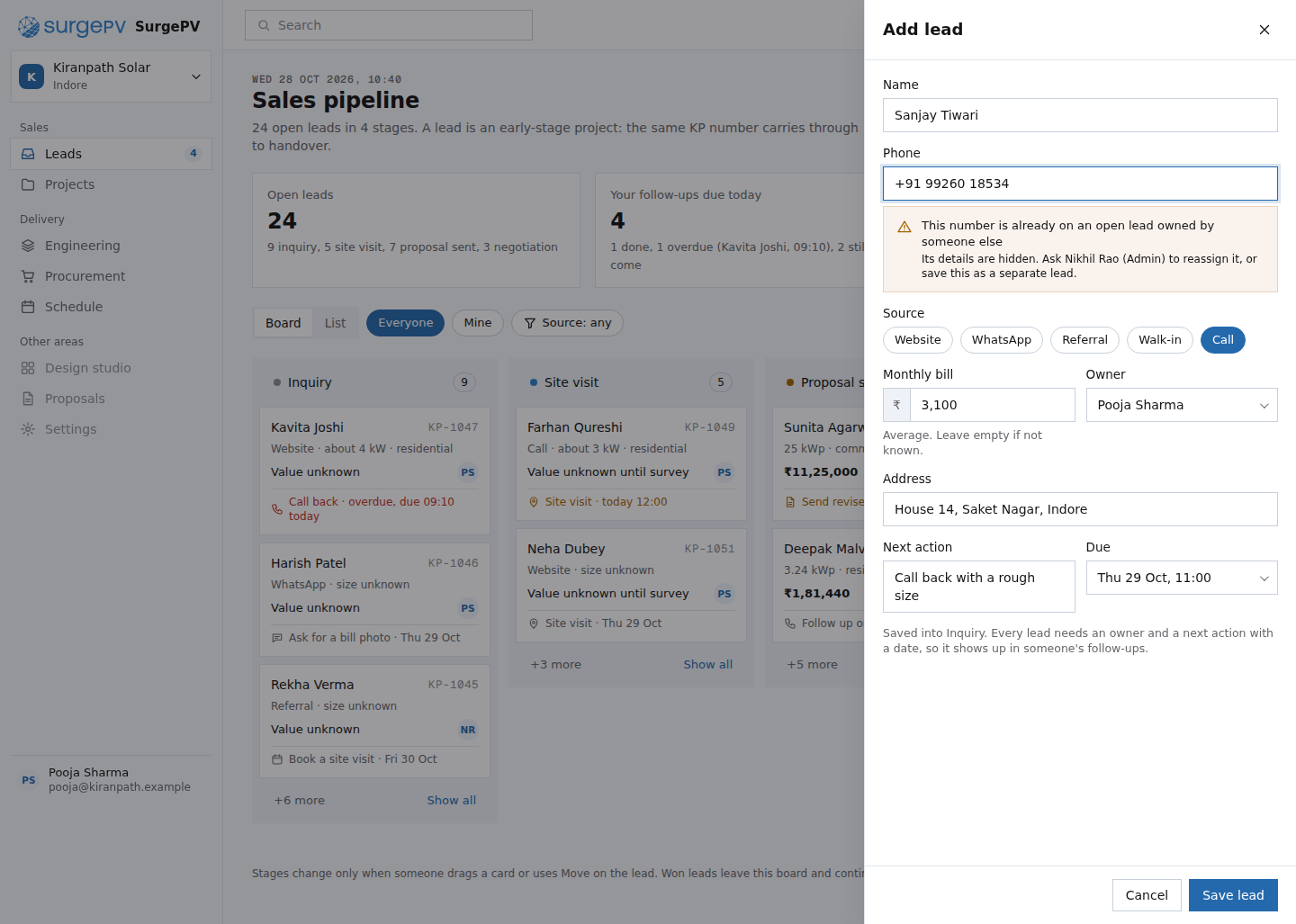
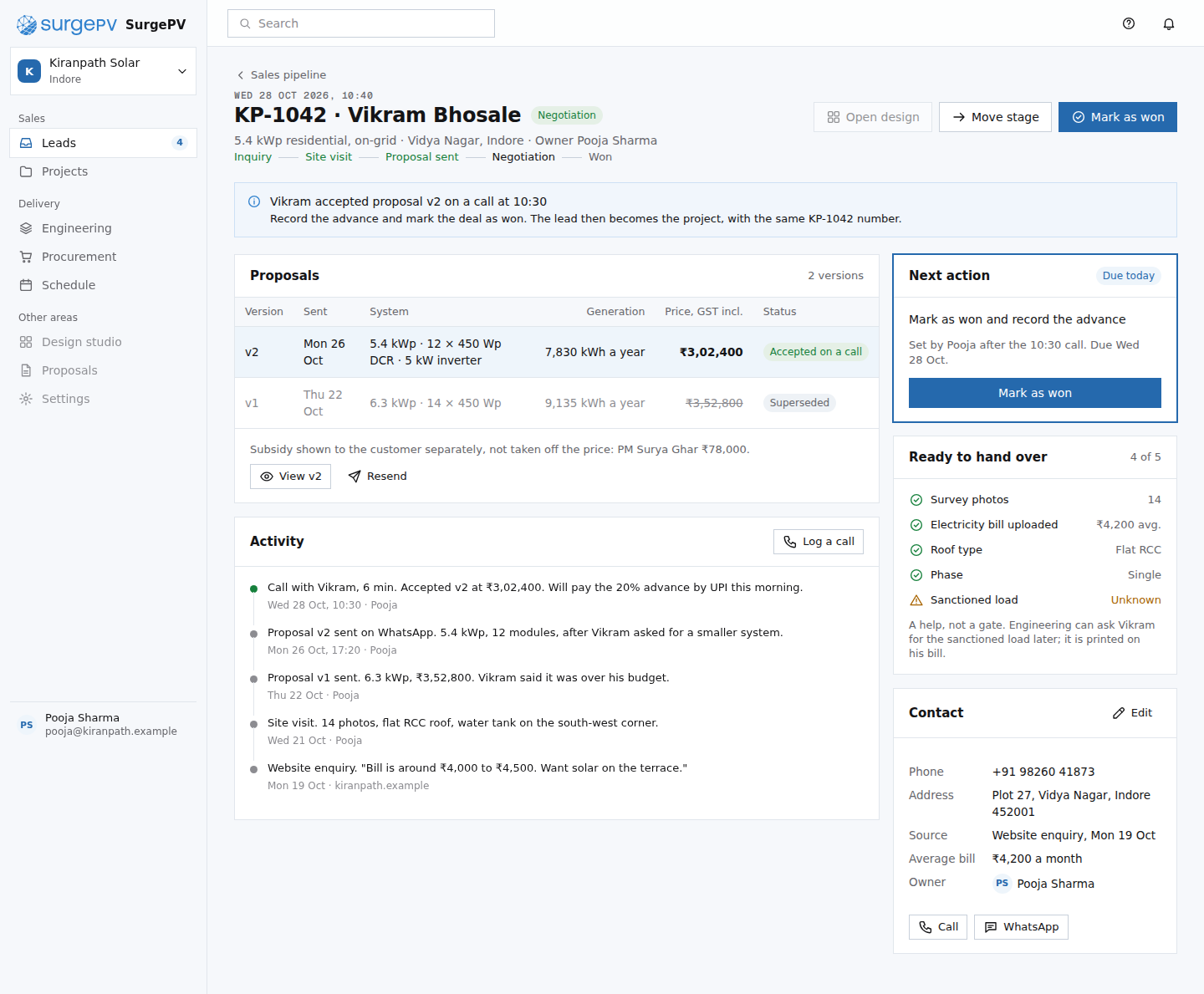
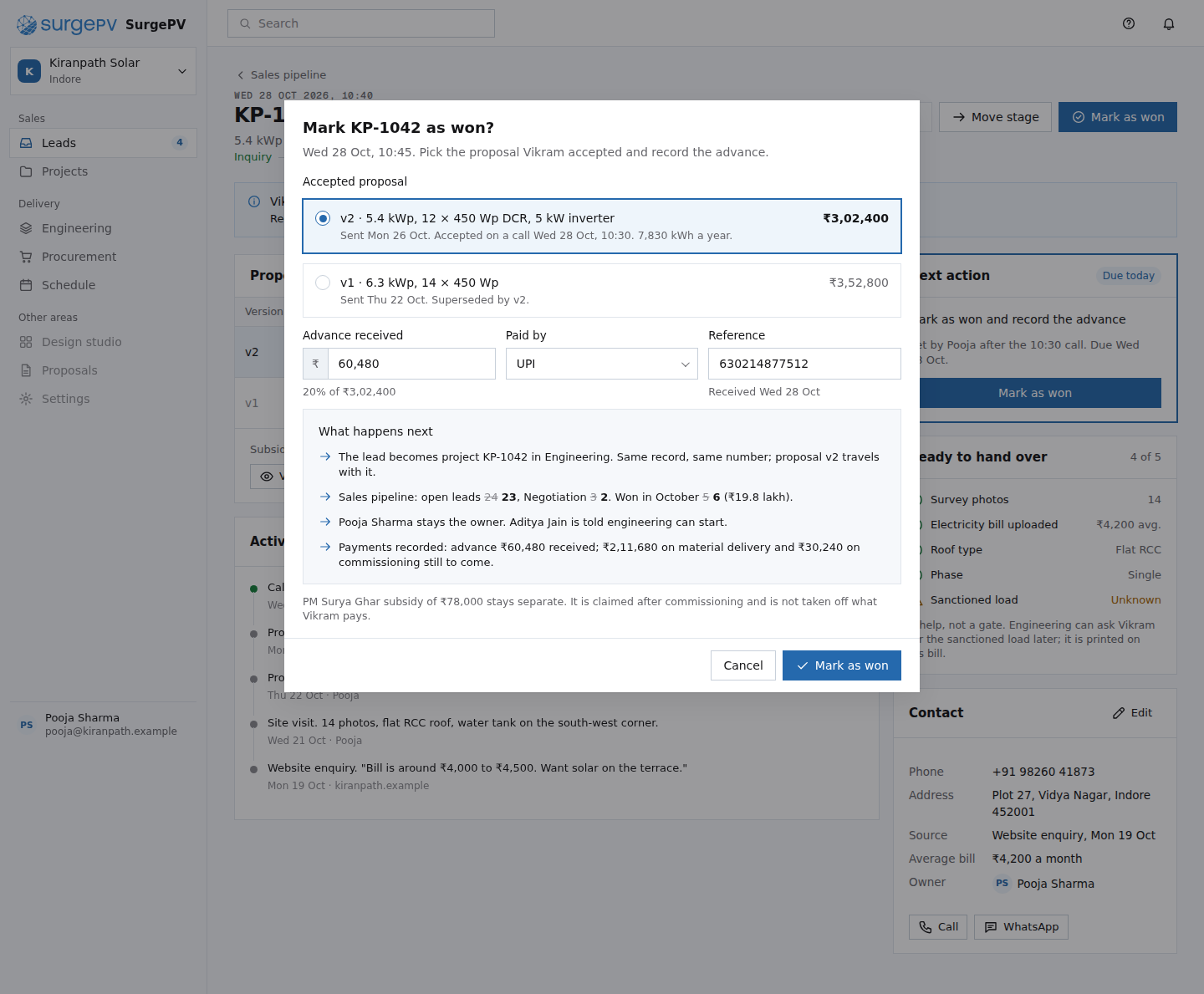
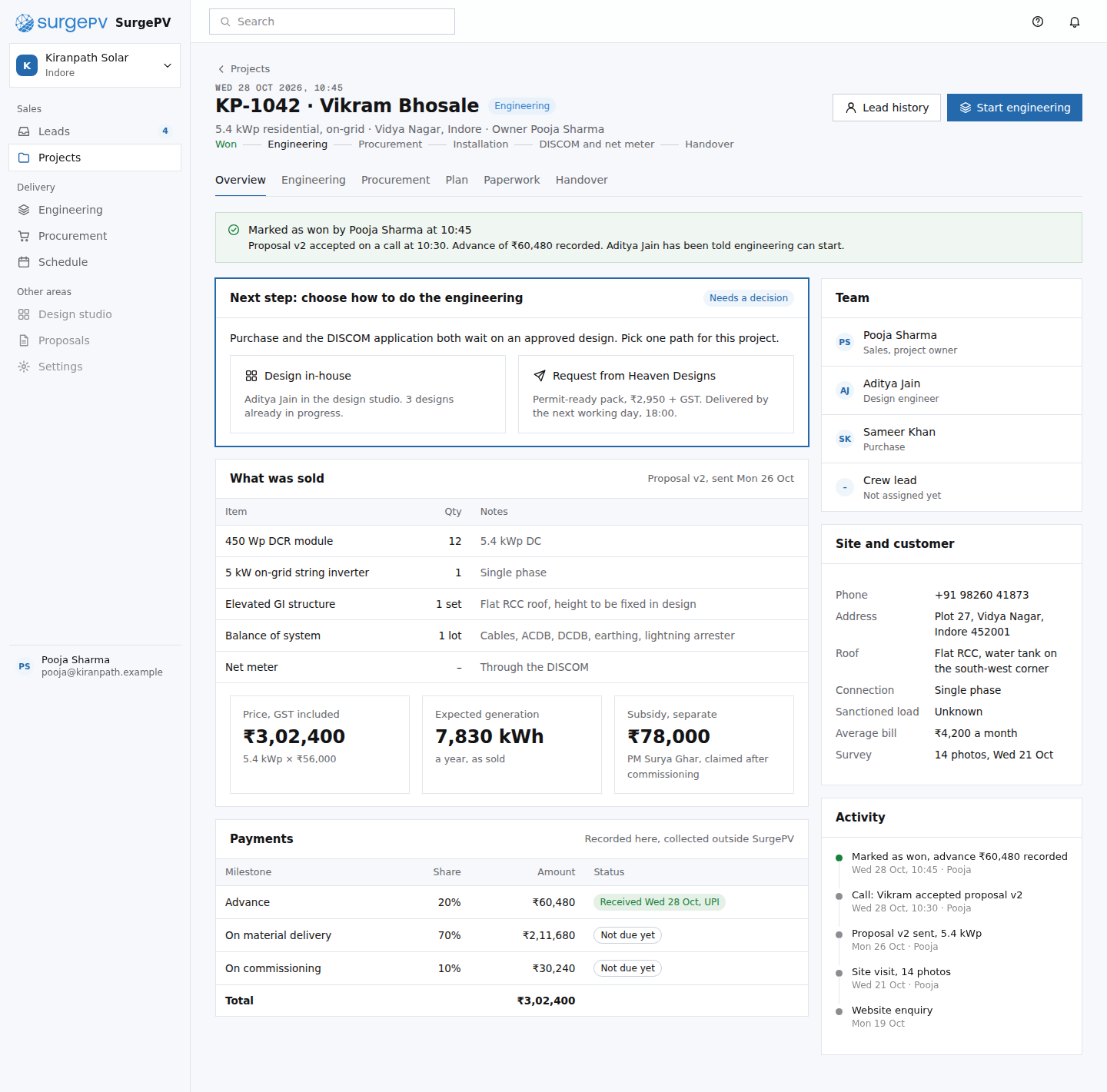
- A lead is the early stage of a project. Marking it won keeps the same record (KP-1042) and moves it into delivery, carrying the accepted proposal and the advance.
- Engineering has two paths: design in-house in the studio, or request a permit-ready pack from Heaven Designs with the price and due time shown before placing it.
- If the delivered design differs from what was sold, the homeowner re-approves in the portal before anything is bought.
- Procurement as a platform: manufacturers show sponsored direct offers on matching buy-list lines and pay SurgePV a commission only on orders. Here buying modules direct from Vardhan PV saves Kiranpath ₹6,000. Sponsored offers are labelled, never pre-selected and sit in the same compare table as other quotes.
- The project plan holds the installation, DISCOM net-metering, subsidy and payment milestones; the crew lead gets a phone job card with the photos to take.
- People move stages; nothing moves on its own. Subsidy is shown apart from the price. EPC and ground-mounted projects follow a different flow and are left for a later variant.
11. Lead to won
22. Engineering: in-house or Heaven Designs
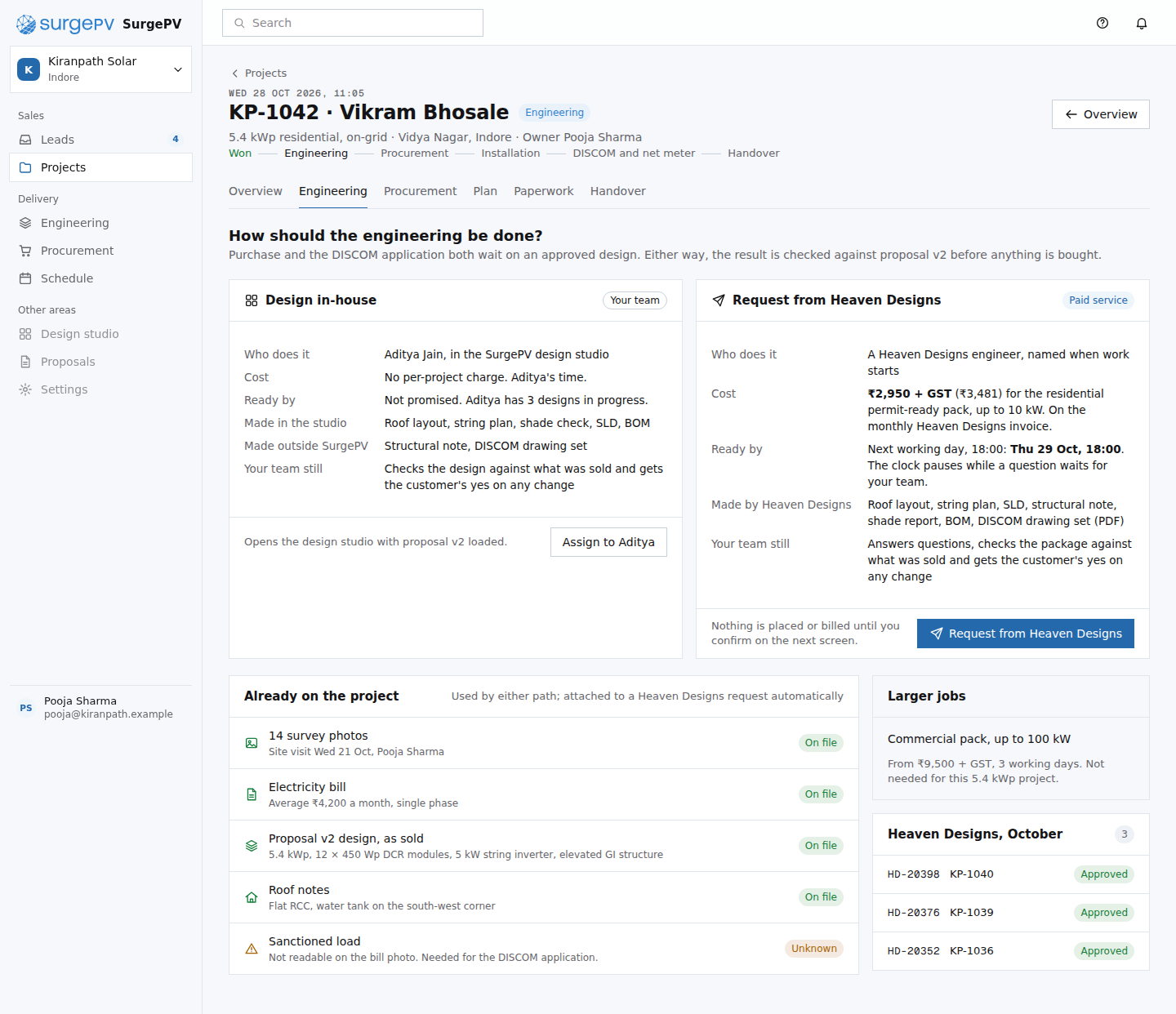 EN01Engineering: choose a path
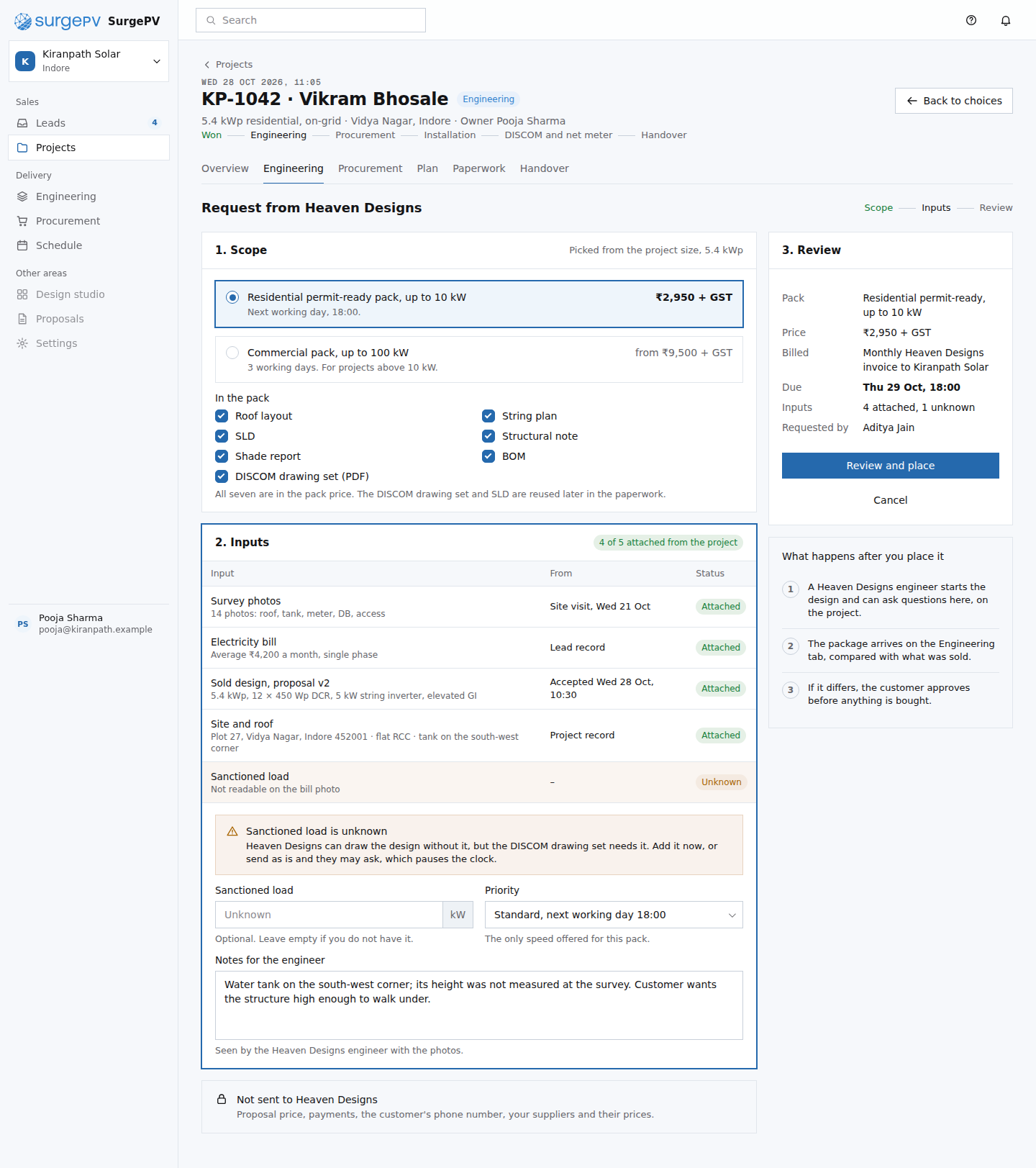 EN02Heaven Designs request form
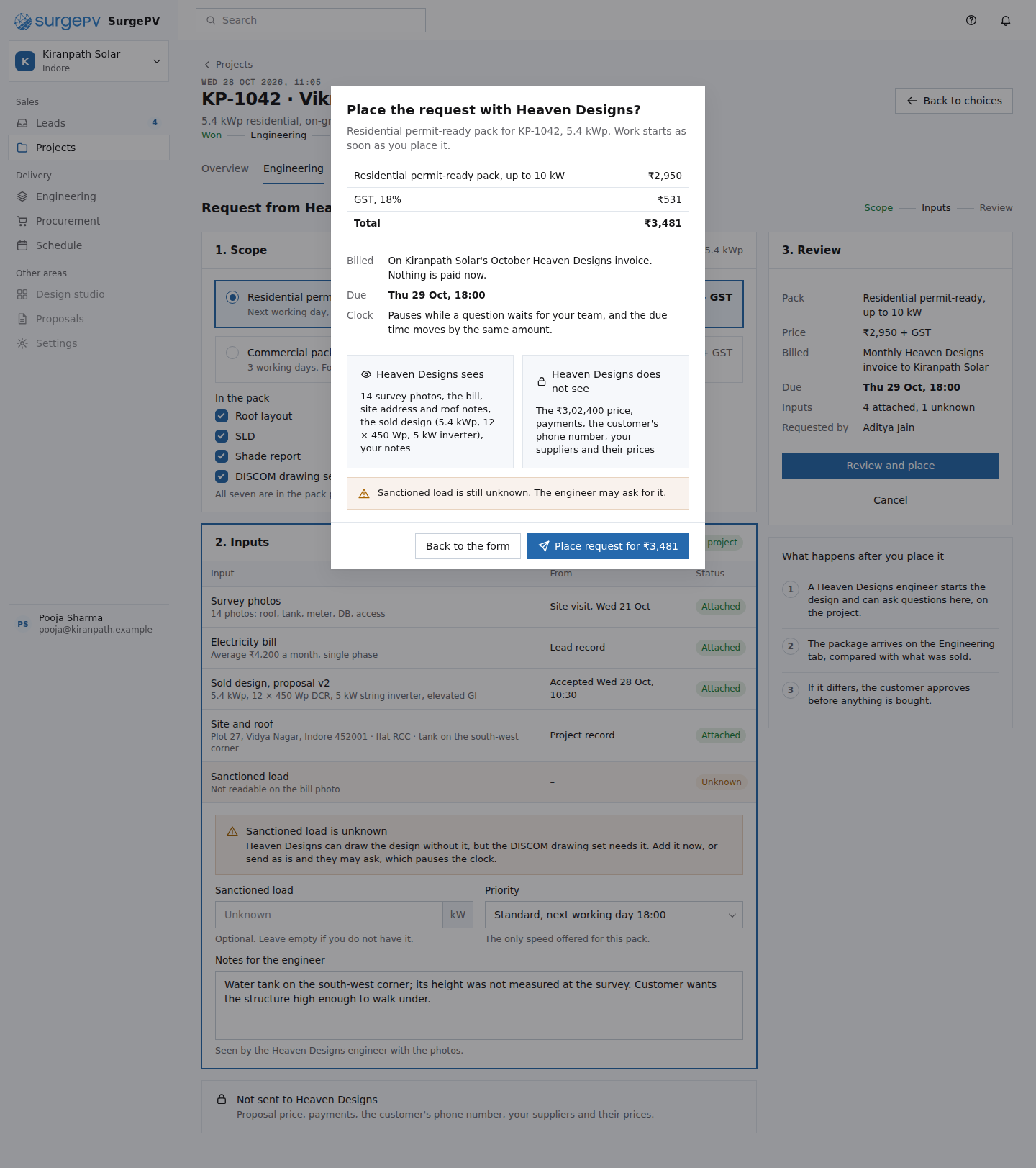 EN03Confirm the Heaven Designs requestNeeds backend workHeaven Designs order API; billing ledger for the monthly invoice
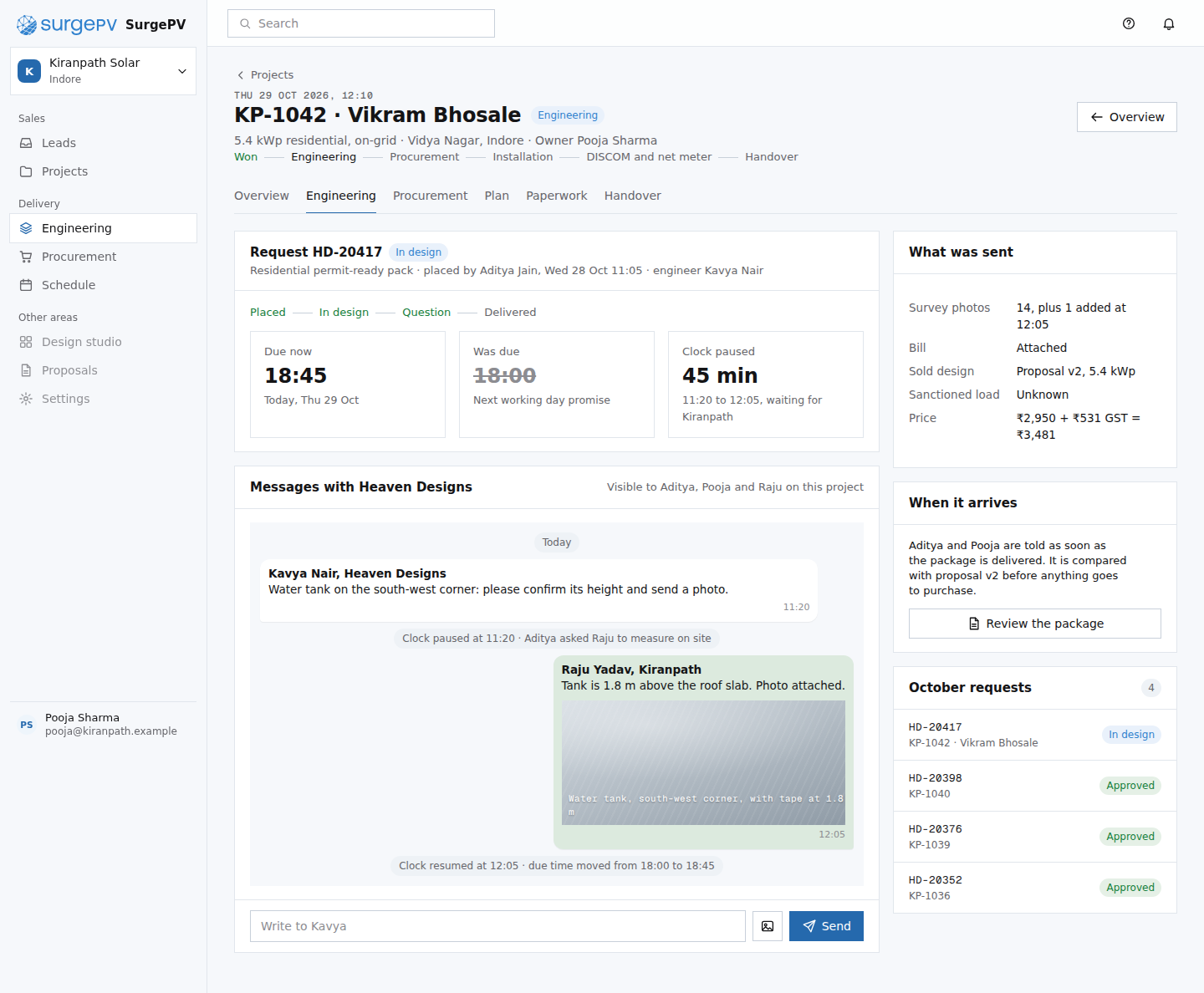 EN04Heaven Designs request HD-20417 in progressNeeds backend workTwo-way messaging with Heaven Designs; SLA clock that pauses while a question waits
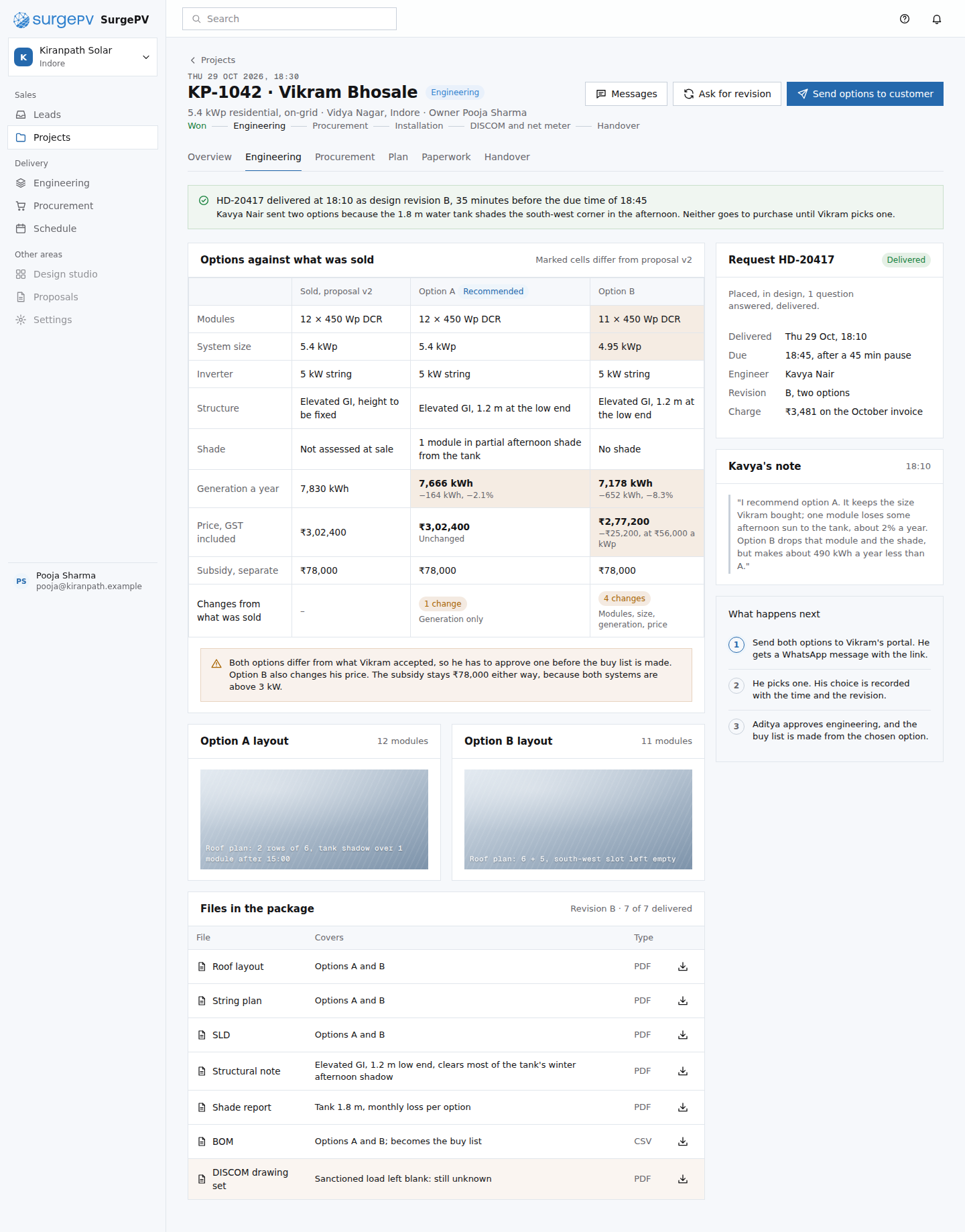 EN05Review the delivered Heaven Designs packageNeeds backend workDesign diff of the delivered package against the sold proposal v2
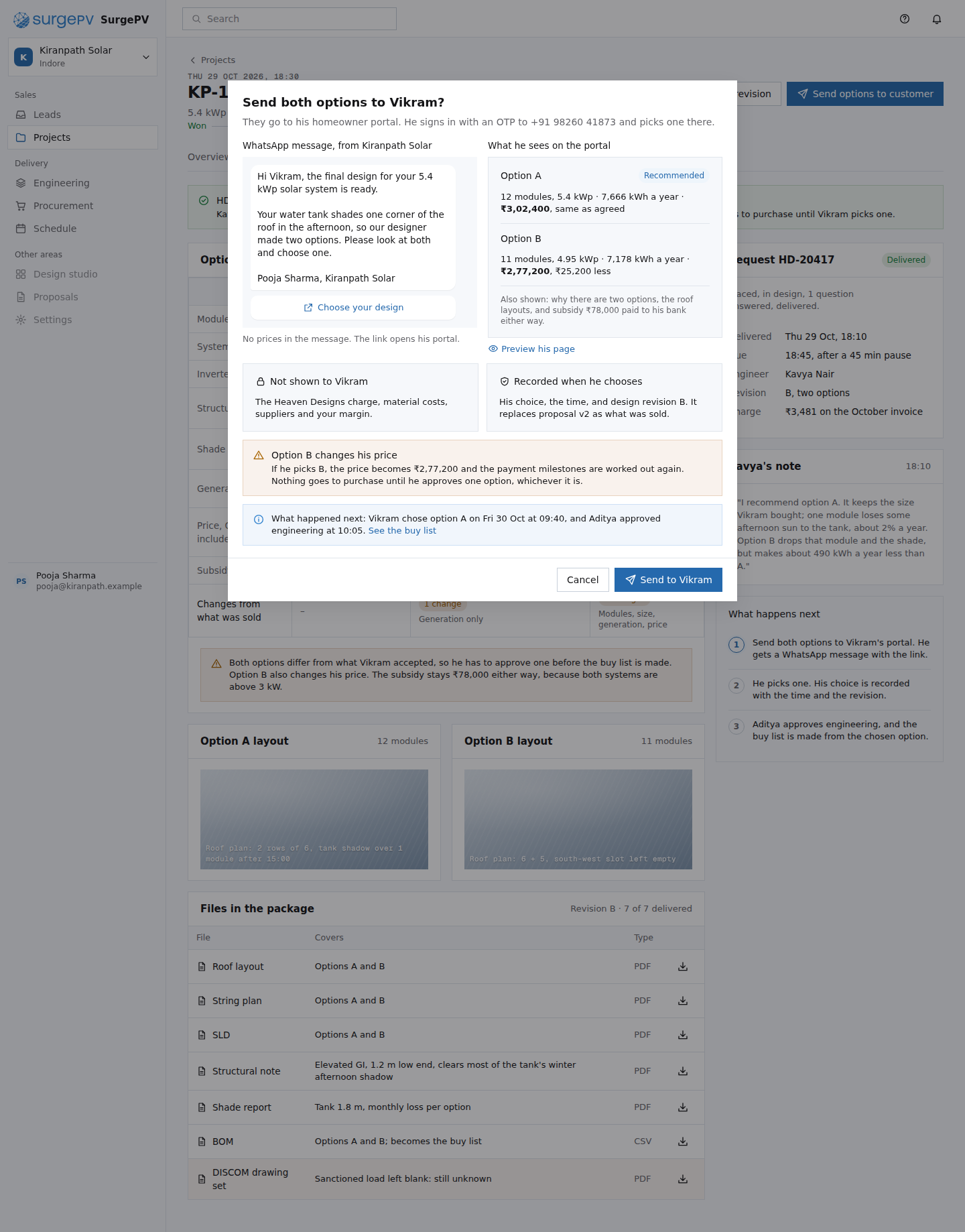 EN06Send the design options to VikramNeeds backend workCustomer approval link on the homeowner portal; WhatsApp notification template; approval record with time and revision
33. Procurement, with sponsored direct offers
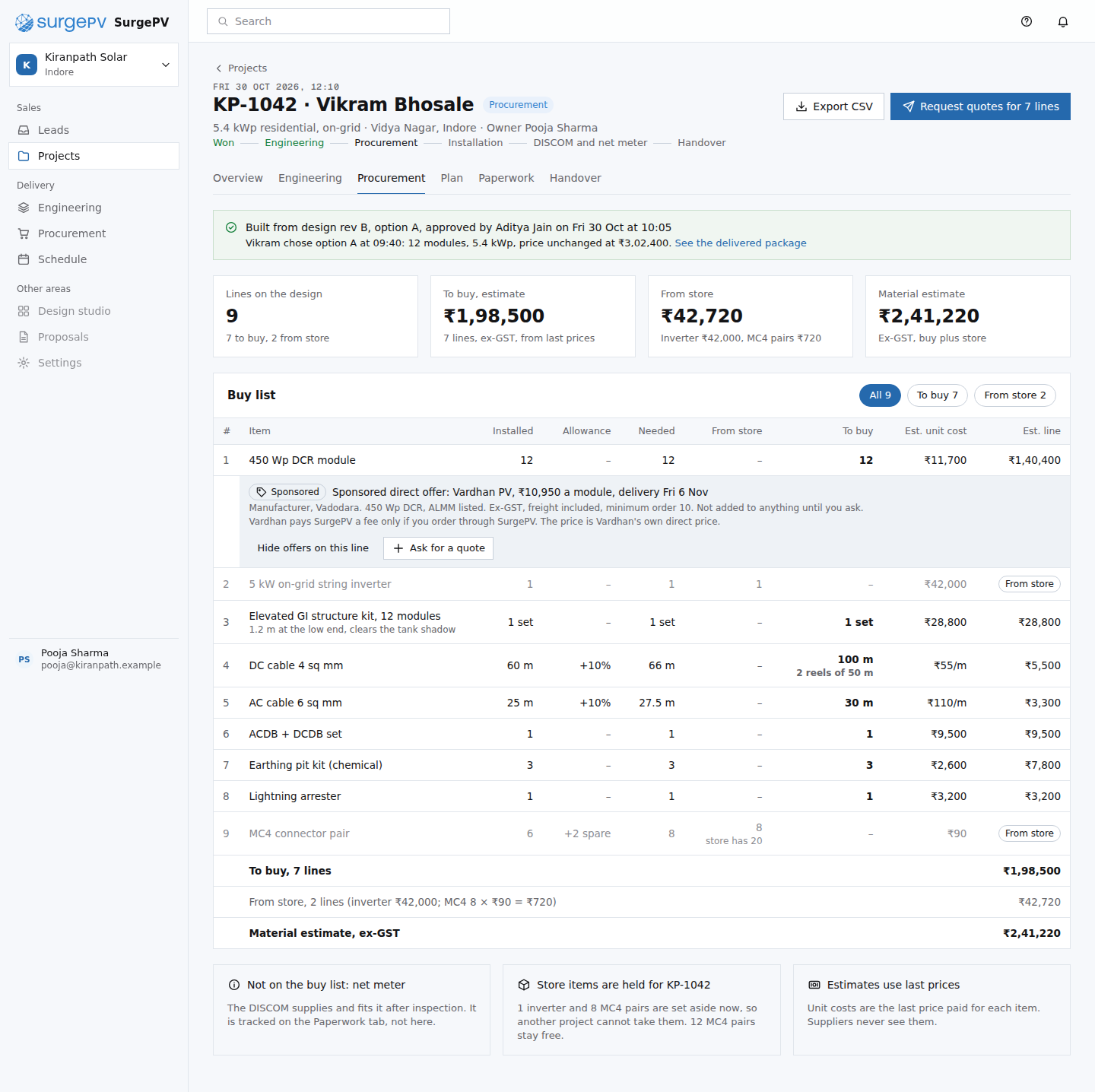 PR01Buy list from the approved designNeeds backend workSponsored offer matching on buy-list lines (product, region, quantity)
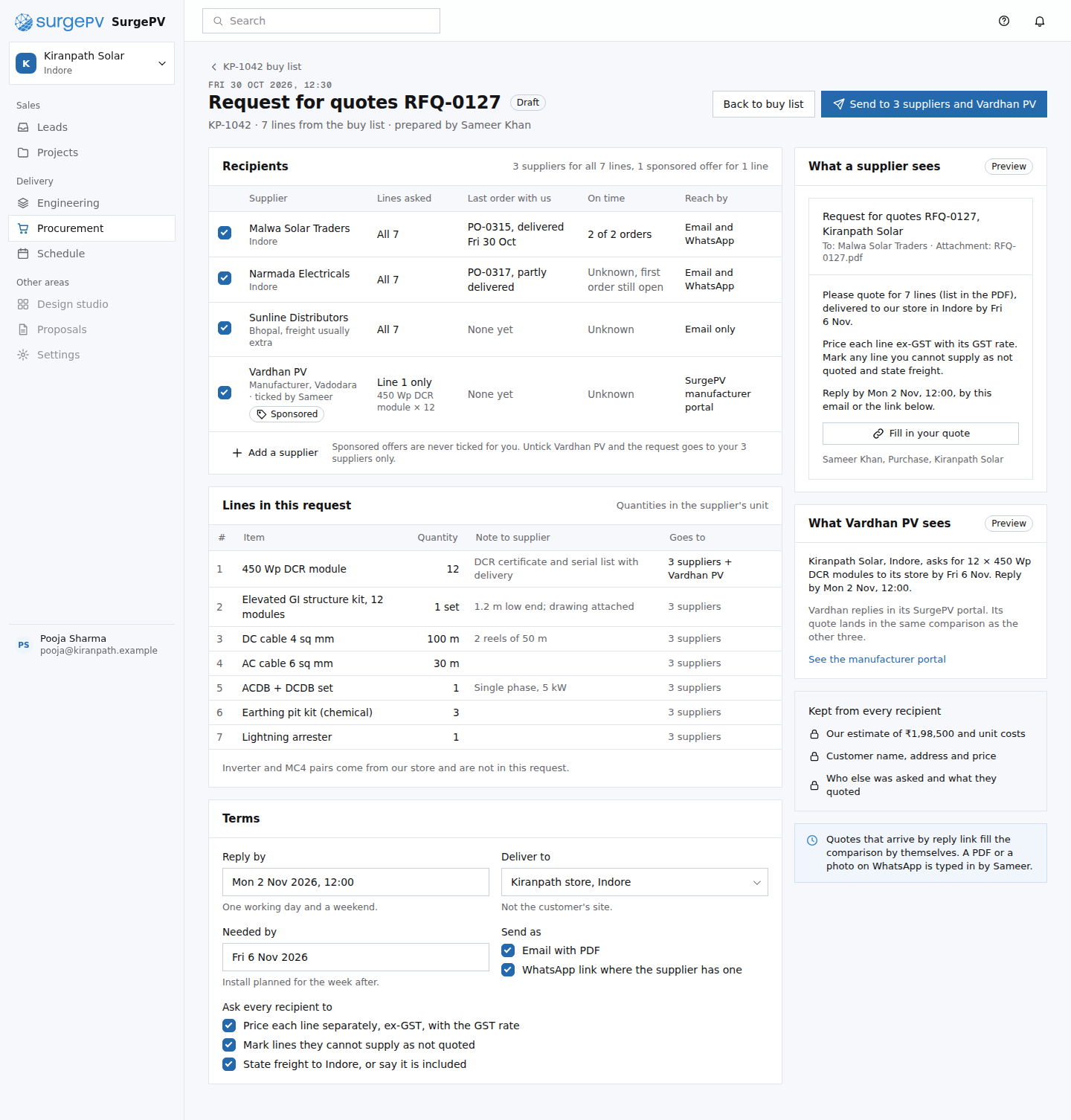 PR02Send a request for quotesNeeds backend workSupplier reply link that turns a quote into rows; import of quotes that arrive as PDF or photo; sponsored offer matching by line
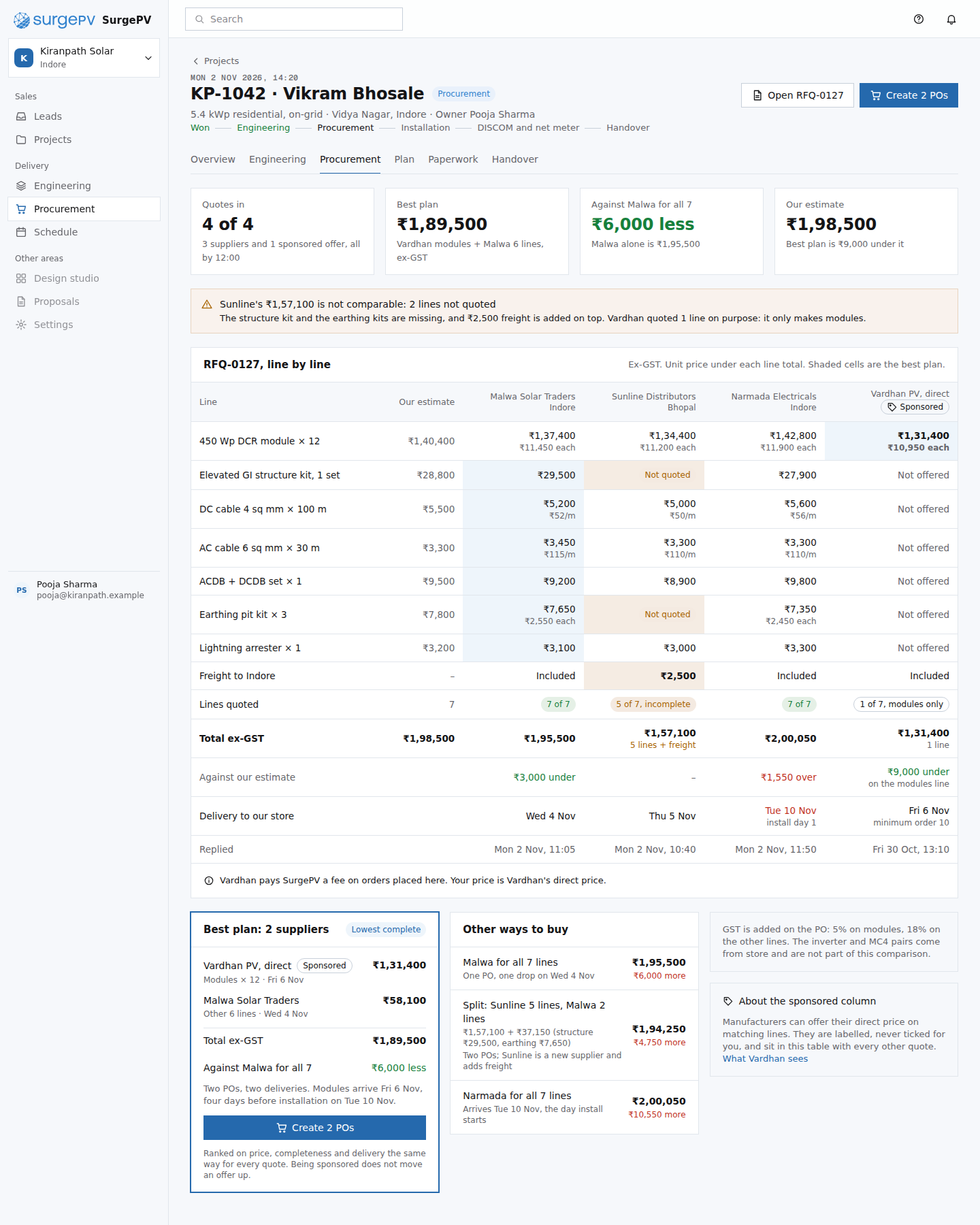 PR03Compare quotesNeeds backend workCommission ledger for orders placed on sponsored offers
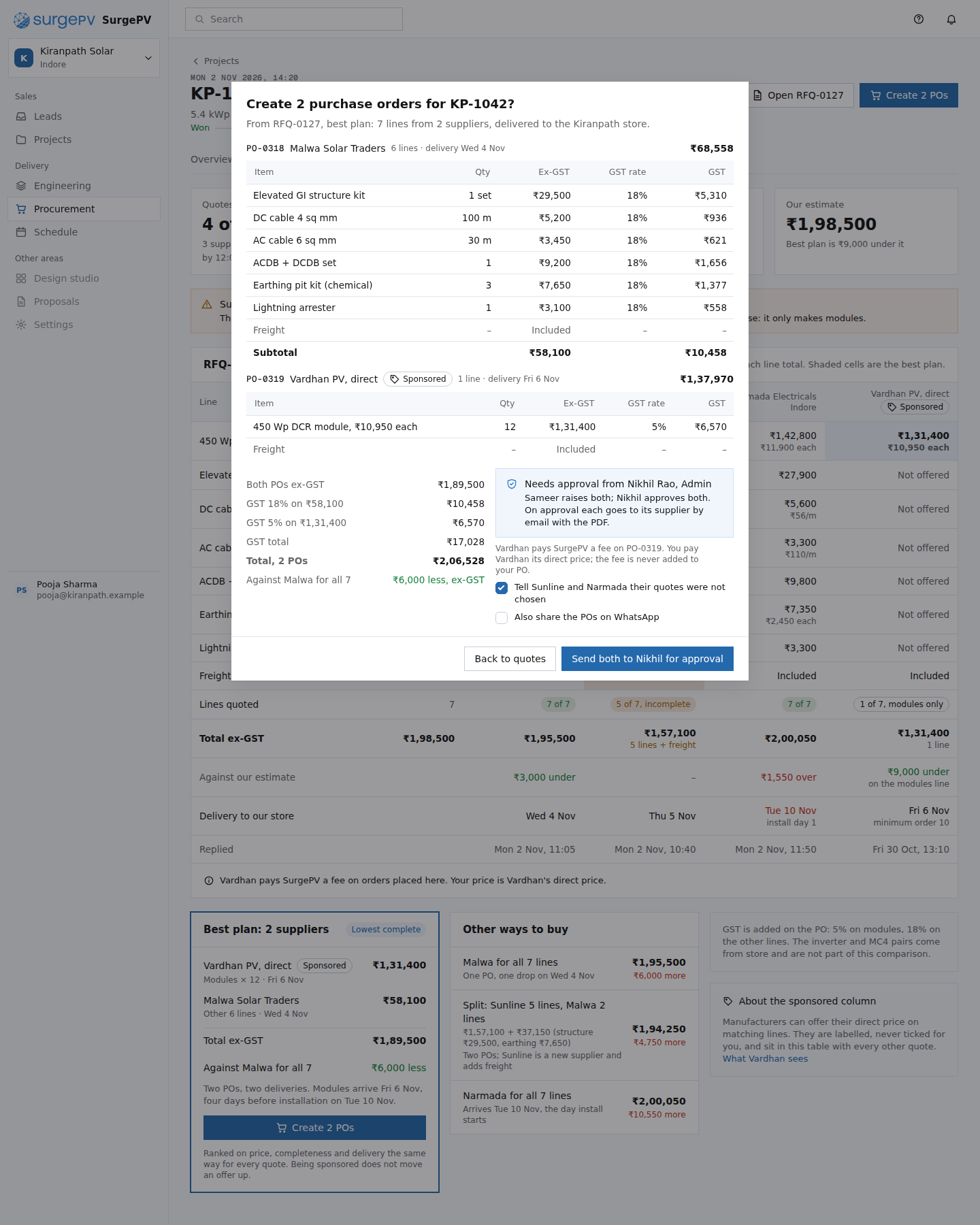 PR04Create 2 POs from the best planNeeds backend workPO approval by role, PDF generation and email to the supplier after approval; order handed to the manufacturer portal for sponsored POs
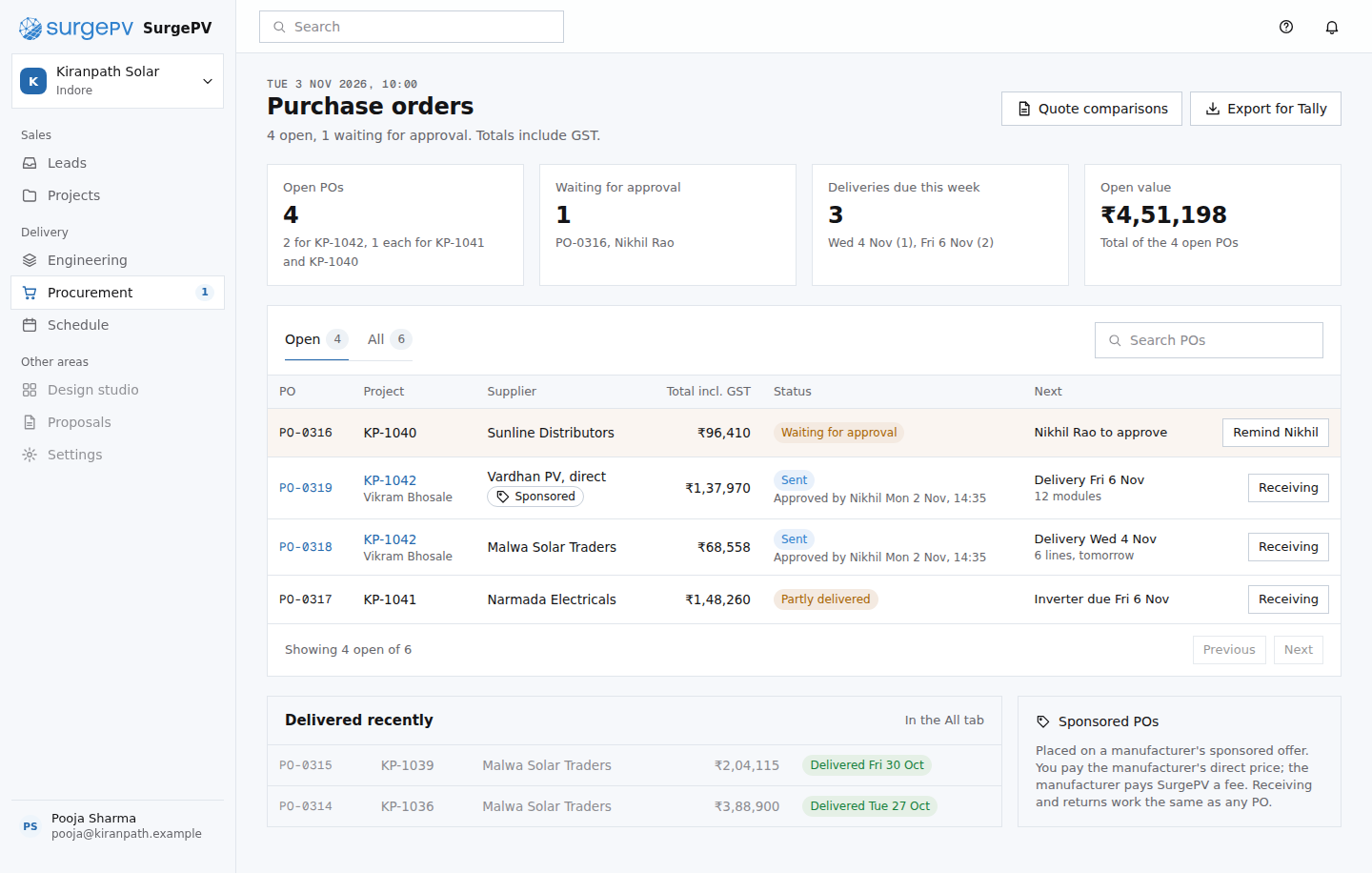 PR05Purchase orders
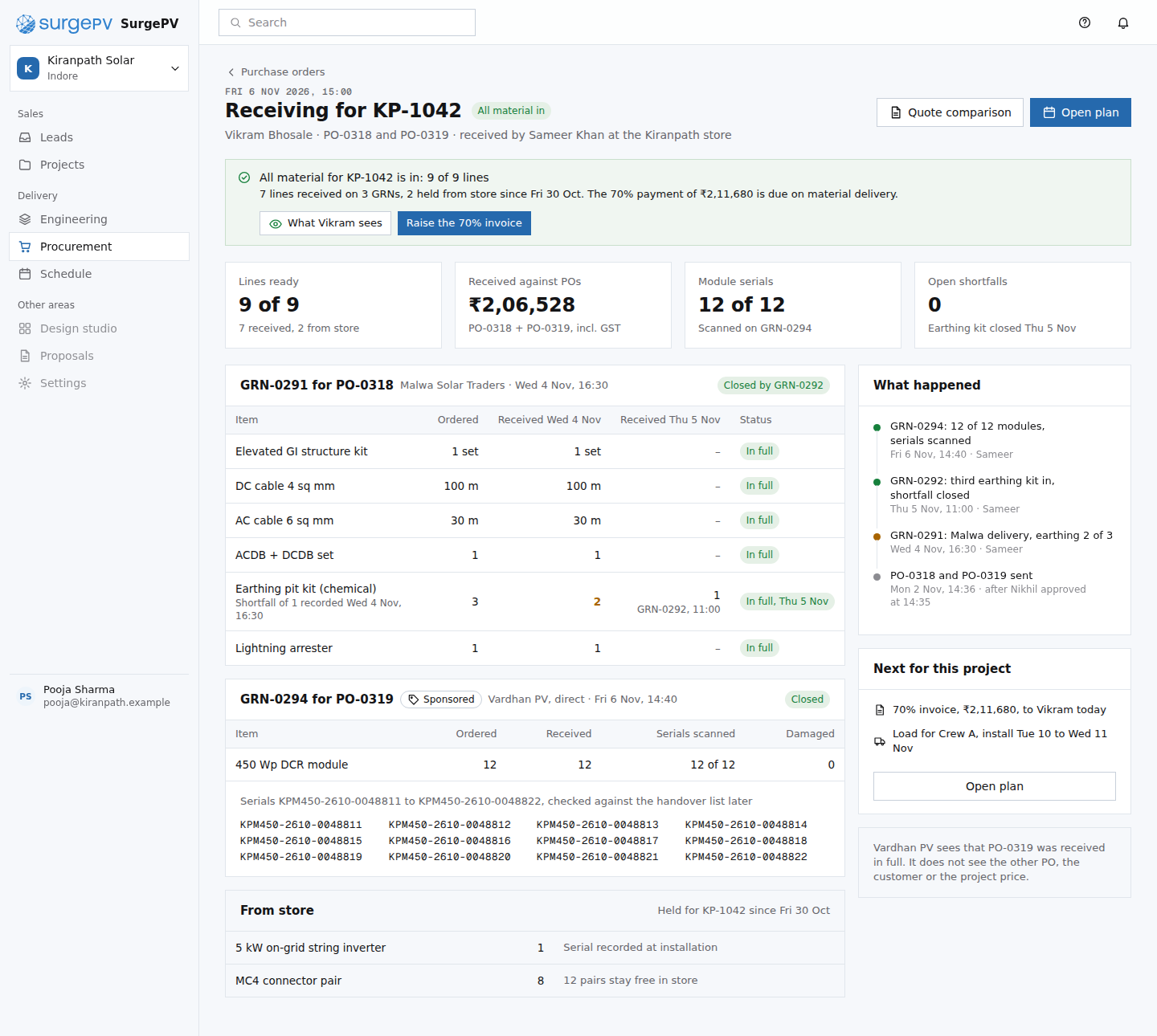 PR06Receiving for KP-1042Needs backend workSerial scanning by phone camera; shortfall follow-up linked to the PO
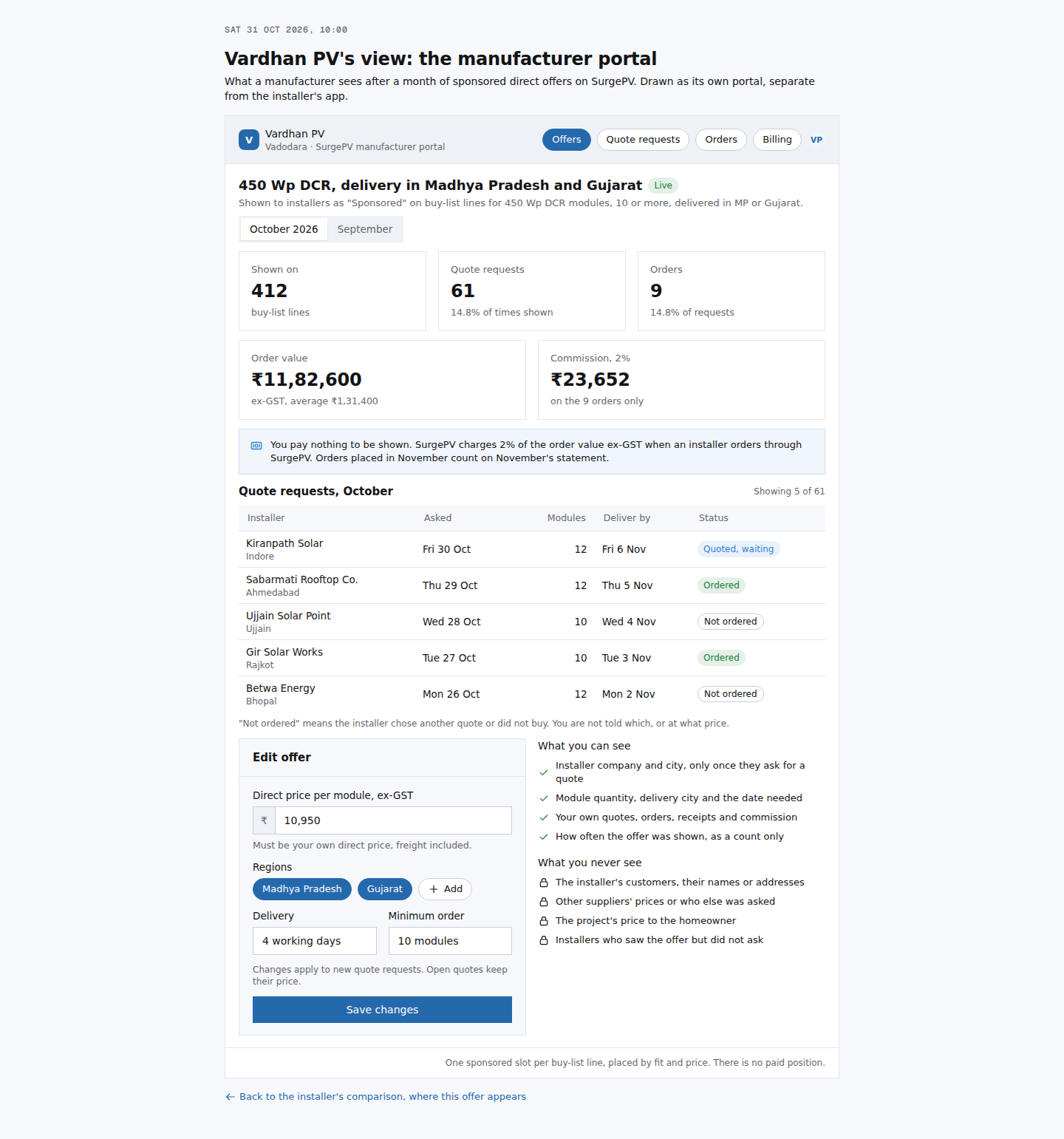 PR07Vardhan PV's view: sponsored offer resultsNeeds backend workManufacturer portal, offer matching to buy-list lines by product, region and quantity, commission billing
44. Project management and installation
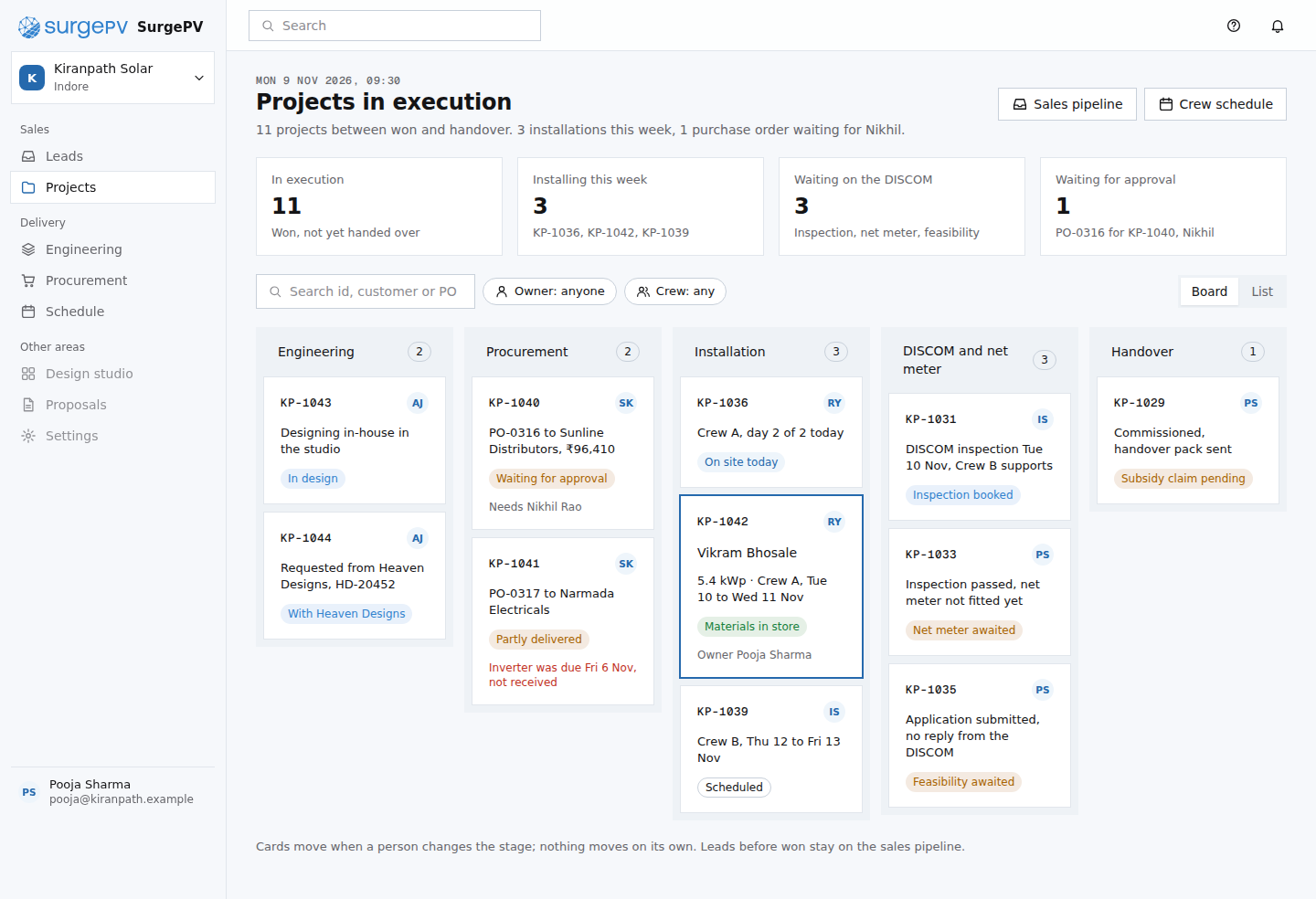 PM01Projects in execution
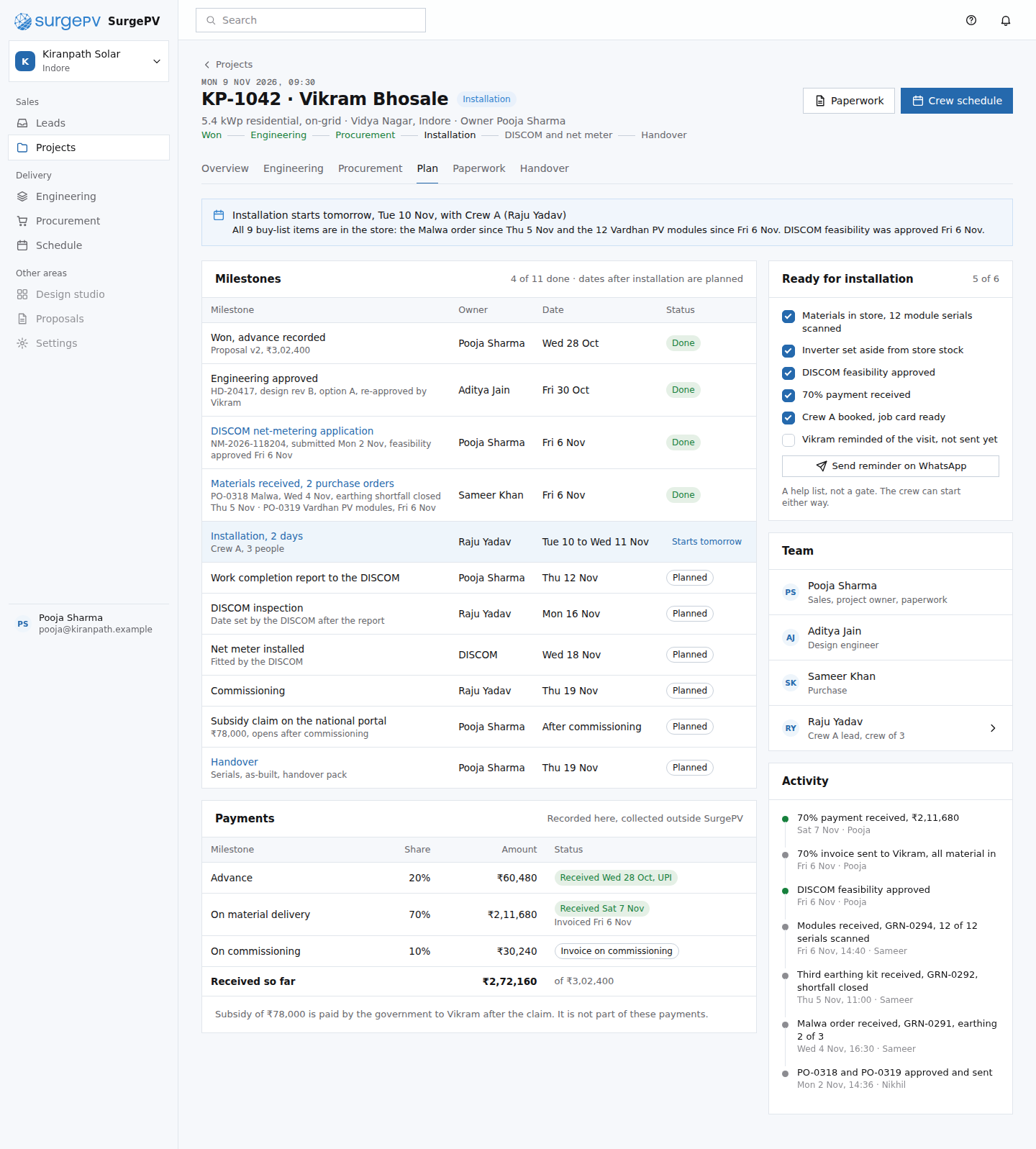 PM02Project plan
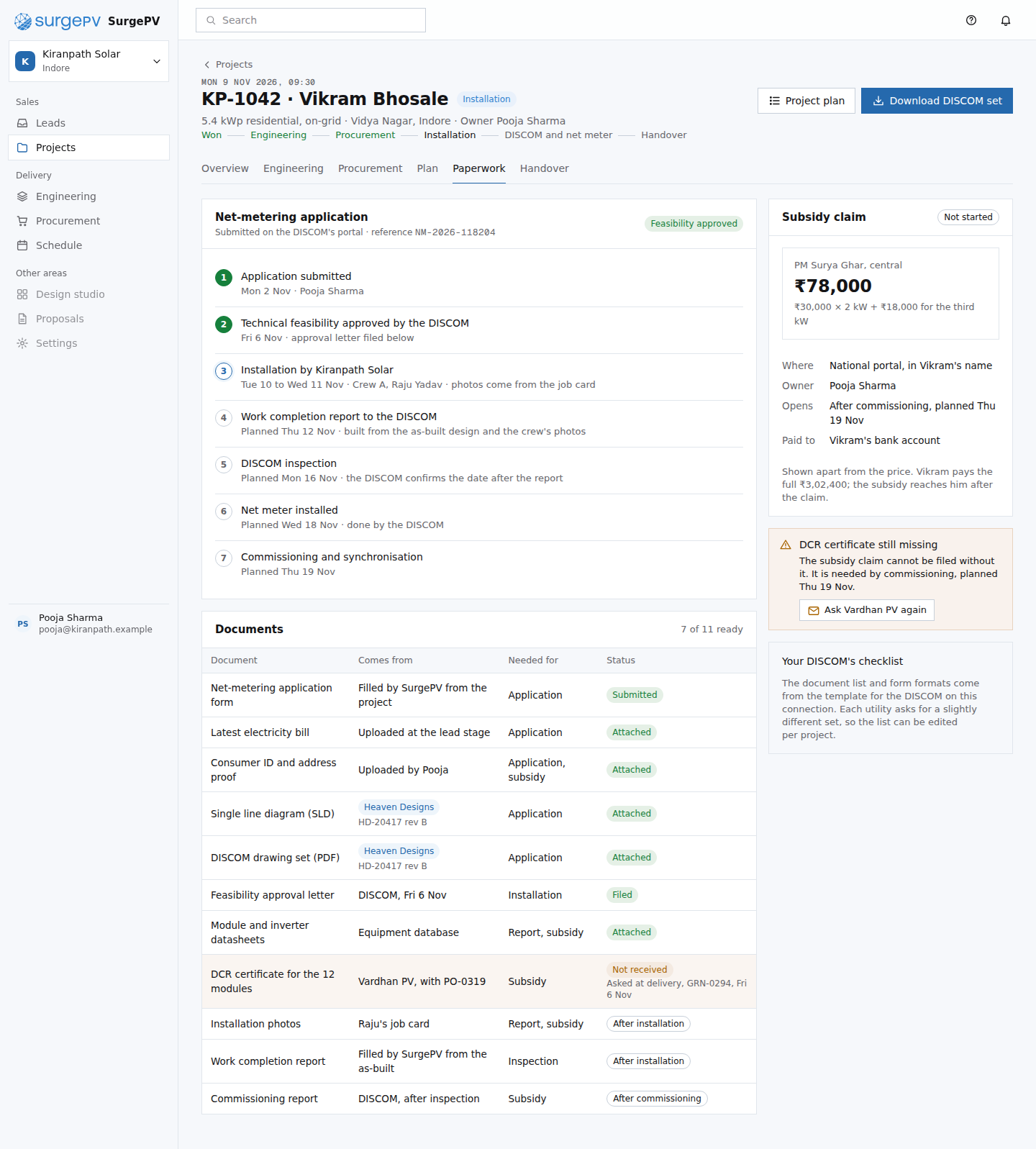 PM03DISCOM and subsidy paperworkNeeds backend workDocument templates per DISCOM (forms, drawing and report formats differ by utility).
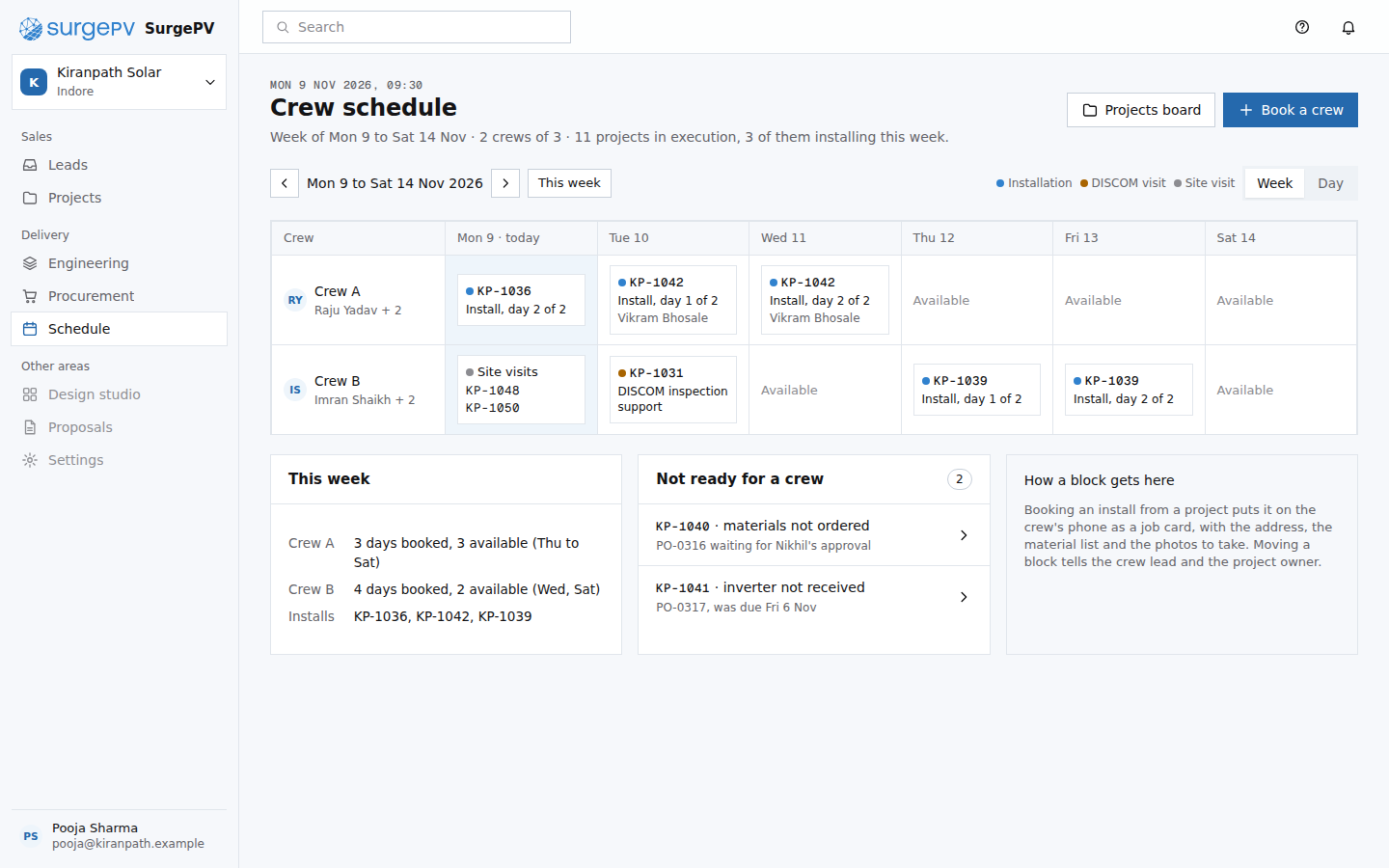 PM04Crew schedule
 PM05Raju's phone: job cardNeeds backend workOffline photo capture that uploads when the phone has signal, tied to the step and the project.
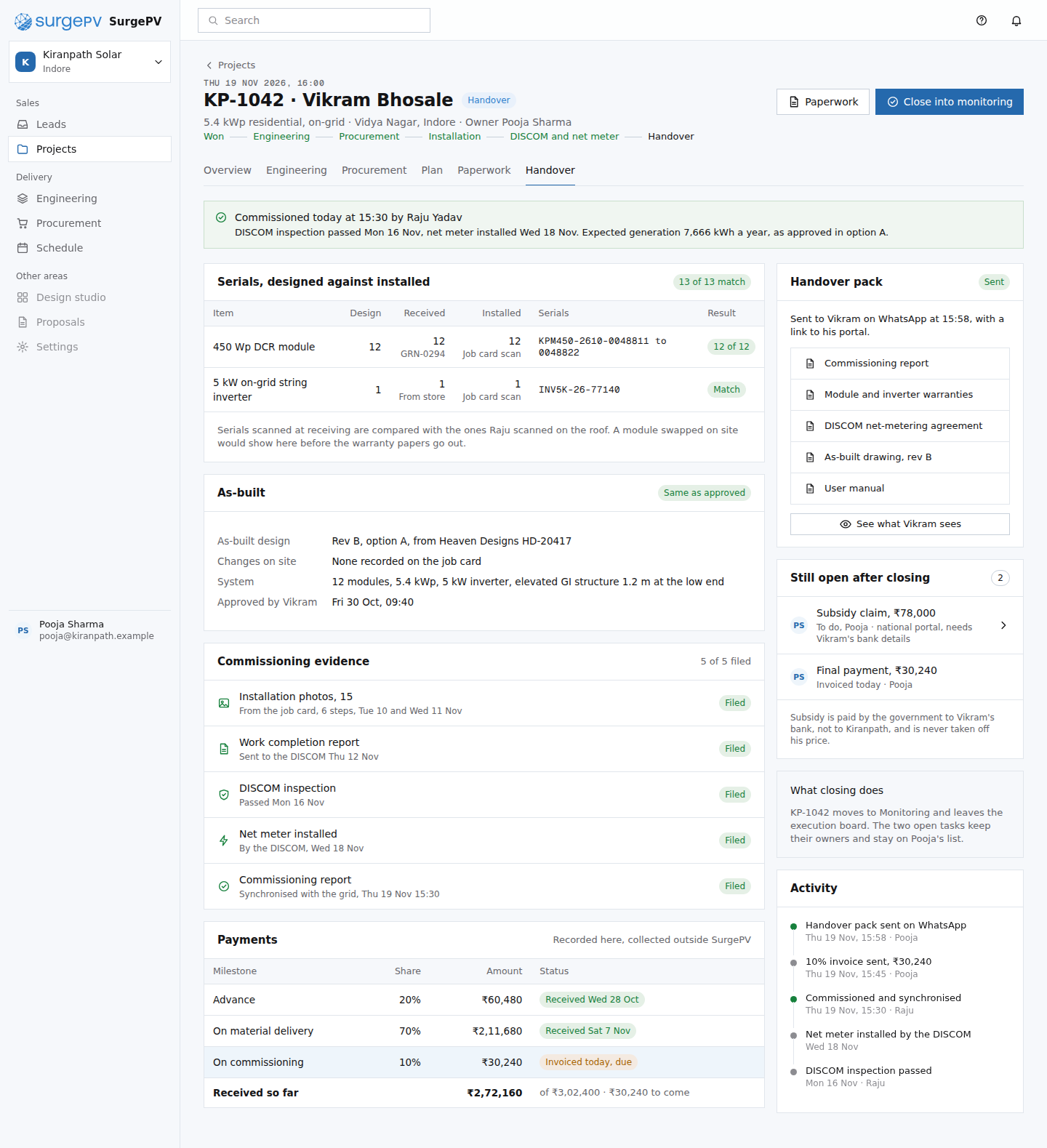 PM06Commissioning and handoverNeeds backend workSerial reconciliation across goods receipt, job card scans and design; handover pack built from project documents and sent by WhatsApp link.
55. Homeowner portal
 CP01Homeowner portal: my solar projectNeeds backend workOTP sign-in to the phone number on the project; customer-safe view of the project record
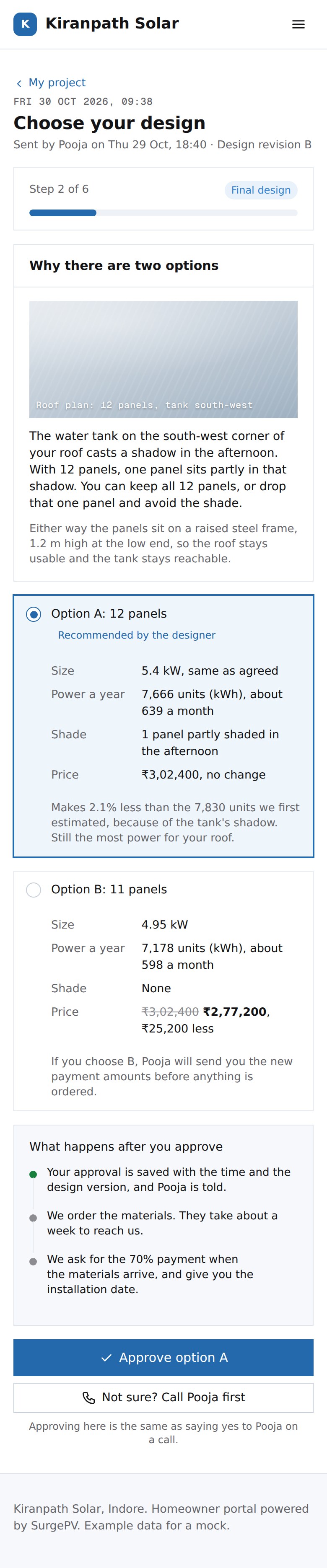 CP02Homeowner portal: choose your designNeeds backend workapproval record with timestamp, design version and option; notify Pooja and Aditya
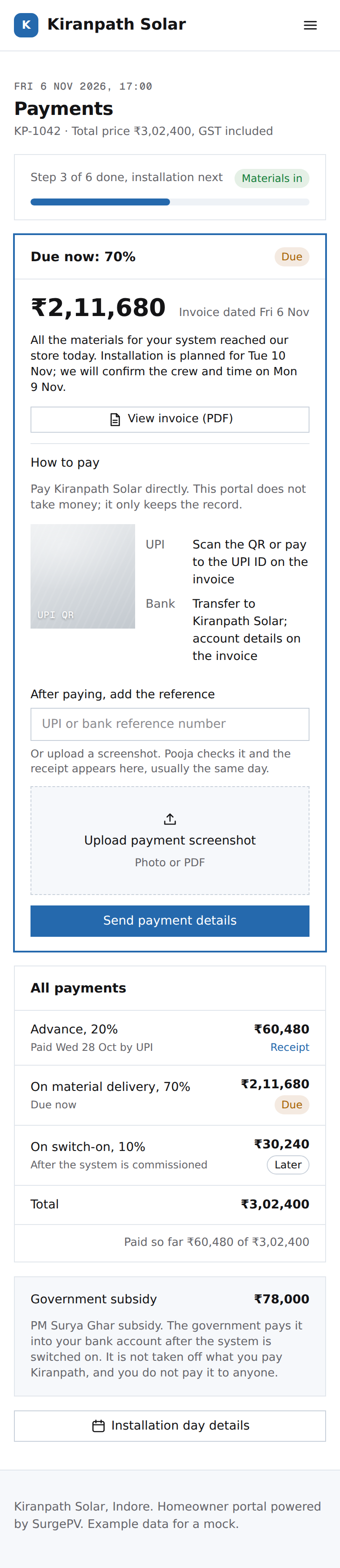 CP03Homeowner portal: paymentsNeeds backend workcustomer-submitted payment reference and screenshot, matched by Kiranpath before a receipt is issued
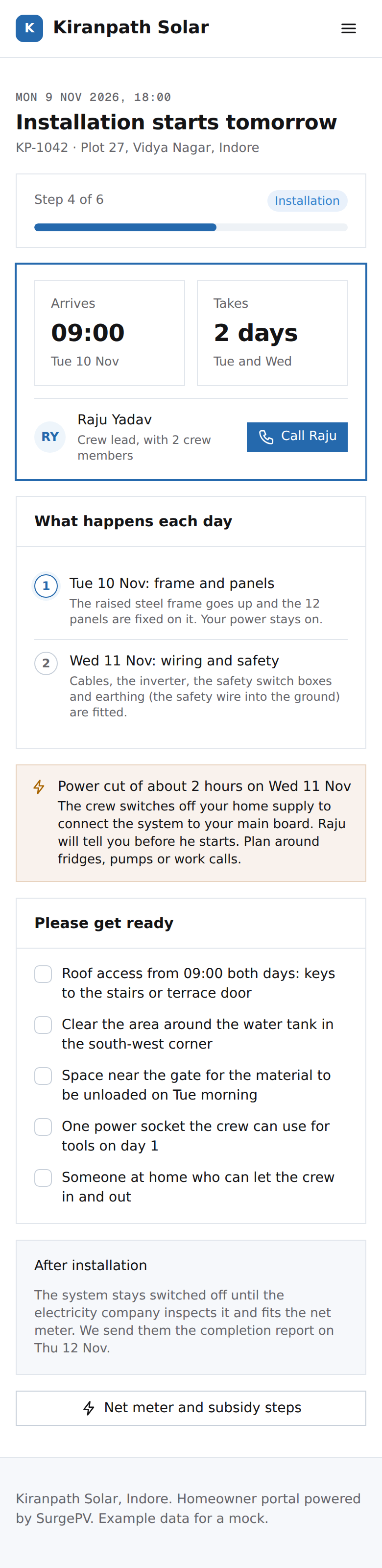 CP04Homeowner portal: installation day
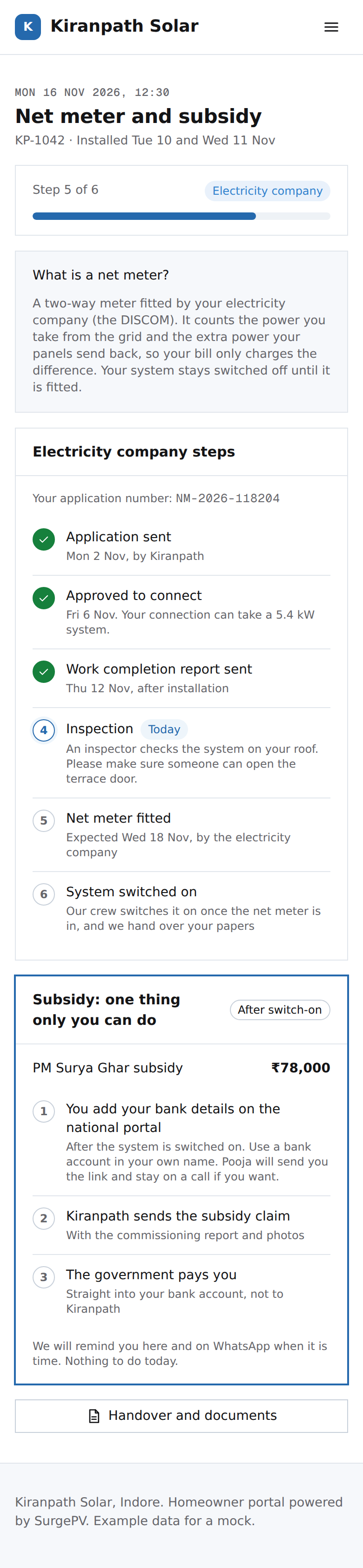 CP05Homeowner portal: net meter and subsidy
 CP06Homeowner portal: your system is handed overNeeds backend workhandover pack generated from the project's documents; download links that stay valid after the project closes